주메뉴 바로가기 본문으로 바로가기

Flow

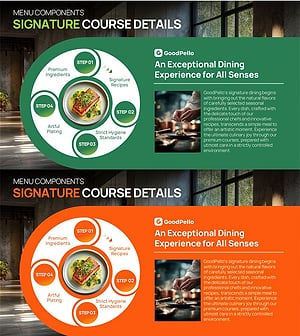
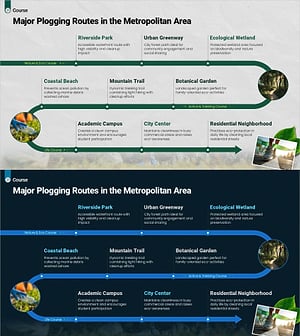
Flow diagram PowerPoint templates from GoodPello help presentations communicate multi-step processes, cyclic workflows, and decision paths through visual structure that replaces dense text descriptions. The collection includes four directional formats — linear for left-to-right sequential steps, circular for repeating cycles, diverging-converging for branching and reconverging paths, and multi-directional for complex process networks. Each template is fully editable in standard PowerPoint, allowing teams to adjust step labels, arrow styles, and color themes to match their presentation brand.

Design-Based Slides Diagram Flow Linear Flow Circular Flow Converging Flow Diverging Flow Multidirectional Flow Structure Tree Diagram Pyramid Chart Cluster Combination Diagram Closed Cluster Diagram Inclusive Cluster Diagram Chain Diagram Spread Radial Diagram Centralized Diagram Decentralized Diagram Table Standard Table Horizontal Table Vertical Table Graph Horizontal Bar Horizontal Bar Chart Grouped Horizontal Bar Double Horizontal Bar Segmented Horizontal Bar Column Column Chart Grouped Column Segmented Column Circles Pie Chart Doughnut Chart Line Line Chart Bell Curve Other Scatter Plot Area Chart Radar Chart Spider Chart Mixed Chart Other Charts Text Box Rounded Rectangle Text Box Rectangle Text Box Pentagon Text Box Hexagon Text Box Circular Text Box Speech Bubble Sticky Note Arrow Other Icon Map Silhouette Mockup Content-Based Slides Slide Type Cover Table of Contents Section Cover Ending Cover Intro Outro Q&A Declaration Reference Welcome & Introduction Portfolio Company Introduction Company Overview Core Values, Vision, and Mission Introduction of Executives Manpower History Shareholder Structure Business Areas Organizational Chart Awards and Certifications, and Patents Global Network Customers and Partners Contact Information Key Achievements Domestic Network Product/Service Introduction Product/Service Introduction Features Composition Differentiation Strategy for Products/Services Development Plan Program Introduction Development Status Benefits and Advantages Product and Service Overview Business Introduction Business Areas Technological Status Facilities & Equipment Revenue Model Infrastructure Business Understanding Business Overview Business Vision and Strategy Business Vision Business Strategy Business Goals Core Competencies Business Background and Necessity Business Strategy Production Plan Marketing Plan Financial Outlook & Expected Impact Step-by-Step Schedule Plan As-Is To-Be Business Direction Achievements Roadmap Implementation Framework Background Project Progress Business Management Execution Plan Implementation Plan Implementation Schedule Project Organization and Roles and Responsibilities Reporting and Review Plan Quality Assurance Plan Project Staffing Operational Plan Production and Technology Development Strategy Capital Investment Plan Organizational Structure and Staffing Plan Project Implementation Schedule Business Processes Risk Management Mitigation Measures Post-Implementation Management & Maintenance Business Support Plan Technical Approach Service Architecture Diagram Service Development Plan Service Operation Plan Service Components Service Configuration Plan Service Implementation Plan System Architecture Diagram Future Development Roadmap Service Implementation Plan Implementation Case Studies Research and Development Innovative Technologies and Future Plans Market and Competitor Analysis Market Status Customer Analysis SWOT Analysis Competitor Analysis Market Share Future Outlook Market Analysis Market Overview Industry Trends Target Market Competitive Advantage Marketing Plan and Strategy Marketing Objectives Target Market Strategy Positioning Pricing Strategy Promotion Strategy Distribution Strategy Marketing Strategy Target Setting Key Marketing Activities Financial Plans and Performance Capital Requirements Projected Return on Investment (ROI) Balance Sheet Income Statement Cash Flow Statement Budget Sales and Revenue Key Financial Indicators Tax Strategy and Benefits Customer Success Stories Introduction of Key Customers Customer Testimonials and Feedback Customer Success Metrics Customer Cases and Success Stories Testimonials Corporate Social Responsibility Social Contribution Activities Environmental Protection Efforts Sustainability Programs Corporate Governance Policies ESG Risk Management and Regulatory Compliance Risk Management Strategy Legal and Regulatory Compliance Data Protection and Security Emotional Messages Growth ・ Overcoming Success ・ Achievement Emotion ・ Mindset Communication ・ Connection Vision ・ Future Ethics ・ Values Conflict ・ Risk Trend ・ Technology Freedom ・ Expression Templates General Business IT/Computer Science/Medical Education Nature/Travel Construction/Real Estate Other Strategy Templates Company Profile Product/Service Introduction Proposal Investor Relations/IR Business Plans Marketing Plans Business/Performance Report Education and Seminar Special Templates Zen Type Moving Type Animation Type Free Templates Free Templates Free Diagrams Free Graphs Free Text Boxes Free Others Premium Free Templates

Total Templates Available : 1,410

View 12 each
  • View 12 each
  • View 24 each
  • View 36 each
  • View 48 each
  • View 60 each
Recently added
  • Recently added
  • Popular
  • Oldest

Filter

Flow
Structure
Cluster
Spread
Table
Color
Slide Ratio

Process Flow Slide Decks for Linear, Circular & Multi-Directional Workflows

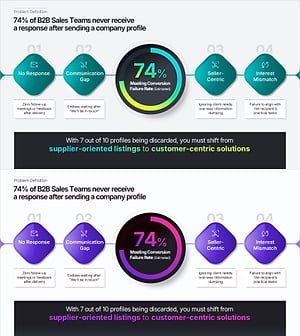
Flow diagram templates cover four directional structures — linear sequences for step-by-step procedures, circular layouts for repeating cycles, diverging-converging flows for parallel paths that branch and merge, and multi-directional layouts for processes with simultaneous or non-sequential flows. Templates are built with editable PowerPoint shapes and adjustable connector styles.

The right flow type depends on the process structure — linear for ordered sequences, circular for repeating cycles, diverging-converging for parallel tracks, and multi-directional for complex networked flows. Find a flow diagram PowerPoint template on GoodPello that matches your presentation's process structure.

Frequently Asked Questions

Start with a pre-built flow diagram PowerPoint template — the shapes, connector arrows, and labeled steps are already in place, so the only edits needed are replacing placeholder text and adjusting colors to match your presentation brand. To add steps, duplicate an existing shape with Ctrl+D and reconnect the arrow to the new element. For multi-phase processes, color-coding each phase group within the flow clearly separates stages while maintaining a single directional path through the diagram.

Filter

Template

Category
Color
Slide Ratio

Add to Collection

  • No collections created.

TOP