



Bookmark PPT Step-by-step Implementation Plan
RB0800071_7
- Last Update 03/28/2025
- File Size 5.4MB
- # of Slides 2
- File Format PPTX
- Slide Ratio 4:3
- Color
Keywords
About the Product
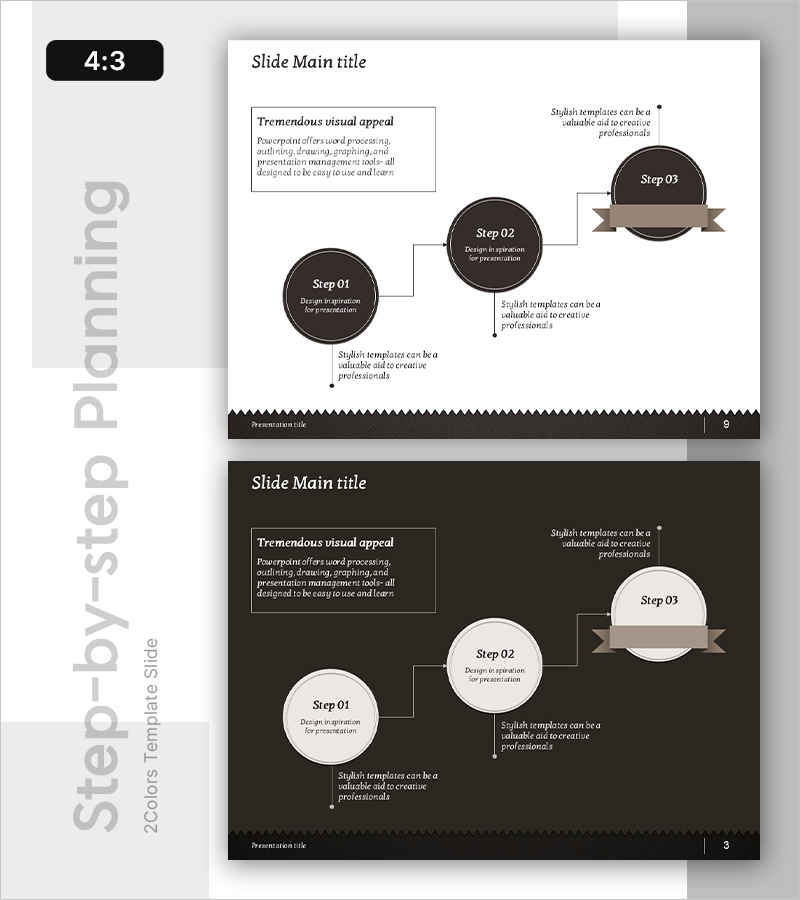
A 3-step linear diagram PowerPoint slide that visualizes business implementation plans in sequential stages. The design features circular nodes connected by lines, with descriptive text areas beneath each step. A bookmark banner element at the top emphasizes the final stage, creating visual hierarchy. The color scheme combines dark brown backgrounds with white and beige nodes, conveying professionalism and clarity. This 4:3 aspect ratio, 2-slide template is ideal for presenting business strategies, execution plans, project roadmaps, and process workflows in corporate presentations.
Usage Points
-
Main Usage
Designed to visually explain 3-step processes such as business strategies, execution plans, and project roadmaps. Each step clearly communicates objectives and details, while the bookmark banner highlights the final stage to focus audience attention on key outcomes.
-
How to Use
Enter step names in the circular nodes and add descriptions in the text boxes below each step. All colors and text are fully editable, and node quantities can be adjusted as needed. Insert into business plans, strategy presentations, organizational restructuring proposals, and other professional documents.
-
Recommended For
Ideal for executives, project managers, marketing professionals, and strategic planning teams presenting business implementation approaches. Suitable for investor presentations, internal meetings, client proposal pitches, and other formal business environments requiring credible visual communication.
-
Slide Structure
2-slide layout. Slide 1: Light background with 3 dark brown circular nodes, connecting lines, and 1 bookmark banner at top. Slide 2: Dark brown background with 3 white circular nodes, connecting lines, and 1 beige banner at top. Each node includes 3 text input areas and 3 descriptive text boxes positioned strategically.
Related Products
-
3D Arrow Linear Diagram
#Business Strategy #Diagram #Step-by-Step Schedule Plan
-
Automotive System Development Plan - Flow and Timeline
#Business Strategy #Business Management #Diagram
-
Arrow Linear Diagram for Visualizing Data Flow – Innovative Approach
#Business Strategy #Diagram #Step-by-Step Schedule Plan
-
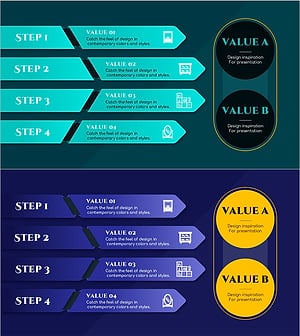
Product Value Correlation Slide – Business Insights Through Diagrams
#Product/Service Introduction #Business Strategy #Diagram
