



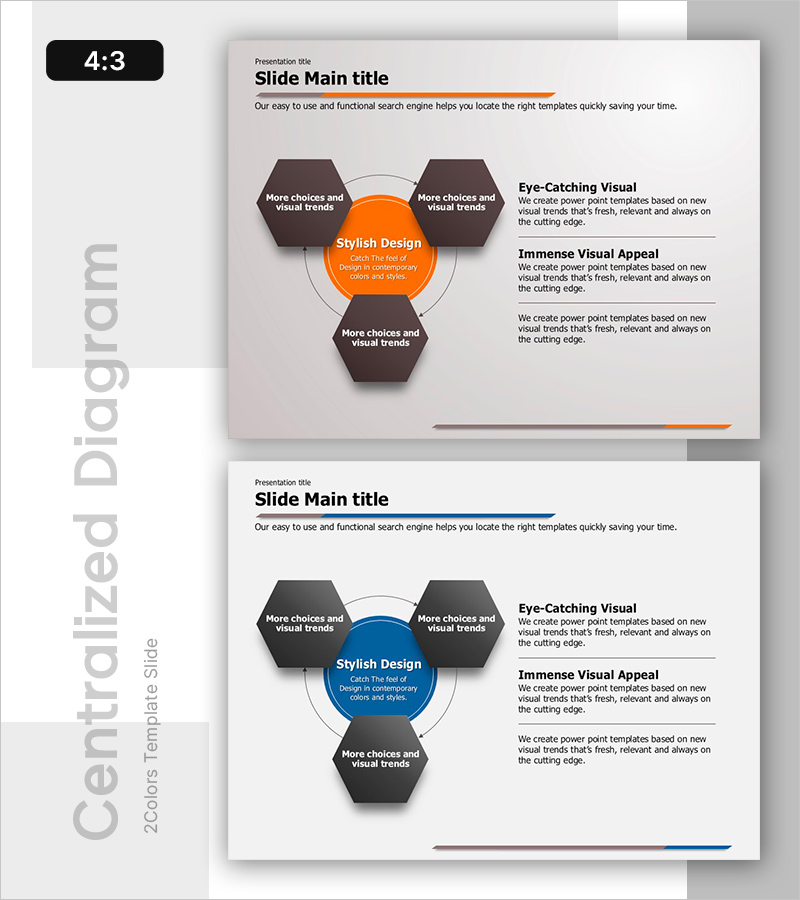
Circular Process Diagram – Designing Efficient Workflows
RB0800053_6
- Last Update 03/26/2025
- File Size 0.3MB
- # of Slides 2
- File Format PPTX
- Slide Ratio 4:3
- Color
Keywords
- #Content-Based Slides
- #Design-Based Slides
- #Operational Plan
- #Technical Approach
- #Diagram
- #Business Processes
- #Service Implementation Plan
- #Flow
- #Spread
- #Circular Flow
- #Centralized Diagram
- #4:3
- #circular diagram PowerPoint
- #process flow slide template
- #4-step cycle diagram
- #centered diagram slide
- #workflow process PowerPoint template
About the Product
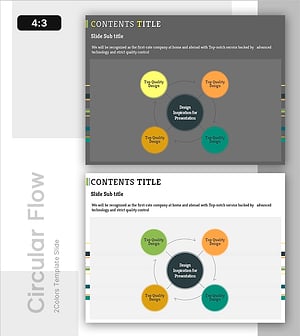
A centered circular diagram PowerPoint slide featuring a central hub connected to four hexagonal nodes arranged in a circular pattern. The design uses orange and dark brown tones to create visual contrast and emphasis. Each node provides an independent text input area for customization. The 2-slide set includes both an orange version and a blue version, allowing you to match your presentation theme and brand colors. This diagram effectively illustrates workflow processes, technical system stages, and cyclical structures. Provided in editable PPTX format for immediate use.
Usage Points
-
Main Usage
Visually represent organizational cycles, technical system stages, and workflow processes. The centered structure demonstrates how a core concept flows through four sequential stages and returns to the center, creating a complete cycle. Ideal for business plans, technical proposals, and operational process documentation.
-
How to Use
Enter your core concept (e.g., business model, technical architecture) in the central circular node. Add stage-specific content to each of the four hexagonal nodes. Select the orange version to emphasize energy and innovation, or the blue version for trust and stability. Text size and colors are fully customizable.
-
Recommended For
Technology leaders, project managers, business consultants, and operations professionals explaining cyclical processes. Perfect for business plan operational strategy sections, technical proposal system architecture diagrams, and report improvement cycle sections.
-
Slide Structure
2-slide set. Each slide features one central circular node (orange or blue) surrounded by four dark brown hexagonal nodes arranged in a circle. Connection lines and directional arrows indicate the cyclical flow. A text description area on the right side accommodates additional information.
Related Products
-
Safety Management System Diagram – Operational Planning and Technical Support
#Operational Plan #Technical Approach #Diagram
-
Air Operation Process – Understanding Operational Plans Through Diagrams
#Operational Plan #Technical Approach #Diagram
-
Flow Diagram for Real Estate Investment
#Operational Plan #Technical Approach #Diagram
-
System Cycle Diagram - Effective Process Visualization for Operational Planning
#Operational Plan #Technical Approach #Diagram
