



Air Operation Process – Understanding Operational Plans Through Diagrams
RB0100044_6
- Last Update 03/06/2025
- File Size 1.4MB
- # of Slides 2
- File Format PPTX
- Slide Ratio 4:3
- Color
Keywords
- #Content-Based Slides
- #Design-Based Slides
- #Operational Plan
- #Technical Approach
- #Diagram
- #Business Processes
- #Service Implementation Plan
- #Flow
- #Spread
- #Circular Flow
- #Centralized Diagram
- #4:3
- #radial diagram PowerPoint slide
- #process flow presentation template
- #4-step operational plan diagram
- #business process PowerPoint slide
- #how to create radial diagram in PowerPoint
About the Product
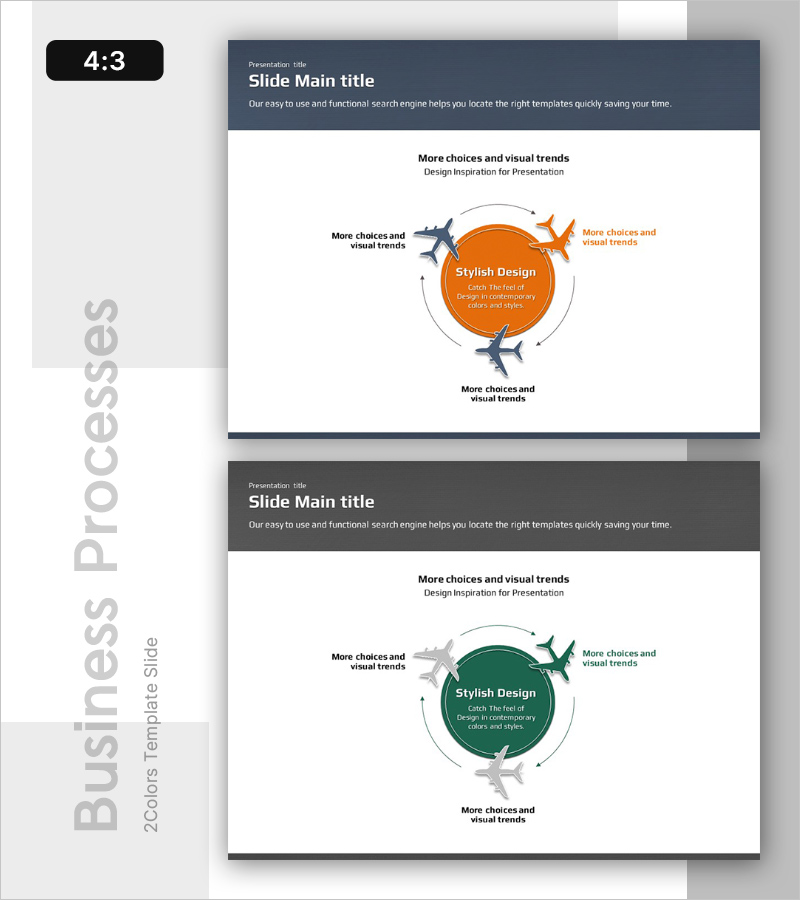
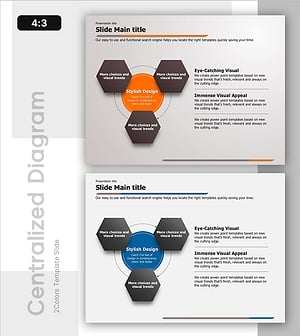
A radial diagram PowerPoint slide with a central circle expanding outward in four directions. This presentation template features an orange center circle and gray arrow icons representing process stages, operational plans, and workflow sequences. Four text areas positioned at cardinal points allow input for each stage description, while circular arrows emphasize the cyclical structure. Instantly applicable to air operations, technical departments, operational management, and various business process explanations in your PowerPoint presentation.
Usage Points
-
Main Usage
Visualizes process stages, operational plans, and workflow sequences using a center-to-periphery radial structure. Enhances audience comprehension by illustrating cyclical business processes in air operations, technical departments, and operational management contexts.
-
How to Use
Enter the core topic in the central circle and add stage descriptions in the four cardinal text areas. Adjust arrow direction and color to emphasize process priority or workflow sequence in your presentation.
-
Recommended For
Ideal for technical department reports, operational planning presentations, workflow explanations, and operational management presentations in aviation, logistics, and manufacturing industries. Effective for executives, team leaders, and project managers presenting strategic initiatives.
-
Slide Structure
2-slide set in 4:3 aspect ratio. First slide features orange center circle with four directional arrow icons (gray airplane silhouettes). Second slide offers color variation with dark green center circle and identical four-direction structure. Each slide includes four text input areas for stage descriptions.
Related Products
-
Safety Management System Diagram – Operational Planning and Technical Support
#Operational Plan #Technical Approach #Diagram
-
Flow Diagram for Real Estate Investment
#Operational Plan #Technical Approach #Diagram
-
System Cycle Diagram - Effective Process Visualization for Operational Planning
#Operational Plan #Technical Approach #Diagram
-
Circular Process Diagram – Designing Efficient Workflows
#Operational Plan #Technical Approach #Diagram
