



Introduction to Business Process – Flow of Business Activities
RM0800001_8
- Last Update 02/27/2025
- File Size 0.9MB
- # of Slides 2
- File Format PPTX
- Slide Ratio 16:9
- Color
Keywords
- #Content-Based Slides
- #Design-Based Slides
- #Product/Service Introduction
- #Operational Plan
- #Diagram
- #Program Introduction
- #Business Processes
- #Cluster
- #Closed Cluster Diagram
- #16:9
- #business process diagram PowerPoint
- #workflow slide template
- #3-step process diagram
- #icon-based process slide
- #how to create business process diagram in PowerPoint
About the Product
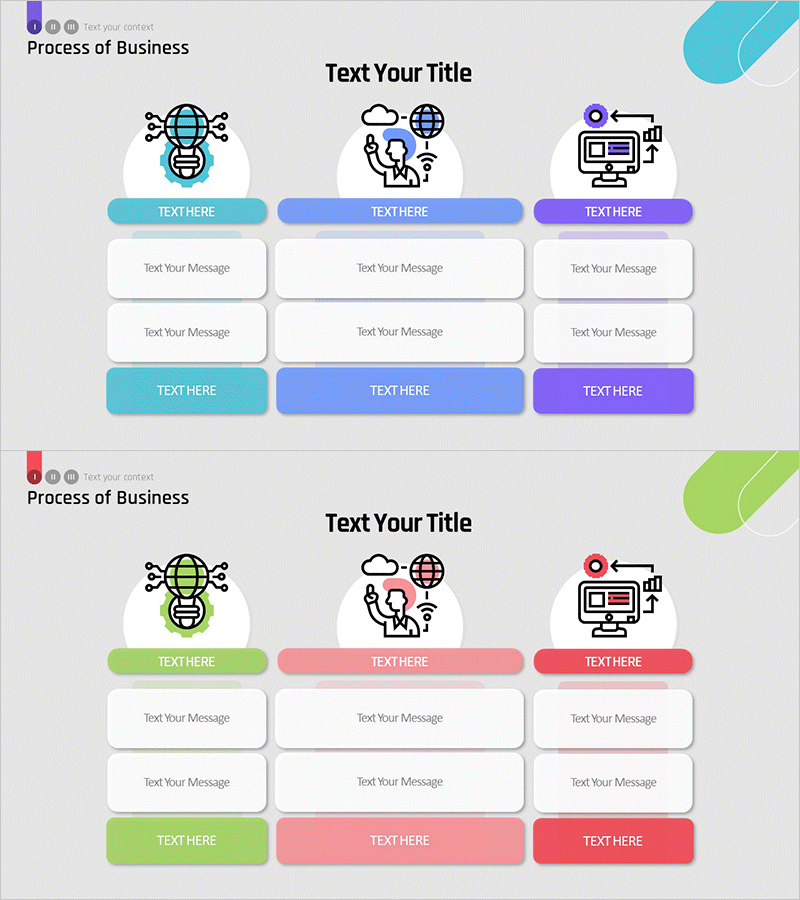
An icon-based diagram PowerPoint slide that visualizes business processes across three sequential steps. Features global network, cloud collaboration, and digital marketing icons representing core business activities. Each stage includes dedicated areas for labels, descriptions, and message input. Presented in three color schemes—cyan, blue, and purple—with editable text fields throughout. Delivered as a 16:9 widescreen 2-slide deck ready for immediate customization and presentation use.
Usage Points
-
Main Usage
Communicate business models, operational workflows, and strategic processes to audiences with clarity and visual impact. The icon-based design simplifies complex procedures into intuitive, step-by-step narratives that engage stakeholders and facilitate understanding.
-
How to Use
Enter process names above each icon and add detailed descriptions in the message areas below. Maintain the existing color palette or customize with your brand colors. Adjust the number of steps, replace icons, or modify text fields to match your specific business context and presentation needs.
-
Recommended For
Ideal for executives, business managers, and marketing teams presenting company business models, new initiatives, or operational frameworks. Suitable for investor pitches, corporate introductions, business plans, strategic reports, and organizational structure presentations.
-
Slide Structure
Two-slide deck with three sequential process stages arranged left to right. Each stage contains an icon within a circular background, a color-coded label box (cyan, blue, or purple), and two message input areas stacked vertically. Optimized for 16:9 widescreen format to ensure compatibility with modern presentation environments.
Related Products
-
Football Game Process for Victory – Strategic Operational Planning
#Product/Service Introduction #Operational Plan #Diagram
-
Introduction to Banking Services Programs – Design of Trust and Cooperation
#Product/Service Introduction #Operational Plan #Diagram
-
Stylish Design Presentation Template – Setting New Standards for Data Delivery
#Product/Service Introduction #Operational Plan #Diagram
-
Field-specific Square Diagram – Effective for Product Introductions
#Product/Service Introduction #Diagram #Program Introduction
