



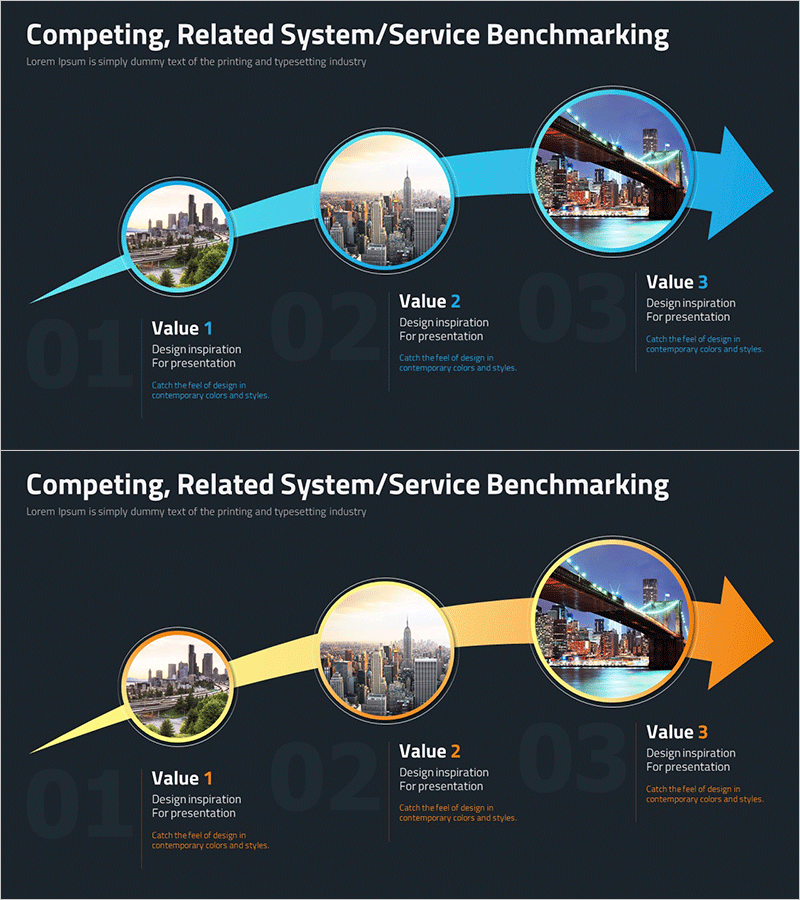
Introduction to the Filming Location Schedule – Step-by-Step Flow
RM0200014_16
- Last Update 02/05/2025
- File Size 1.7MB
- # of Slides 2
- File Format PPTX
- Slide Ratio 16:9
- Color
Keywords
- #Content-Based Slides
- #Design-Based Slides
- #Business Strategy
- #Business Management
- #Diagram
- #Step-by-Step Schedule Plan
- #Execution Plan
- #Flow
- #Linear Flow
- #16:9
- #linear flow diagram PowerPoint
- #3-step process slide
- #sequential flow presentation
- #project timeline diagram
- #step-by-step process PowerPoint slide
About the Product
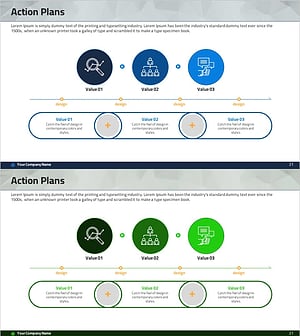
A linear flow diagram PowerPoint slide that visualizes filming location schedules and step-by-step project progression. Three circular nodes connected by a blue arrow create a clear sequential structure, with each stage combining images and descriptive text. Optimized for 16:9 widescreen format in a 2-slide set, this presentation template is ready to use for project timelines, filming schedules, and business planning. Text and color elements are fully editable, allowing customization for various professional contexts and industries.
Usage Points
-
Main Usage
Clearly visualize three or more sequential processes such as filming location visits, project phases, and business timelines. Combining images and text at each stage enhances audience comprehension and engagement with the presentation content.
-
How to Use
Insert stage titles, descriptions, and images into each circular node, then adjust colors and arrow styles as needed. Apply this template to project kickoff presentations, filming schedule briefings, business initiative timelines, and other sequential process explanations.
-
Recommended For
Film and drama production teams sharing shooting schedules, marketing teams explaining campaign phases, construction and real estate professionals presenting project timelines, product development teams showcasing roadmaps, and educators structuring curriculum progressions.
-
Slide Structure
Three circular nodes (approximately 120px diameter each) connected left-to-right by a blue arrow (8–10px thickness). Each node contains an image area (top) and text input field (bottom). A directional arrow at the right end emphasizes forward progression.
Related Products
-
Sports Flow Strategy Diagram – Step-by-Step Business Plan
#Business Strategy #Business Management #Diagram
-
Flow Diagram and Table – Visualizing Business Strategy
#Business Strategy #Business Management #Diagram
-
In-depth Analysis STEP4 Diagram – Visualizing Project Strategy Schedule
#Business Strategy #Business Management #Diagram
-
Activity Plan Sequence Diagram – Business Strategy Visualization
#Business Strategy #Business Management #Diagram
