



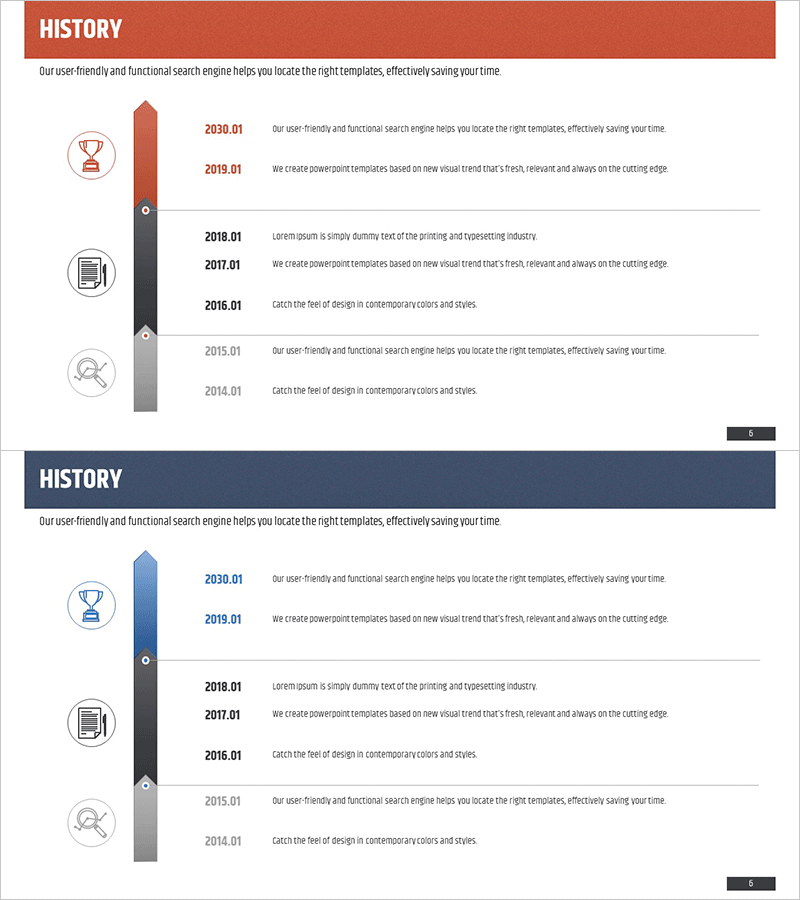
History Vertical Arrow Diagram – Business Flow Visualization
RM0200003_5
- Last Update 02/01/2025
- File Size 2.8MB
- # of Slides 2
- File Format PPTX
- Slide Ratio 16:9
- Color
Keywords
About the Product
A vertical arrow flow diagram PowerPoint slide that displays your company's development milestones and key achievements in chronological order. The design features an orange arrow at the top flowing downward through 6 stages, with dedicated spaces for year labels and descriptive text at each stage. Left-aligned icons (trophy, document, search) visually represent the characteristics of each period. This slide template is ready to use in company introduction presentations, business pitch decks, organizational timelines, and corporate history reports. All text, colors, and icons are fully editable to match your brand identity.
Usage Points
-
Main Usage
Clearly present your company's historical development stages, project execution phases, and business milestones in chronological sequence. The vertical arrow structure intuitively conveys upward growth or step-by-step progression, allowing you to highlight both major achievements and their timing simultaneously.
-
How to Use
Use this slide in company introduction presentations (history section), business pitches explaining project phases, organizational development reports, and employee onboarding materials. Simply input the year and description text for each stage, and replace the left-side icons with images that represent each period's key characteristics.
-
Recommended For
Ideal for company executives, marketing teams, and HR departments presenting company history and growth trajectory to investors, clients, and new employees. Effective for startups sharing growth stages, large corporations explaining major business expansion timelines, and organizations documenting strategic shifts and organizational restructuring.
-
Slide Structure
A vertical flow structure beginning with an orange arrow at the top and branching into 6 nodes. Each node contains a year label (2014.01–2030.01) and description area, with icons (trophy, document, search) positioned on the left. The design follows a gray central axis with arrows pointing downward in a single-direction flow.
Related Products
-
Scientific Experiment History Diagram – Journey of Research and Innovation
#Company Introduction #Diagram #History
-
Fintech Business History Diagram – Effective Information Delivery
#Company Introduction #Diagram #History
-
Adventure Company History 4 Color Connection Diagram
#Company Introduction #Business Strategy #Diagram
-
List of Studies by Year Slide – Business Strategy and Vision
#Company Introduction #Business Vision and Strategy #Diagram
