



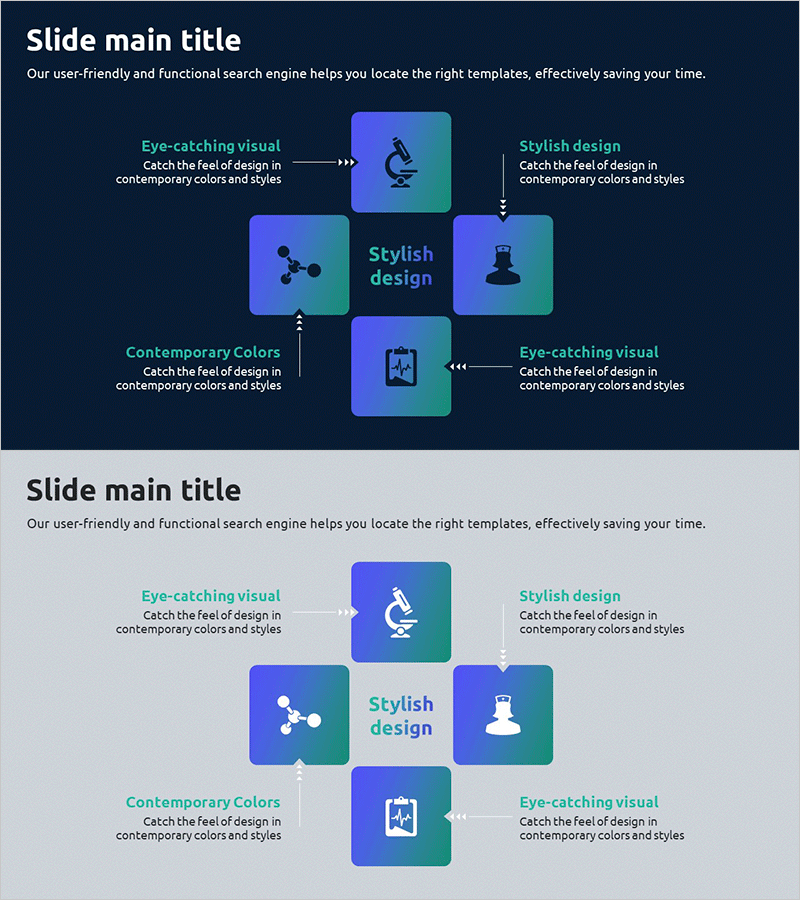
Healthcare System Process Diagram – Efficient Workflow
RJ0700016_24
- Last Update 08/29/2025
- File Size 0.4MB
- # of Slides 2
- File Format PPTX
- Slide Ratio 16:9
- Color
Keywords
- #Content-Based Slides
- #Design-Based Slides
- #Business Introduction
- #Operational Plan
- #Diagram
- #Business Areas
- #Business Processes
- #Flow
- #Spread
- #Circular Flow
- #Centralized Diagram
- #16:9
- #radial diagram PowerPoint
- #process diagram slide template
- #healthcare system diagram
- #workflow visualization PPT
- #central node diagram
- #how to create process diagram in PowerPoint
About the Product
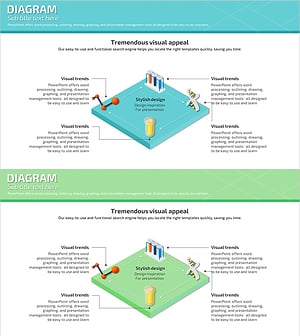
A radial process diagram PowerPoint slide featuring a central element connected to four surrounding nodes via bidirectional arrows. The design uses blue-green gradient rounded rectangles with icons and text labels to visualize healthcare systems, workflow processes, and organizational structures. The contrast between dark backgrounds and bright accent colors creates strong visual impact for presentations. Available in 2-slide format with both dark and light background options, 16:9 aspect ratio PPTX format for immediate editing and customization.
Usage Points
-
Main Usage
Illustrates the relationship between a core concept and surrounding elements using a radial structure. Effectively visualizes healthcare systems, operational workflows, business processes, and organizational hierarchies where central-to-peripheral relationships are key, enhancing audience comprehension.
-
How to Use
Use in company overview, business introduction, or operational planning sections to explain core workflows or organizational structures. Edit the central node with your main concept and populate the four surrounding nodes with supporting elements, then customize text and icons to create a tailored diagram.
-
Recommended For
Healthcare institutions, hospital administrators, medical IT professionals, organizational restructuring presentations, process improvement proposals, and system architecture explanations. Suitable for executive briefings, investor presentations, and internal training materials.
-
Slide Structure
Central node contains the primary concept (e.g., Stylish design) with four surrounding nodes positioned at top, right, bottom, and left (Eye-catching visual, Stylish design, Contemporary Colors, etc.). Bidirectional arrows connect the center to each node. Includes two background versions: dark and light, both 16:9 format.
Related Products
-
Interior Quotation and Construction System – Harmonizing Design and Operations
#Operational Plan #Diagram #Business Processes
-
Interior Design Work System – Engaging Diagram Utilization
#Business Strategy #Operational Plan #Diagram
-
Chemical Lab Presentation Template – Blend of Data Analysis and Visualization
#Product/Service Introduction #Diagram #Composition
-
Scientific Experiment Process Cycle Diagram – Effective Business Introduction
#Business Introduction #Operational Plan #Diagram
