



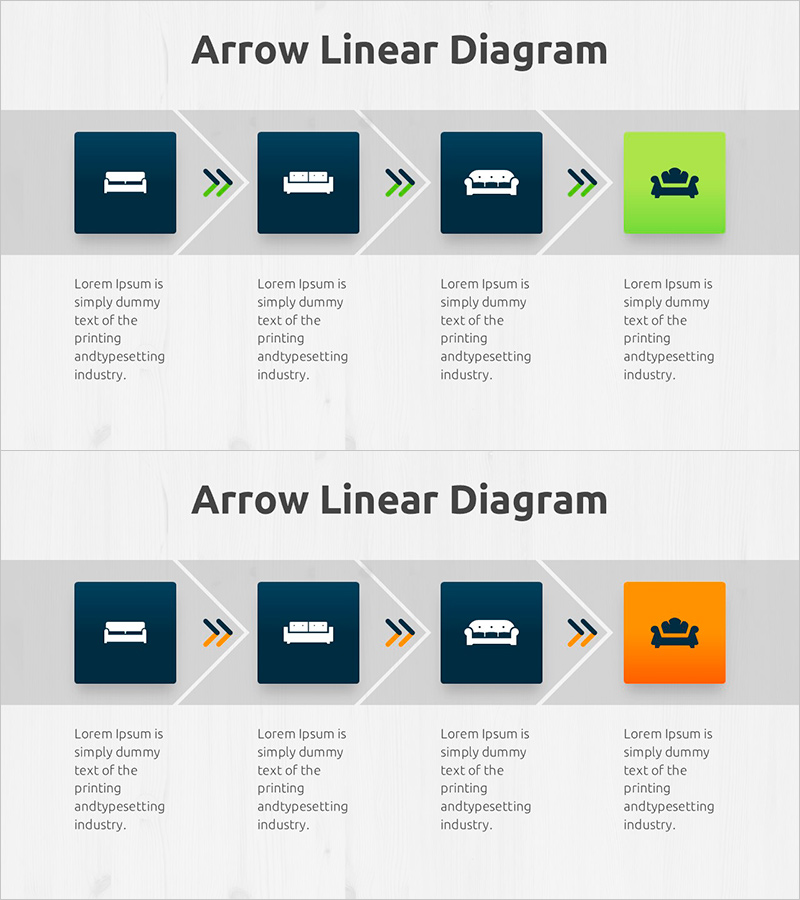
Understanding Differences by Sofa Cushion Types – Arrow Linear Diagram
RJ0900029_23
- Last Update 08/25/2025
- File Size 0.8MB
- # of Slides 2
- File Format PPTX
- Slide Ratio 16:9
- Color
Keywords
- #Content-Based Slides
- #Design-Based Slides
- #Product/Service Introduction
- #Technical Approach
- #Diagram
- #Development Plan
- #Service Operation Plan
- #Flow
- #Linear Flow
- #16:9
- #arrow diagram PowerPoint
- #linear diagram slide
- #4-step process template
- #process flow PowerPoint slide
- #step-by-step diagram template
About the Product
A 4-step linear diagram PowerPoint slide set featuring arrow-connected nodes in a left-to-right flow. Three nodes are styled in dark blue with white icons, while the final node is highlighted in lime green to emphasize the outcome or result. Each step includes a text area below for detailed descriptions, making it ideal for product type comparisons, service process workflows, and organizational structures. Designed in 16:9 widescreen format for modern presentation environments. All icons, colors, and text are fully editable to match your brand identity.
Usage Points
-
Main Usage
Clearly communicate sequential processes, product type comparisons, or organizational hierarchies using arrow-connected flow. The lime green accent on the final step draws attention to the key outcome or goal, while icons and descriptive text below each node enhance audience comprehension and engagement.
-
How to Use
Use in product launch presentations, service operation process explanations, organizational structure diagrams, or decision-flow charts. Replace the placeholder icons with relevant imagery for each step, add specific descriptions in the text areas, and adjust colors to align with your corporate branding or presentation theme.
-
Recommended For
Product managers, marketing professionals, operations teams, executives explaining organizational changes, educators, and seminar facilitators. Particularly effective for B2B presentations, internal reports, and client-facing materials that require intuitive step-by-step or category-based explanations.
-
Slide Structure
2-slide set. Each slide displays 4 square nodes connected by double-arrow symbols (>>) in a horizontal left-to-right sequence. First three nodes in dark blue with white icons; final node in lime green. Text placeholder below each node. Variations include repositioned accent color or alternative orange highlight on the second slide for visual diversity.
Related Products
-
Slide Visualizing 24-Hour Automobile Safety Management Service
#Technical Approach #Diagram #Service Operation Plan
-
How to Measure Smart Health – Visualizing Effective Data Flow
#Operational Plan #Technical Approach #Diagram
-

Touch Wide Slide Template - Modern Mockup Design
#Product/Service Introduction #Technical Approach #Diagram
-
Keywords for Exercise Programs Slide – Beautiful Design and Innovative Flow
#Technical Approach #Diagram #Service Operation Plan
