



Horticultural Flow Step Analysis – Business Strategy Diagram
RJ0600083_25
- Last Update 07/12/2025
- File Size 0.5MB
- # of Slides 2
- File Format PPTX
- Slide Ratio 16:9
- Color
Keywords
- #Content-Based Slides
- #Design-Based Slides
- #Business Strategy
- #Diagram
- #Step-by-Step Schedule Plan
- #Flow
- #Cluster
- #Linear Flow
- #Chain Diagram
- #Project Progress
- #16:9
- #circular flow diagram PowerPoint
- #business strategy presentation slide
- #4-stage process diagram
- #how to create process flow in PowerPoint
- #business progress timeline slide
About the Product
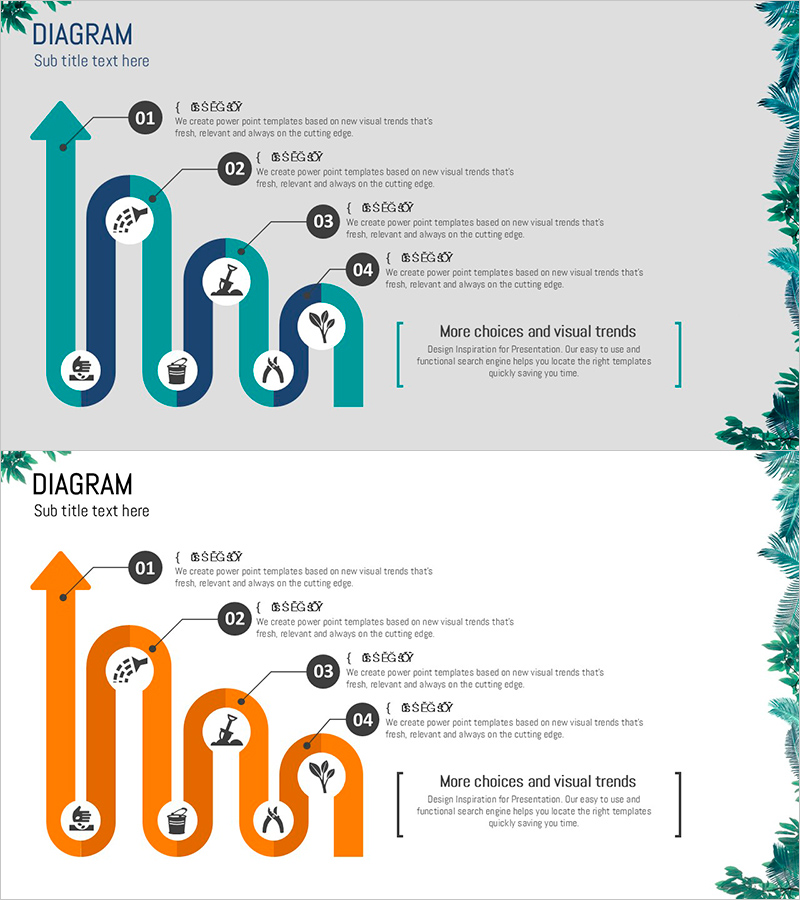
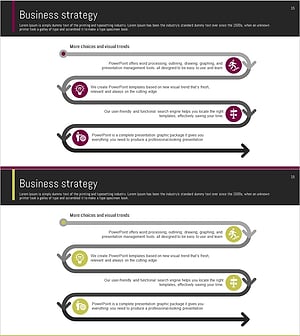
A circular flow diagram PowerPoint slide that visualizes business progress through four sequential stages. The design combines upward arrows with circular nodes to clearly represent each phase of the process. Two color versions—teal and orange—are provided, with each stage featuring icons and text description areas. Decorative botanical elements frame the slide edges, adding visual interest to your presentation. This PowerPoint slide is ready to use for business planning, marketing strategy presentations, project timelines, and other professional contexts.
Usage Points
-
Main Usage
Visualizes business progress and sequential processes using a circular structure, ideal for strategy presentations and status updates. The circular design emphasizes continuous improvement and iterative cycles, making it effective for communicating ongoing initiatives and phased implementation plans.
-
How to Use
Use in business planning presentations, marketing strategy meetings, and project kickoff sessions to explain implementation timelines and stage-specific objectives. Customize the text and icons in each node to match your actual business content, and select the color version that aligns with your corporate branding.
-
Recommended For
Business strategists, marketing managers, project coordinators, and executives presenting progress reports. Ideal for new business launches, organizational restructuring, marketing campaigns, and any presentation requiring phased execution plans and stage-by-stage progress tracking.
-
Slide Structure
Composed of one upward arrow and three circular nodes arranged in a circular flow pattern. Each node contains a number (01–04), an icon, and a text description area. An additional information box is positioned on the right side. Two color versions (teal and orange) are provided, optimized for 16:9 widescreen format.
Related Products
-
Business Direction Illustrated with Camping Infographic
#Business Strategy #Diagram #Step-by-Step Schedule Plan
-
Business Arrow Flowchart – A Tool for Strategic Business Advancement
#Business Strategy #Diagram #Step-by-Step Schedule Plan
-
Step by Step Plan Linear Diagram – Effective Business Strategy
#Business Strategy #Business Management #Diagram
-
Step-by-Step Flow Diagram – Visualizing Business Strategy
#Business Vision and Strategy #Business Strategy #Diagram
