



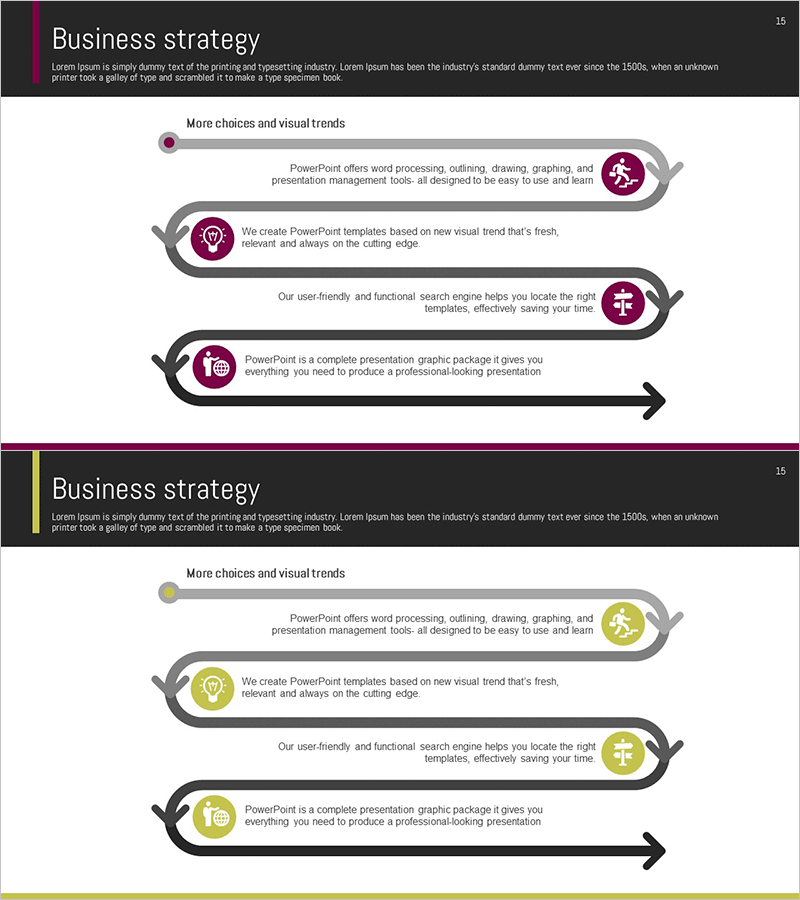
Step-by-Step Flow Diagram – Visualizing Business Strategy
RM0300007_14
- Last Update 02/08/2025
- File Size 1MB
- # of Slides 2
- File Format PPTX
- Slide Ratio 16:9
- Color
Keywords
- #Content-Based Slides
- #Design-Based Slides
- #Business Vision and Strategy
- #Business Strategy
- #Diagram
- #Business Strategy
- #Step-by-Step Schedule Plan
- #Flow
- #Cluster
- #Linear Flow
- #Chain Diagram
- #16:9
- #circular flow diagram PowerPoint
- #4-step process diagram
- #business strategy visualization slide
- #cycle diagram PowerPoint template
- #how to create flow diagram in PowerPoint
About the Product
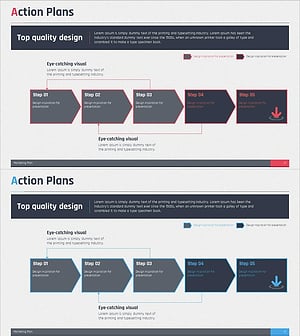
A professional 4-step circular flow diagram PowerPoint slide designed to visualize business strategy processes and cyclical workflows. Each step is marked with a circular icon in burgundy or gold tones, connected by directional arrows that clearly show progression and return flow. The slide includes ample text areas next to each icon for detailed descriptions, making it ideal for presenting strategy cycles such as plan-execute-evaluate-improve. This PowerPoint diagram template is ready to use in business presentations, strategic planning documents, performance reports, and organizational improvement initiatives.
Usage Points
-
Main Usage
Visualize cyclical business processes and strategic workflows with clarity and impact. This diagram effectively communicates the interconnected nature of strategy phases—planning, execution, evaluation, and improvement—enabling audiences to understand how each step leads to the next in a continuous cycle.
-
How to Use
Replace the placeholder text in each circular icon with your step names, and fill in the adjacent text areas with detailed descriptions. The directional arrows automatically guide viewers through the process flow, making it suitable for executive presentations, team meetings, strategy workshops, and formal business reports.
-
Recommended For
Business executives, strategy planners, project managers, consultants, and organizational development professionals. Ideal for presenting business plans, strategic reviews, process improvement initiatives, quality management cycles, and operational transformation roadmaps.
-
Slide Structure
Two-slide set featuring identical 4-step circular flow layouts in different color schemes—burgundy and gold accents. Each step is represented by a circular icon with connecting arrows forming a complete cycle. Text description areas are positioned adjacent to each icon for comprehensive process documentation.
Related Products
-
Stepwise Connection Diagram Representing Business Strategy
#Business Vision and Strategy #Business Strategy #Diagram
-
Visualizing the IoT Service Process – Incorporating Business Strategy
#Business Strategy #Operational Plan #Diagram
-
Schedule Diagram for Scientific Research – Detailed Implementation Plan
#Business Strategy #Business Management #Diagram
-
Step by Step Plan Linear Diagram – Effective Business Strategy
#Business Strategy #Business Management #Diagram
