



Research Phase Process Slide Design - Business Strategy
RJ0400002_13
- Last Update 05/17/2025
- File Size 1.9MB
- # of Slides 2
- File Format PPTX
- Slide Ratio 16:9
- Color
Keywords
- #Content-Based Slides
- #Design-Based Slides
- #Business Strategy
- #Operational Plan
- #Diagram
- #Business Direction
- #Business Processes
- #Flow
- #Spread
- #Circular Flow
- #Centralized Diagram
- #16:9
- #circular diagram PowerPoint
- #4-step process slide
- #business strategy presentation
- #cycle diagram slide
- #PPT diagram template
- #process flow PowerPoint slide
About the Product
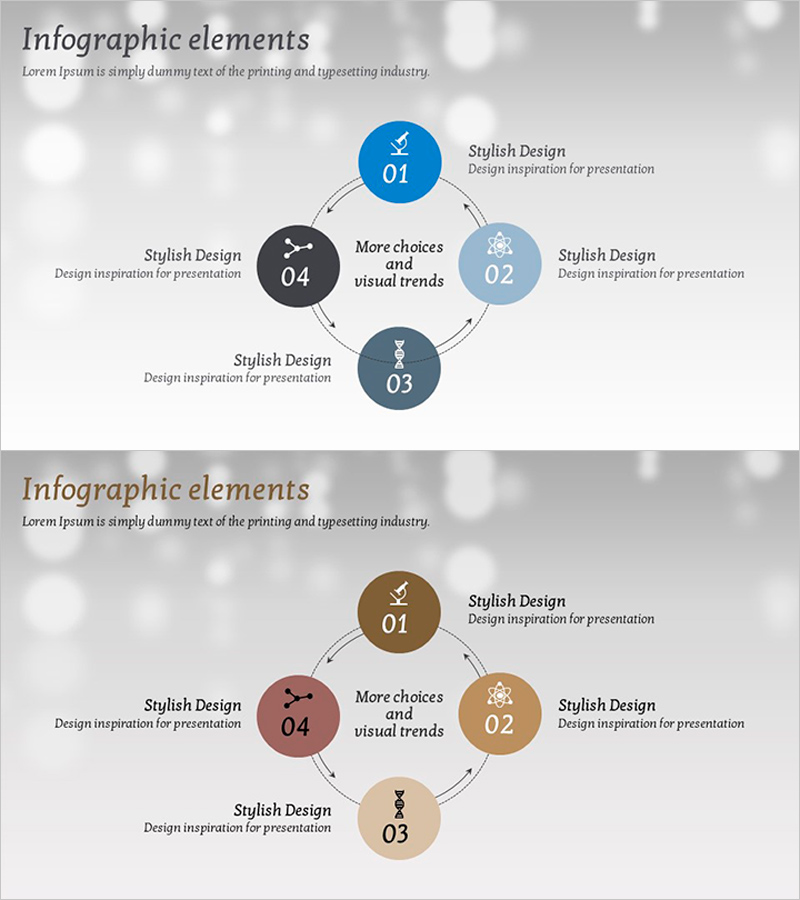
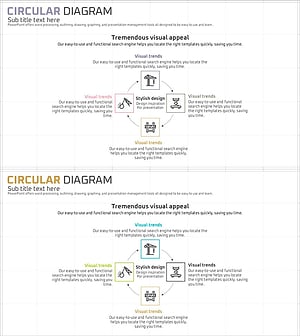
A PowerPoint slide featuring a 4-step circular diagram with a central hub connected to four outer nodes via directional arrows. The design uses blue, black, and gray color tones with circular nodes, icons, and text areas for each stage. This diagram slide is ideal for presentations on business strategy, research phases, operational planning, and sequential processes. The 2-slide set includes two color variations—blue tone and brown tone—allowing you to match different corporate branding styles and presentation contexts.
Usage Points
-
Main Usage
Visualizes 4-step cyclical processes such as business strategy, research phases, operational planning, and project cycles. The central node and four outer nodes connected by arrows clearly represent sequential flow and circular relationships between stages.
-
How to Use
Enter stage names, descriptions, and metrics in each node's text area. Icons can be customized to reflect each stage's characteristics, and colors and arrow styles can be adjusted to match corporate branding. Insert into business plans, strategy presentations, and project management documents.
-
Recommended For
Business strategists, project managers, marketing planners, consultants, and educators explaining process flows. Particularly effective for presenting cyclical business processes, product development cycles, marketing campaign stages, and organizational operational structures.
-
Slide Structure
Central node with 'More choices and visual trends' text serves as the hub, with four circular nodes (01–04) positioned at top, right, bottom, and left. Each node contains an icon, number, title, and descriptive text, connected by bidirectional arrows in a circular pattern. Two color variations—blue tone and brown tone—are provided.
Related Products
-
Game and Hobby Diagram – Visualizing Organization and Strategy
#Business Strategy #Operational Plan #Diagram
-
Healthcare System Process Diagram – Efficient Workflow
#Business Introduction #Operational Plan #Diagram
-
Interior Design Work System – Engaging Diagram Utilization
#Business Strategy #Operational Plan #Diagram
-
Circular Diagram Slide Visualizing Construction Process and Strategy
#Operational Plan #Diagram #Production and Technology Development Strategy
