



Partner Brand Logo Diagram – Connecting with Clients
RJ0300040_8
- Last Update 04/28/2025
- File Size 1.9MB
- # of Slides 2
- File Format PPTX
- Slide Ratio 16:9
- Color
Keywords
- #Content-Based Slides
- #Design-Based Slides
- #Company Introduction
- #Diagram
- #Customers and Partners
- #Cluster
- #Closed Cluster Diagram
- #16:9
- #cluster diagram PowerPoint
- #partner logo slide template
- #brand network diagram
- #radial diagram PowerPoint
- #partnership ecosystem slide
- #relationship map presentation
About the Product
A radial cluster diagram PowerPoint slide that connects partner and brand logos from a central node in a fan-like pattern. This 2-slide presentation features a dark blue background with white icons and text areas, visually representing your company's partnership ecosystem and customer relationships. Ideal for corporate introductions, business presentations, and investor pitch decks, each logo position is fully editable for quick customization. Delivered in 16:9 widescreen PPTX format for seamless editing and compatibility.
Usage Points
-
Main Usage
Visualize your company's partner network, supplier ecosystem, or customer portfolio by radiating partner logos and company names from a central hub. This diagram clearly shows business relationships and stakeholder connections at a glance.
-
How to Use
Insert this slide into the 'Business Partners' or 'Our Ecosystem' section of corporate presentations, or use it in investor pitch decks under 'Business Model' or 'Customer Base' slides. Double-click each logo area to insert partner images or edit text labels with actual company information.
-
Recommended For
Business development managers, marketing teams, investor relations professionals, and executives presenting partnership portfolios. Particularly effective for B2B companies, platform businesses, distribution networks, and manufacturing firms showcasing their stakeholder relationships.
-
Slide Structure
Central hub node with 8 radiating connection lines extending to outer square-framed nodes. Each outer node provides space for logo insertion or text input, connected by white lines on a dark blue background, creating a clear hierarchical relationship visualization.
Related Products
-
Building Photos and Company Overview – Cluster Diagram Usage
#Company Introduction #Diagram #Company Overview
-
Diagram Introducing Major Trading Companies – Effective Cluster Visualization
#Company Introduction #Product/Service Introduction #Diagram
-
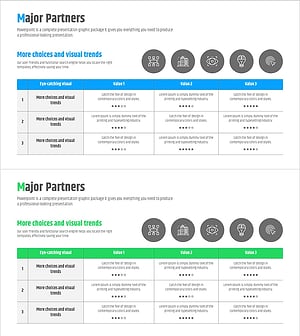
Key Partner Evaluation Table – Highlighting Customer Success Cases
#Company Introduction #Customer Success Stories #Diagram
-
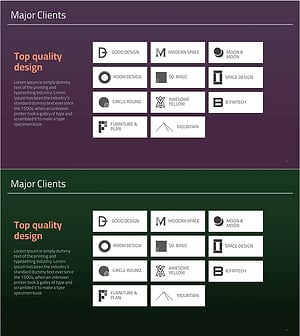
List of Major Clients – Introduction of Customers and Partners
#Company Introduction #Product/Service Introduction #Diagram
