



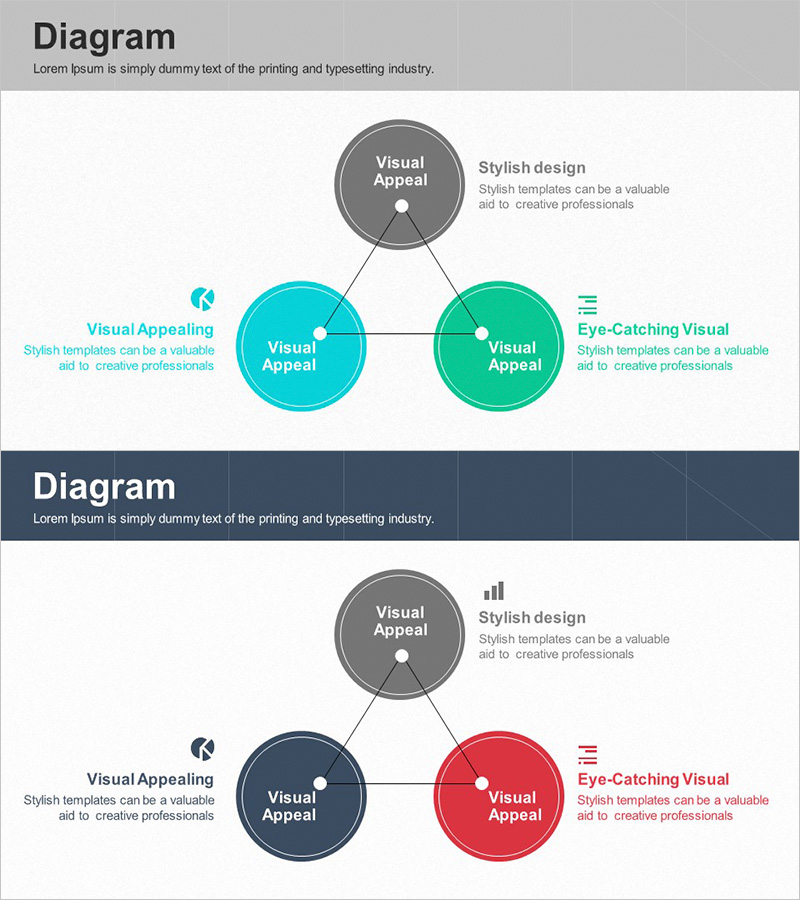
Main Business Areas Triangle Diagram
RJ0300022_12
- Last Update 04/23/2025
- File Size 2.4MB
- # of Slides 2
- File Format PPTX
- Slide Ratio 16:9
- Color
Keywords
- #Content-Based Slides
- #Design-Based Slides
- #Company Introduction
- #Business Introduction
- #Diagram
- #Business Areas
- #Business Areas
- #Cluster
- #Spread
- #Chain Diagram
- #Decentralized Diagram
- #16:9
- #radial diagram PowerPoint slide
- #business areas presentation template
- #3-node diagram
- #center-to-periphery diagram
- #business overview PPT slide
About the Product
A radial diagram PowerPoint slide featuring a central gray node connected to three circular nodes representing key business areas. The left node is cyan, the right node is green, with connecting lines radiating outward to show organizational structure and relationships. This 16:9 widescreen 2-slide set includes two color variations: the first slide uses cyan and green tones, while the second applies navy and red tones for flexible presentation scenarios. Each node accommodates text and icons to highlight business area characteristics, making it ideal for company introductions, business overviews, and strategic planning presentations. All elements are fully editable shapes ready for immediate customization.
Usage Points
-
Main Usage
Visualizes a company's three core business areas using a radial structure that radiates from a central concept, enabling audiences to grasp the business portfolio at a glance. This layout effectively communicates both the individual characteristics and interconnections of each area, making it suitable for investors, partners, and new employee orientations.
-
How to Use
Enter the company name or core concept in the central gray node, then add each business area name to the three surrounding circular nodes. Fill in the text boxes adjacent to each node with descriptions, revenue figures, or growth metrics. Replace the icons to visually emphasize the unique characteristics of each business area.
-
Recommended For
Recommended for executive presentations, business development team briefings, company introduction decks, new business launch events, investor pitch decks, and organizational restructuring announcements. Particularly effective when presenting three or more independent areas requiring equal visual emphasis.
-
Slide Structure
Slide 1: Central gray circular node + left cyan circular node + right green circular node + three connecting lines + three adjacent text boxes. Slide 2: Identical structure with navy and red color scheme applied. All elements are editable shapes allowing flexible customization of colors, text, and sizing.
Related Products
-
Company Stock Analysis Diagram – Stylish Design for Presentations
#Company Introduction #Business Introduction #Diagram
-
Business Area Connection Diagram – Exploring Business Domains
#Company Introduction #Business Introduction #Diagram
-
Pentagonal Star Diagram for Business Introduction and Areas Presentation
#Company Introduction #Business Introduction #Diagram
-
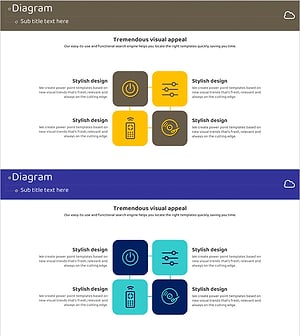
Internet of Things Service Area Diagram – Business Introduction and Visualization
#Company Introduction #Business Introduction #Diagram
