



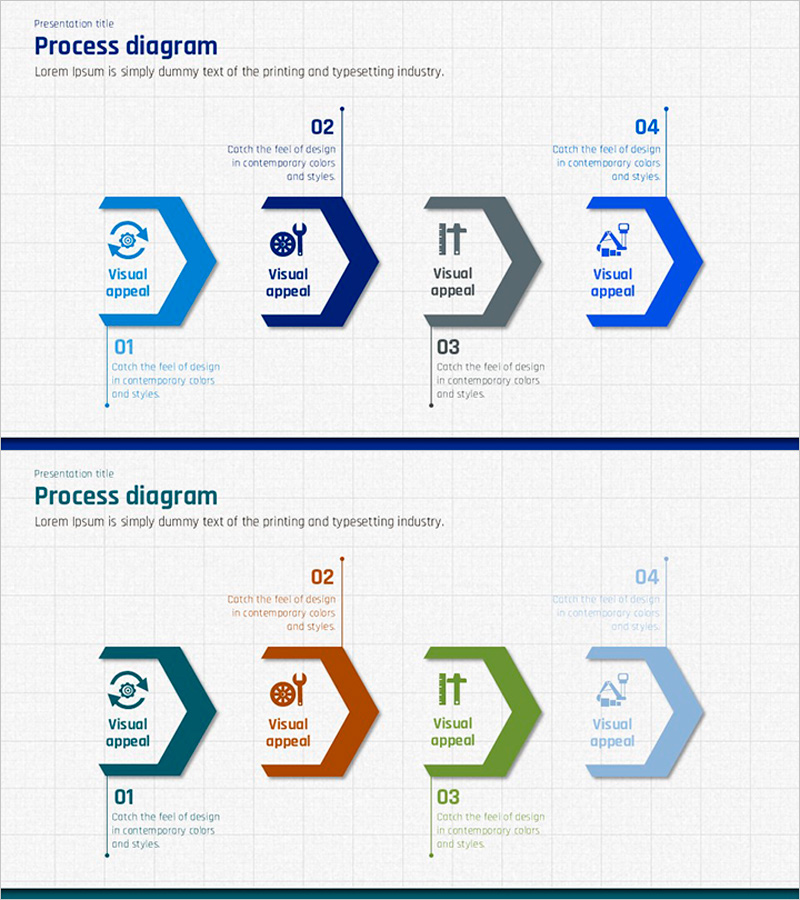
Facility Process Flow – Efficiency and Innovation
RJ0300012_18
- Last Update 04/21/2025
- File Size 0.9MB
- # of Slides 2
- File Format PPTX
- Slide Ratio 16:9
- Color
Keywords
About the Product
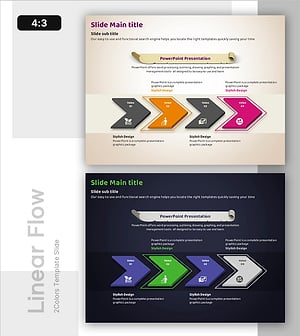
A PowerPoint slide featuring a 4-step linear arrow-style process diagram designed to visualize facility operations and business execution phases. The slide uses a blue, navy, and gray dual-tone color scheme with icons and text areas at each stage to clearly represent process flow. Comprising 2 slides, this presentation template is ready for immediate use in various business contexts. Optimized for facility management, operational planning, business execution roadmaps, and process-based explanations.
Usage Points
-
Main Usage
Optimized for visually explaining 4-stage linear workflows such as facility operations, business execution phases, and management processes. Each stage includes icons and text areas to clearly communicate process objectives and details.
-
How to Use
Enter stage names and descriptions in each arrow box, and customize icons as needed. The blue, navy, and gray color scheme can be adjusted to match corporate branding. The 2-slide format allows you to present additional processes using the same structure.
-
Recommended For
Recommended for facility and operations managers, business planning teams, process improvement specialists, and executives preparing management reports. Effective for business plans, operational planning documents, and process improvement proposals.
-
Slide Structure
A left-to-right linear arrow structure with 4 nodes. Each node is a hexagonal box containing a stage number (01–04) at the top, an icon in the center, and a text area at the bottom. Both slides share the same structure with different color schemes (Slide 1: blue, navy, gray, blue / Slide 2: teal, orange, green, light blue).
Related Products
-
Strategic Pathway Setting with Linear Flow – Strategy and Execution
#Business Strategy #Operational Plan #Diagram
-
Subject-specific Icons and Flow Diagrams
#Business Strategy #Operational Plan #Diagram
-
Efficient Workflow – Visualizing Business Strategy Slide
#Business Strategy #Operational Plan #Diagram
-
Green Practice Process Diagram – Sustainable Business Approach
#Business Strategy #Operational Plan #Diagram
