



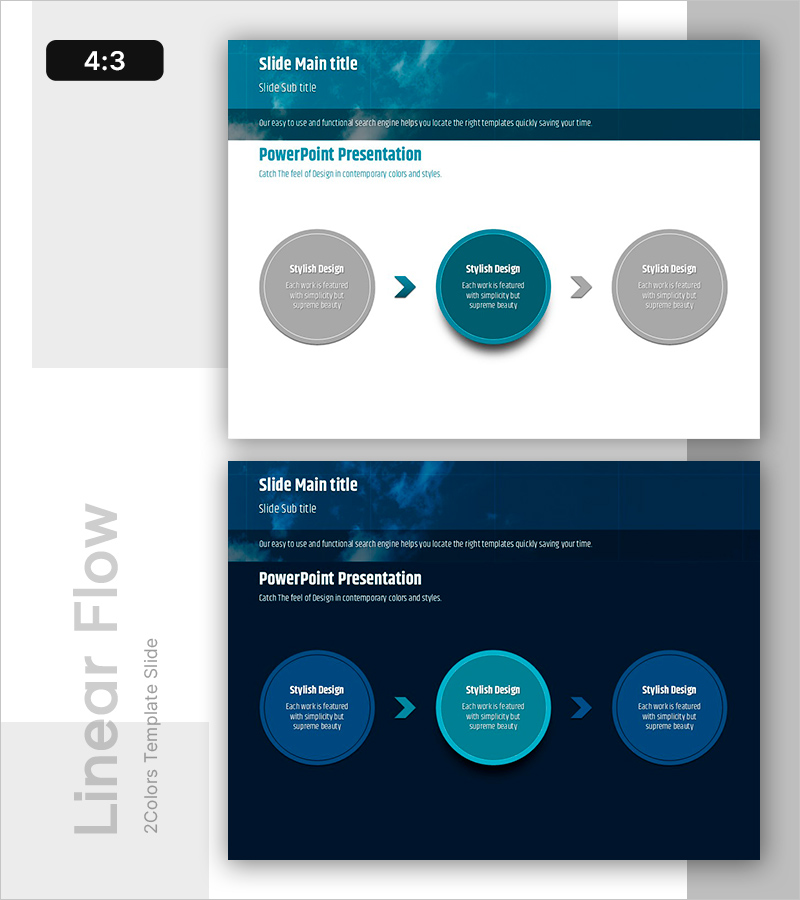
Efficient Workflow – Visualizing Business Strategy Slide
RB0800021_18
- Last Update 03/22/2025
- File Size 0.9MB
- # of Slides 2
- File Format PPTX
- Slide Ratio 4:3
- Color
Keywords
About the Product
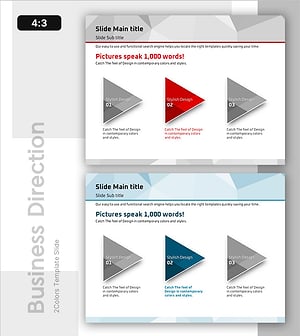
A three-node linear diagram PowerPoint slide that visualizes business strategy progression step by step. The design uses directional arrows and a center-emphasized node in teal color to highlight the critical stage, while left and right nodes in gray create effective information hierarchy. This 4:3 aspect ratio, 2-slide template is ready to use for business process flows, strategic implementation roadmaps, and operational workflows in presentations.
Usage Points
-
Main Usage
Presents business progression, operational processes, and strategic roadmaps in three clear, sequential stages. The teal center node draws focus to the critical phase, while gray side nodes establish visual hierarchy and guide the audience through the workflow logically.
-
How to Use
Edit text in each node to match your presentation context—add stage names and descriptions. Arrows flow left to center to right, showing progression. Customize colors to align with your brand identity while maintaining the visual structure.
-
Recommended For
Ideal for executive strategy presentations, project kickoff meetings, business progress reports, and employee onboarding sessions. The straightforward three-step structure makes complex processes easy to understand and communicate.
-
Slide Structure
Two-slide layout with navy header section (white text), main content area featuring three circular nodes (left, center, right) connected by arrows. Center node in teal, side nodes in gray. Each node contains editable title and description text fields.
Related Products
-
Subject-specific Icons and Flow Diagrams
#Business Strategy #Operational Plan #Diagram
-
Flowchart of the Construction Propulsion System
#Business Strategy #Operational Plan #Diagram
-
Design Work Process Diagram – Business Strategy
#Business Strategy #Operational Plan #Diagram
-
Strategic Pathway Setting with Linear Flow – Strategy and Execution
#Business Strategy #Operational Plan #Diagram
