



PowerPoint Template for Service Operation Strategy Presentation
RM0200017_16
- Last Update 04/19/2025
- File Size 0.4MB
- # of Slides 2
- File Format PPTX
- Slide Ratio 16:9
- Color
Keywords
- #Design-Based Slides
- #Business Management
- #Operational Plan
- #Technical Approach
- #Diagram
- #Text Box
- #Implementation Plan
- #Production and Technology Development Strategy
- #Future Development Roadmap
- #Flow
- #Linear Flow
- #Speech Bubble
- #16:9
- #circular flow diagram PowerPoint
- #4-step process diagram
- #service operation strategy slide
- #cycle diagram template
- #business presentation slide template
About the Product
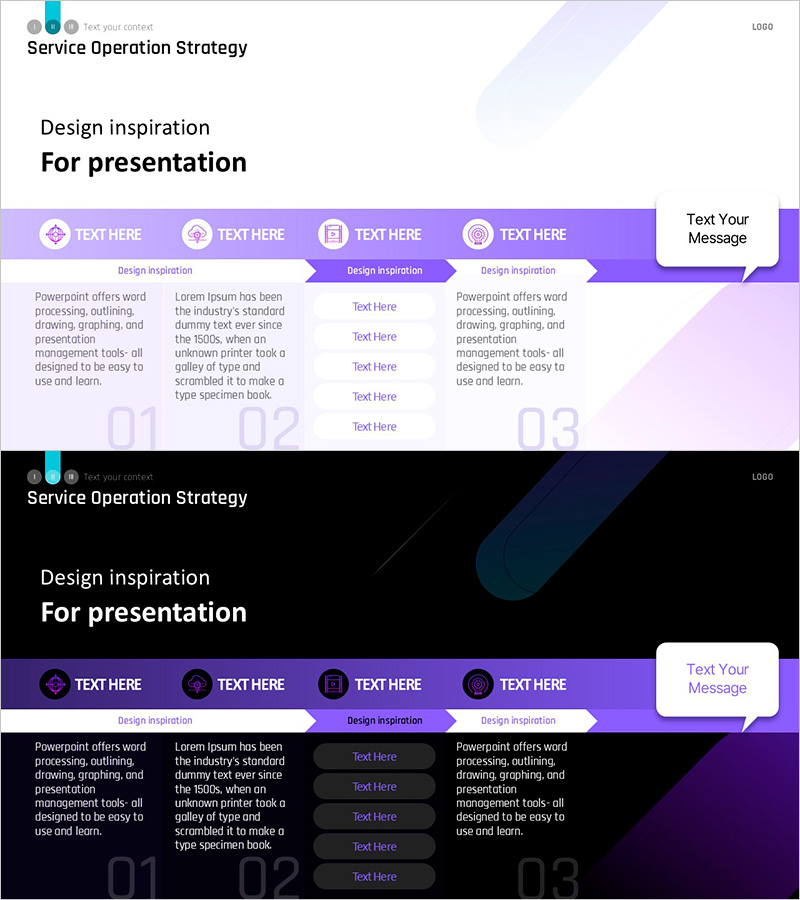
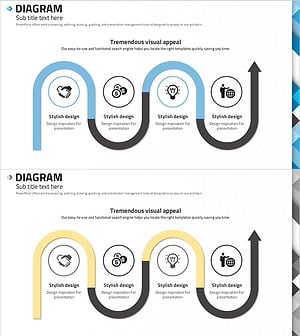
A 2-slide PowerPoint presentation template optimized for service operation strategy presentations. The circular diagram connects four nodes with purple arrows, clearly visualizing the cyclical flow of processes. Each stage features an icon and text input area, making it immediately applicable to strategy phases, operational cycles, and service improvement loops. Provided in two versions—light background and dark background—with 16:9 widescreen format. Perfect for business presentations requiring process visualization and strategic communication.
Usage Points
-
Main Usage
Visualizes repetitive workflows such as service operation strategies, process improvement cycles, operational loops, and continuous improvement systems. The four-stage circular structure intuitively communicates the cycle of strategy planning → execution → evaluation → improvement.
-
How to Use
Enter strategy phase names, operational items, or improvement points in each node's text area. Icons can be customized to represent each stage's characteristics, and the purple color scheme can be adjusted to match corporate branding. Choose between light or dark background versions depending on your presentation environment.
-
Recommended For
Ideal for service operations teams, strategic planning departments, project managers, consultants, and educators presenting operation strategies, process improvements, quality management, and continuous improvement systems. Suitable for corporate training, strategy meetings, consulting proposals, and various business presentations.
-
Slide Structure
Two-slide layout with title area and circular diagram on each slide. Each of the four nodes consists of a circular icon, text input area, and stage number (01–03). Purple arrows connect the nodes clockwise. A speech bubble text area on the right side provides space for additional explanations or key messages.
Related Products
-
Maple Leaf Arrow Future Plans Slide
#Operational Plan #Technical Approach #Diagram
-
Technology Development Strategy Diagram – Presenting Sustainable Growth Directions
#Operational Plan #Technical Approach #Diagram
-
Strategic System Design for Goal Setting – Effective Operational Planning
#Operational Plan #Technical Approach #Diagram
-
Abstract Pattern Template Diagram – Blueprint for Business Strategy
#Business Strategy #Business Management #Diagram
