



Triangular Pattern Presentation Template – Schedule Table
RJ0200036_21
- Last Update 04/08/2025
- File Size 5.5MB
- # of Slides 2
- File Format PPTX
- Slide Ratio 16:9
- Color
Keywords
- #Content-Based Slides
- #Design-Based Slides
- #Business Management
- #Operational Plan
- #Text Box
- #Other
- #Implementation Schedule
- #Project Implementation Schedule
- #Speech Bubble
- #Mockup
- #16:9
- #schedule table PowerPoint slide
- #monthly calendar presentation template
- #project timeline PPT
- #how to create a schedule in PowerPoint
- #team planning slide deck
About the Product
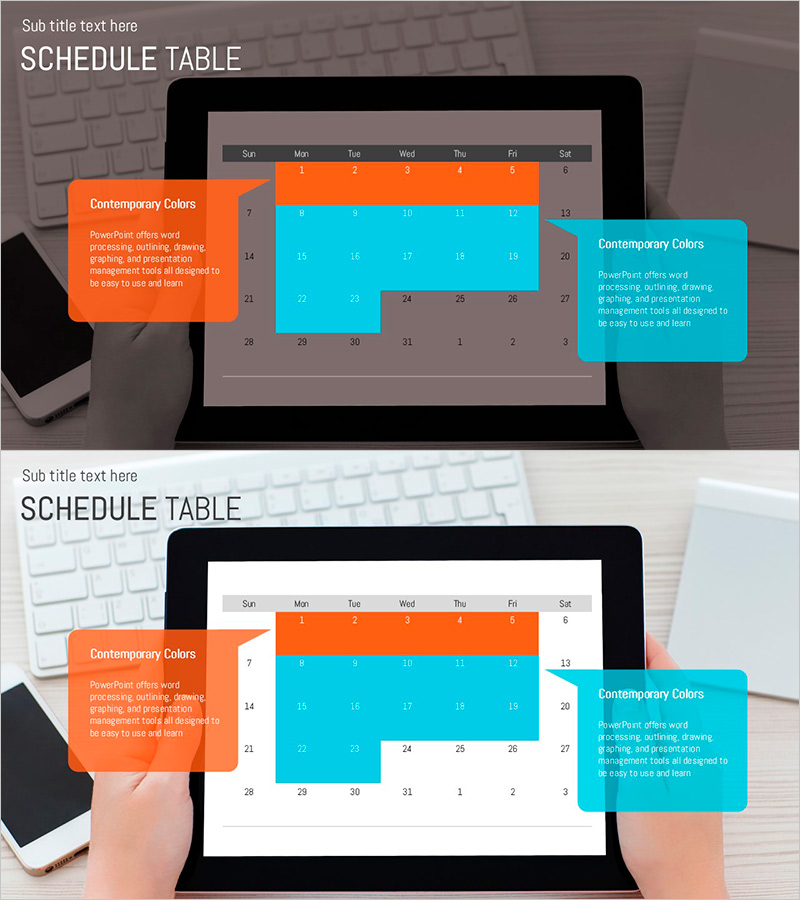
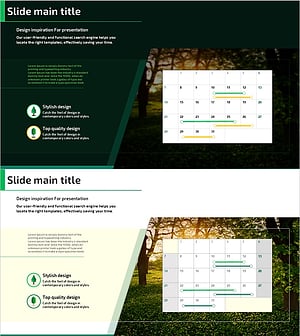
A professional schedule table PowerPoint slide designed for monthly project planning and team scheduling. The 2-slide set features an orange and cyan color scheme with a week-based (Sun–Sat) calendar layout. Each date cell is fully editable for task names, deadlines, and owner information. The color-blocked design allows you to visually distinguish priority tasks and milestones. Perfect for business proposals, operational plans, and project presentations where clear timeline communication is essential.
Usage Points
-
Main Usage
Visualize monthly project timelines, team schedules, and key milestones in a clear, color-coded format. Orange blocks highlight critical deadlines while cyan blocks represent standard tasks, enabling stakeholders and team members to quickly grasp project progress and priorities.
-
How to Use
Enter specific task names, deadlines, and owner information into each date cell during your presentation. Use the color-coded blocks to emphasize priority and urgency, helping investors, executives, and team members understand execution plans with confidence and clarity.
-
Recommended For
Ideal for business plans, operational planning documents, project proposals, and quarterly or annual strategy presentations. Best suited for project managers, business planners, and executives presenting timeline and resource allocation information.
-
Slide Structure
Two-slide layout featuring a standard monthly calendar grid (7 columns × 4 rows) on the first slide and the same structure with orange and cyan accent blocks on the second. All date cells are editable text areas, allowing flexible input of task details, deadlines, and responsibility assignments.
Related Products
-
Marketing Effectiveness Analysis Diagram – A Visual Overview for Effective Business Execution!
#Business Management #Operational Plan #Diagram
-
Arrow Marker Schedule – Easy Operations Planning
#Business Management #Operational Plan #Diagram
-
Innovative Space Industry Schedule – Advanced Operations and Implementation Strategy
#Business Management #Operational Plan #Diagram
-
Tree Planting Project Schedule – Efficient Project Management
#Business Management #Operational Plan #Diagram
