



Arrow Marker Schedule – Easy Operations Planning
RJ0700016_29
- Last Update 07/26/2025
- File Size 0.4MB
- # of Slides 2
- File Format PPTX
- Slide Ratio 16:9
- Color
Keywords
- #Content-Based Slides
- #Design-Based Slides
- #Business Management
- #Operational Plan
- #Diagram
- #Implementation Schedule
- #Project Implementation Schedule
- #Table
- #16:9
- #timeline schedule table PowerPoint
- #operations planning slide
- #arrow marker schedule
- #project timeline PPT
- #business management schedule slide
About the Product
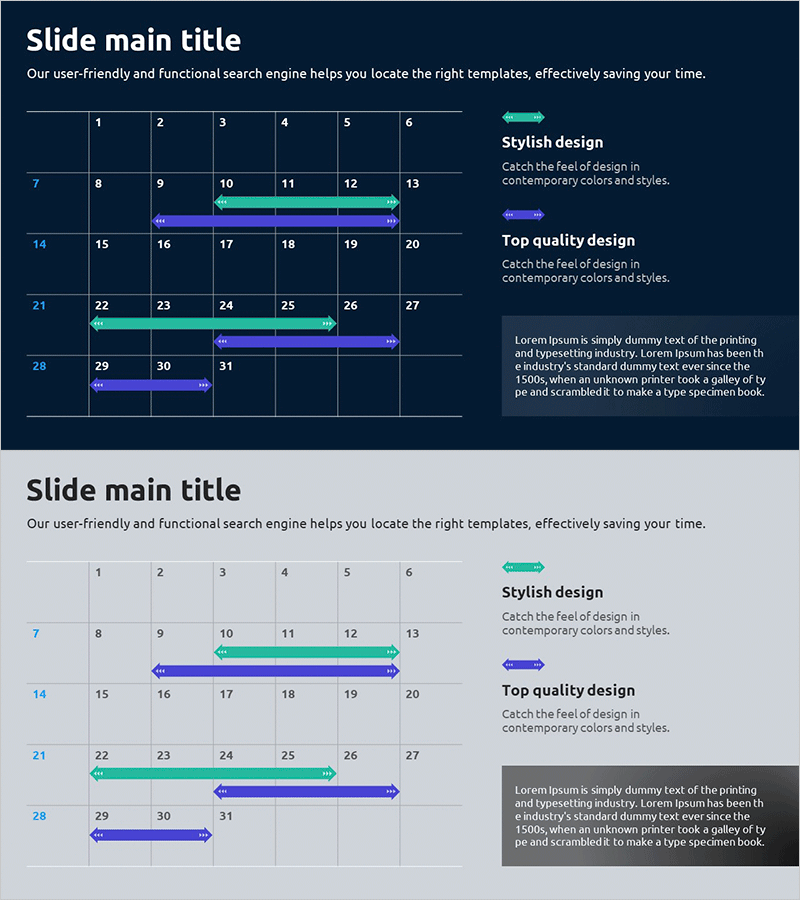
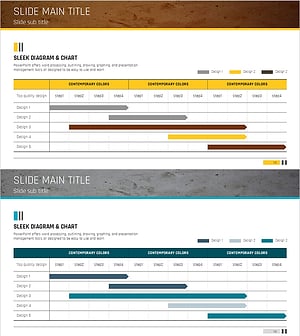
A timeline schedule PowerPoint slide that visually represents project timelines and operational plans with arrow markers. The dark navy background is complemented by cyan and purple arrow indicators that clearly mark each phase of progress. The 2-slide set offers both a grid-based layout at the top and a timeline-based layout at the bottom, accommodating various presentation scenarios. With text descriptions paired alongside visual markers, this slide enhances readability for schedule management and is ready to use in business management and operations planning sections of presentations.
Usage Points
-
Main Usage
Visualizes project timelines, business operational plans, and phased implementation schedules in timeline format. Arrow markers clearly indicate the start and end points of each phase, improving audience comprehension and decision-making.
-
How to Use
Use in the 'Implementation Timeline' or 'Business Management' section of business plans, investor pitch decks, or operational reports. Edit each phase with department names, budgets, and objectives, then adjust arrow lengths to match your actual schedule.
-
Recommended For
Project managers, business planning teams, and operations managers presenting phased implementation plans to executives, boards, and investors. Particularly effective when multiple projects run in parallel and stakeholders need to grasp the overall timeline at a glance.
-
Slide Structure
The top slide features a 6-column grid layout with 28 cells for entering phase, item, and responsibility information. The bottom slide uses a 4-row timeline structure with cyan and purple arrow markers on each row to represent parallel schedules and concurrent initiatives.
Related Products
-
Geometry PPT Template Wide Schedule – Essential for Project Management
#Business Management #Operational Plan #Diagram
-
Construction Project Schedule Slide Template - Combining Visualization and Practicality
#Business Management #Operational Plan #Diagram
-
Origami Presentation Template Section Schedule – Business Progress Management
#Business Management #Operational Plan #Diagram
-
Displays the Schedule Step by Step – Clear Communication of Project Timeline
#Business Management #Operational Plan #Diagram
