



Vibrant Color Box PPT Composition Contents
RB0800050_5
- Last Update 03/26/2025
- File Size 2MB
- # of Slides 2
- File Format PPTX
- Slide Ratio 4:3
- Color
Keywords
- #Content-Based Slides
- #Design-Based Slides
- #Product/Service Introduction
- #Technical Approach
- #Diagram
- #Composition
- #Service Components
- #Cluster
- #Spread
- #Chain Diagram
- #Centralized Diagram
- #4:3
- #radial diagram PowerPoint
- #center circle diagram slide
- #4-item color box template
- #product introduction diagram
- #service structure PPT slide
About the Product
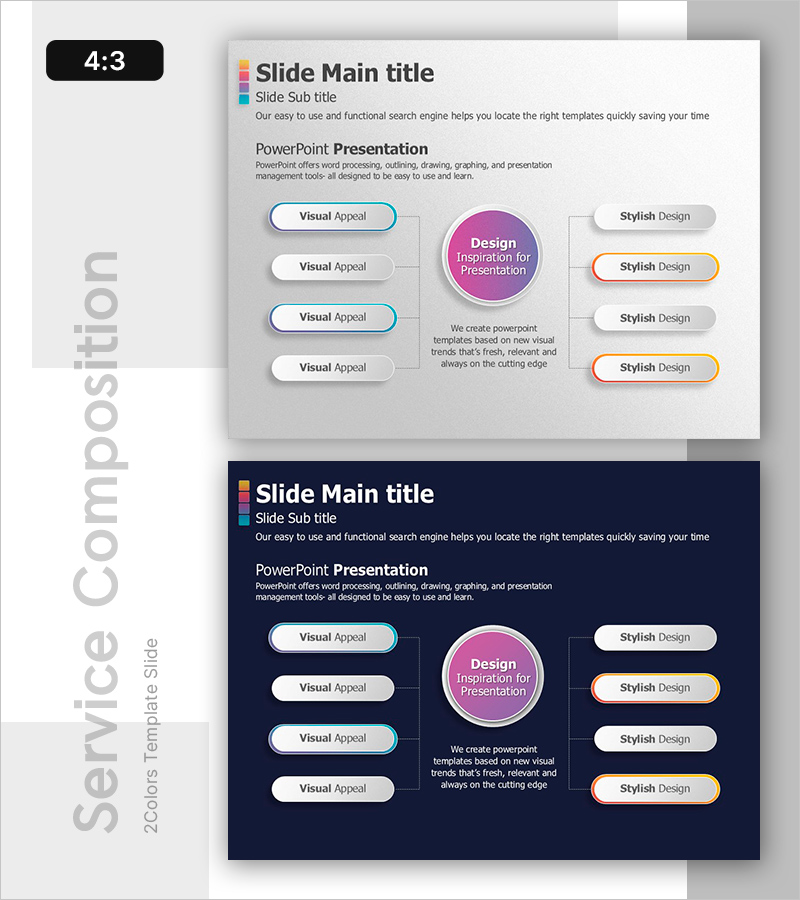
A radial diagram PowerPoint slide that emphasizes a central message with four items arranged symmetrically on both left and right sides. Set against a light gray background, the design features blue, pink, orange, and gray color boxes enclosed by oval borders, creating visual balance and hierarchy. Each item includes text areas for 'Visual Appeal' and 'Stylish Design,' while the central circle accommodates your core message. The 2-slide set includes both light theme (gray background) and dark theme (navy background) versions, allowing you to adapt to different presentation contexts. Ideal for product introductions, service structure explanations, organizational roles, marketing positioning, and business model presentations. All text and colors are fully editable in PowerPoint.
Usage Points
-
Main Usage
Emphasizes a central concept, product, or service while balancing four surrounding items (features, functions, benefits, or components) in a symmetrical layout. The circular center structure gives equal visual weight to all elements and naturally guides viewer attention from center to periphery, making relationships between concepts immediately clear.
-
How to Use
Enter your core message (product name, service title, or strategy) in the central pink circle. Fill the four left-side oval boxes with primary features, functions, or benefits. Use the four right-side boxes for additional details, use cases, or customer advantages. Color boxes can be customized by category, and all text is fully editable. Choose between light or dark theme based on your presentation design.
-
Recommended For
Product introduction slides, service structure explanations, organizational role assignments, marketing positioning statements, business model descriptions, and value proposition presentations. Effective for sales presentations, product launch events, strategy meetings, training seminars, and corporate communications where clear relationships between core concepts and supporting details are essential.
-
Slide Structure
2-slide set: Light theme (gray background) + Dark theme (navy background). Each slide features a central pink circle (core message input area) + 4 left-side oval color boxes (blue, gray, blue, gray) + 4 right-side oval color boxes (gray, orange, gray, orange). Connecting lines link all elements to the center. 4:3 aspect ratio, fully editable PPTX format.
Related Products
-
Diffusion Diagram of the Facility System
#Technical Approach #Diagram #Service Components
-
Instrument Components Connection Diagram – Visualizing Service Composition
#Product/Service Introduction #Technical Approach #Diagram
-
Visualizing Power Plant Locations – Key Insights for the Energy Business
#Product/Service Introduction #Technical Approach #Diagram
-
Dinosaur Feature Diagram
#Product/Service Introduction #Technical Approach #Diagram
