



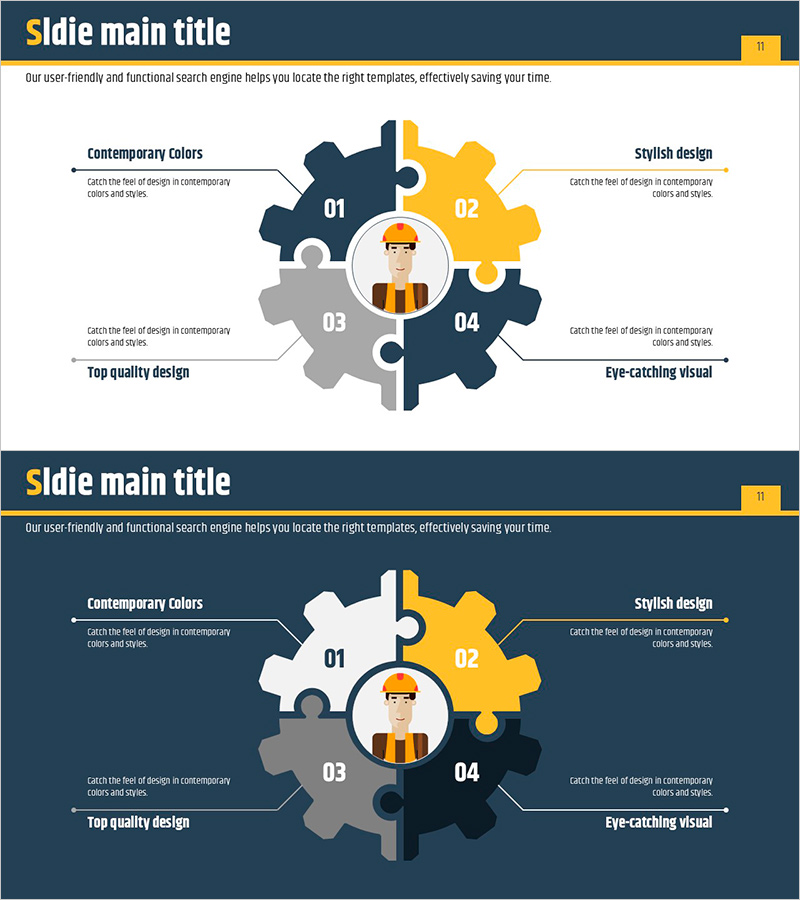
Diffusion Diagram of the Facility System
RJ0900001_10
- Last Update 08/15/2025
- File Size 0.2MB
- # of Slides 2
- File Format PPTX
- Slide Ratio 16:9
- Color
Keywords
- #Content-Based Slides
- #Design-Based Slides
- #Technical Approach
- #Diagram
- #Service Components
- #Research and Development
- #Cluster
- #Spread
- #Chain Diagram
- #Centralized Diagram
- #16:9
- #radial diffusion diagram PowerPoint
- #4-node diagram slide
- #facility system diagram
- #technical structure PowerPoint slide
- #how to create radial diagram in PowerPoint
About the Product
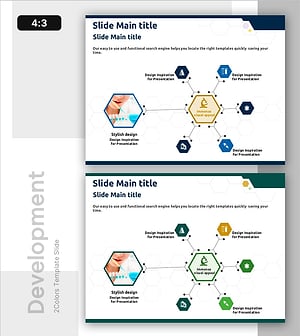
A radial diffusion diagram PowerPoint slide featuring a central icon surrounded by four gear-shaped nodes extending outward. The design combines dark blue, gray, and gold tones to create a professional appearance suitable for technical presentations. Each node includes dedicated text areas for detailed explanations, making it ideal for illustrating facility systems, service structures, and technical components. The template provides two slide variations with light and dark backgrounds, both in 16:9 widescreen PPTX format for immediate editing and customization.
Usage Points
-
Main Usage
Visualizes how four key elements radiate from a central concept or core function. The gear-shaped nodes connected to the center icon effectively communicate hierarchical relationships and system interdependencies. Particularly suited for explaining facility systems, technical architectures, research and development structures, and service component relationships in a clear, intuitive manner.
-
How to Use
Place your core concept, organization name, or main function in the central circular icon area. Enter the four primary elements, departments, or services in each gear-shaped node. Add detailed descriptions in the text boxes adjacent to each node to enhance audience comprehension. Choose between the light or dark background version depending on your presentation environment and display setup.
-
Recommended For
Ideal for technical presentations by engineers, facility managers, and R&D teams. Suitable for project proposals, technology briefings, facility investment presentations, and system architecture explanations. Particularly effective for B2B presentations where complex technical systems must be communicated clearly and concisely to stakeholders.
-
Slide Structure
Two-slide template presenting the same radial diagram in both light and dark background versions. Each slide features a central circular icon with four gear-shaped nodes positioned at cardinal directions (top, bottom, left, right). Connecting arrows and text input areas are provided for each node. The 16:9 widescreen format ensures compatibility with modern projectors and digital displays.
Related Products
-
Trend and Status Analysis Slide – Blue Orange Diagram
#Business Management #Technical Approach #Diagram
-
Vibrant Color Box PPT Composition Contents
#Product/Service Introduction #Technical Approach #Diagram
-
Game Strategy Visualization Diagram Slide – Emphasizing Core Competencies
#Business Vision and Strategy #Technical Approach #Diagram
-
Chemical Reaction Mechanism Diagram – Intuitive Visualization through Service Structure
#Technical Approach #Diagram #Service Architecture Diagram
