



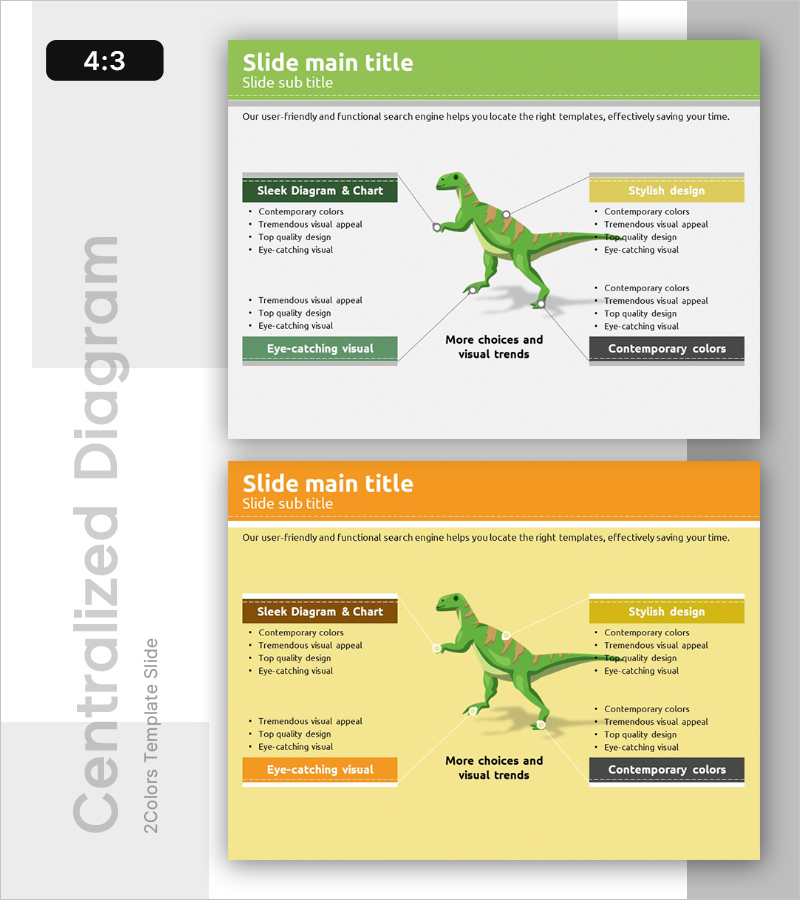
Dinosaur Feature Diagram
RB0300046_6
- Last Update 03/11/2025
- File Size 0.6MB
- # of Slides 2
- File Format PPTX
- Slide Ratio 4:3
- Color
Keywords
- #Content-Based Slides
- #Design-Based Slides
- #Product/Service Introduction
- #Technical Approach
- #Diagram
- #Composition
- #Service Architecture Diagram
- #Cluster
- #Spread
- #Chain Diagram
- #Centralized Diagram
- #4:3
- #radial diagram PowerPoint
- #expansion diagram slide
- #center image presentation
- #4-direction diagram template
- #feature explanation PPT slide
- #radial structure PowerPoint template
- #how to create radial diagram in PowerPoint
About the Product
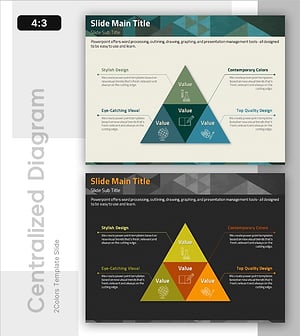
A radial diagram PowerPoint slide with information expanding in four directions from a central dinosaur illustration. The green dinosaur image is positioned at the center, with feature description boxes connected to the top, bottom, left, and right. This 2-slide template features a green background on the first slide and a yellow background on the second, allowing flexible color adaptation. Each text box uses contemporary colors (forest green, yellow, gray) with arrows and connector lines clearly showing relationships to the center. Immediately applicable for presentations explaining product features, technical architecture, organizational structure, or business models through radial expansion.
Usage Points
-
Main Usage
Visualizes center-to-periphery relationships by placing a core topic at the center and expanding related features, elements, or stages in four directions. Ideal for product feature introductions, technical architecture explanations, organizational structure presentations, business model analysis, and any presentation requiring clear hierarchical expansion from a central concept.
-
How to Use
Replace the central dinosaur illustration with your core subject image or text. Fill the four directional text boxes (top, bottom, left, right) with relevant information. Choose between the green or yellow background slide based on your presentation tone. Text box colors and arrow styles are fully editable to match your corporate brand guidelines.
-
Recommended For
Technology engineers and product managers explaining technical stacks or product capabilities; marketing teams visualizing customer journeys or market segmentation; executives presenting core business model elements; educators and trainers clarifying concept relationships and hierarchical structures in seminars and training sessions.
-
Slide Structure
2-slide template. Slide 1: Green background with central dinosaur image, four directional text boxes (forest green, yellow, gray backgrounds), and arrow connectors. Slide 2: Identical structure with yellow background. Each text box accommodates a title line plus four bullet-point items for flexible content input.
Related Products
-
Healthcare System Architecture Diagram – Business Scope and Service Composition
#Business Introduction #Technical Approach #Diagram
-
Core Service Structure Diagram – Exploring Business Areas
#Business Introduction #Technical Approach #Diagram
-
Service Structure and Benefits Explanation – Communicating Business Value
#Technical Approach #Diagram #Service Architecture Diagram
-
Subject Learning Elements Diagram – Visualizing Business Regions and Structure
#Product/Service Introduction #Business Introduction #Diagram
