



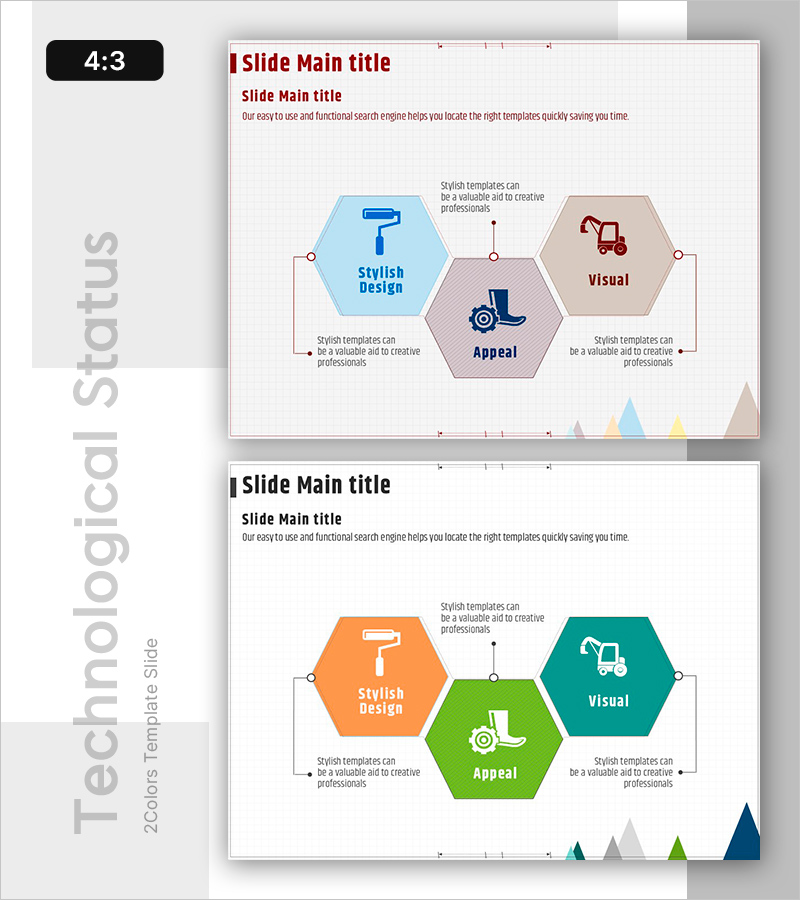
Visual Overview of Key Architectural Concepts – Representation of Core Technologies
RB0100017_6
- Last Update 03/02/2025
- File Size 0.3MB
- # of Slides 2
- File Format PPTX
- Slide Ratio 4:3
- Color
Keywords
- #Content-Based Slides
- #Design-Based Slides
- #Product/Service Introduction
- #Business Introduction
- #Diagram
- #Features
- #Technological Status
- #Cluster
- #Closed Cluster Diagram
- #Chain Diagram
- #4:3
- #hexagon diagram PowerPoint
- #radial diagram slide
- #3-node structure
- #central node diagram
- #relationship diagram PPT
- #concept visualization slide
- #how to create hexagon diagram in PowerPoint
About the Product
A radial hexagon diagram PowerPoint slide with one central node connected to three surrounding nodes. The design features blue, gray, and brown hexagons with connecting lines, icon areas, and text fields for each node. This presentation template is optimized for visualizing technical concepts, organizational structures, and process relationships. The 2-slide set includes a color variation version with orange, green, and teal tones, enabling immediate use across diverse presentation scenarios.
Usage Points
-
Main Usage
Visualizes relationships between a central concept and three surrounding elements using hexagon nodes and connecting lines. Ideal for representing technical architecture, organizational hierarchies, business processes, or product features that branch from a core theme.
-
How to Use
Enter the core concept (e.g., technology name, organization name, process title) in the central hexagon. Place three main items in the left, top, and right hexagons. Add detailed descriptions in the text areas below each node. Use color variations to distinguish different presentation sections.
-
Recommended For
Suitable for technology presentations, product introductions, organizational structure explanations, business model analysis, and strategy presentations. Recommended for IT, construction, manufacturing, consulting, and education sectors when clearly communicating multi-layered relationships of core concepts.
-
Slide Structure
Comprises one central hexagon node connected to three surrounding hexagon nodes via connecting lines. Each node includes an icon area and text input field. The 2-slide set features two color schemes: blue-gray-brown and orange-green-teal combinations for visual variety.
Related Products
-
Furniture Connection Diagram – Product Feature Overview
#Product/Service Introduction #Diagram #Features
-
Analysis of Eye-Catching Natural Material Visuals & Traits – Utilizing Cluster Diagrams
#Product/Service Introduction #Diagram #Features
-
Science Square Closed Diagram – Product and Service Introduction
#Product/Service Introduction #Business Introduction #Diagram
-
The Difference Between Men's and Women's Clothes – Understanding Through Diagrams
#Product/Service Introduction #Diagram #Features
