



Furniture Connection Diagram – Product Feature Overview
RJ0900023_7
- Last Update 08/23/2025
- File Size 0.3MB
- # of Slides 2
- File Format PPTX
- Slide Ratio 16:9
- Color
Keywords
- #Content-Based Slides
- #Design-Based Slides
- #Product/Service Introduction
- #Diagram
- #Features
- #Product and Service Overview
- #Cluster
- #Closed Cluster Diagram
- #Chain Diagram
- #16:9
- #connection diagram PowerPoint
- #cluster diagram slide template
- #3-node diagram presentation
- #product feature PPT slide
- #how to create connection diagram in PowerPoint
About the Product
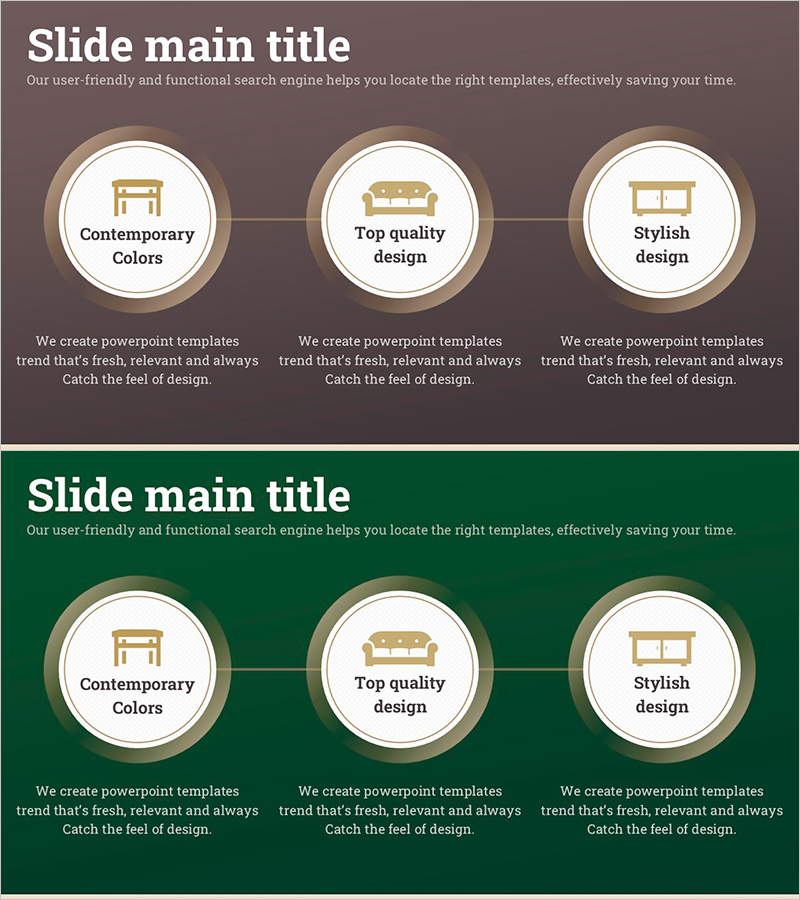
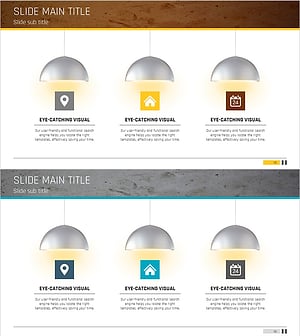
A cluster-type connection diagram PowerPoint slide featuring three circular nodes arranged in a triangular layout and connected by lines. The warm brown and beige color palette is optimized for presenting furniture, interior design, and product characteristics. Each node contains an icon and text input area, allowing you to visually express product features, key benefits, and advantages. The 2-slide set provides two color variations—brown background and green background—so you can match your presentation's visual tone. Ideal for product introductions, service feature explanations, and business model presentations in professional settings.
Usage Points
-
Main Usage
Presents three core product characteristics, functions, or business model elements simultaneously in a connected relationship. Helps audiences understand product value propositions and feature relationships. Commonly used in furniture, interior design, consumer goods, and service industry presentations to enhance visual communication and audience comprehension.
-
How to Use
Customize the icon and text within each circular node to match your product characteristics. Enter your main topic in the title area and add feature names and descriptions to the three nodes. Use the brown background version for warm-toned products (furniture, apparel, food) and the green background for products emphasizing trust and stability.
-
Recommended For
Product managers, marketing professionals, and sales representatives presenting to clients or internal teams. Suitable for furniture, interior design, fashion, food, and consumer goods product launches. Also effective for service feature explanations, business model presentations, and corporate strategy communications.
-
Slide Structure
2-slide set with identical layouts but different background colors. Each slide features a title area at the top, three circular nodes arranged in a triangle with icon and text input areas, and connecting lines between nodes. Brown background on slide 1, green background on slide 2, providing visual variety for multi-slide presentations.
Related Products
-
Custom Clothing Service Overview – Presented in a Modern Diagram
#Product/Service Introduction #Business Introduction #Diagram
-
Stylish Design Charm – Presentation Template
#Product/Service Introduction #Diagram #Features
-
Red Purple Paint Brush and Icon Slide – Product and Service Introduction
#Product/Service Introduction #Diagram #Features
-
Captivating Presentation Featuring Indoor Lighting and Text Boxes
#Product/Service Introduction #Diagram #Features
