



Effective Diagram Slide for Business Goal and Vision Setting
RB0100014_8
- Last Update 03/02/2025
- File Size 3.7MB
- # of Slides 2
- File Format PPTX
- Slide Ratio 4:3
- Color
Keywords
- #Content-Based Slides
- #Design-Based Slides
- #Business Vision and Strategy
- #Diagram
- #Business Goals
- #Business Background and Necessity
- #Flow
- #Cluster
- #Linear Flow
- #Closed Cluster Diagram
- #4:3
- #cluster diagram PowerPoint
- #closed-set diagram slide
- #circular node presentation
- #business vision diagram
- #goal setting PowerPoint slide
About the Product
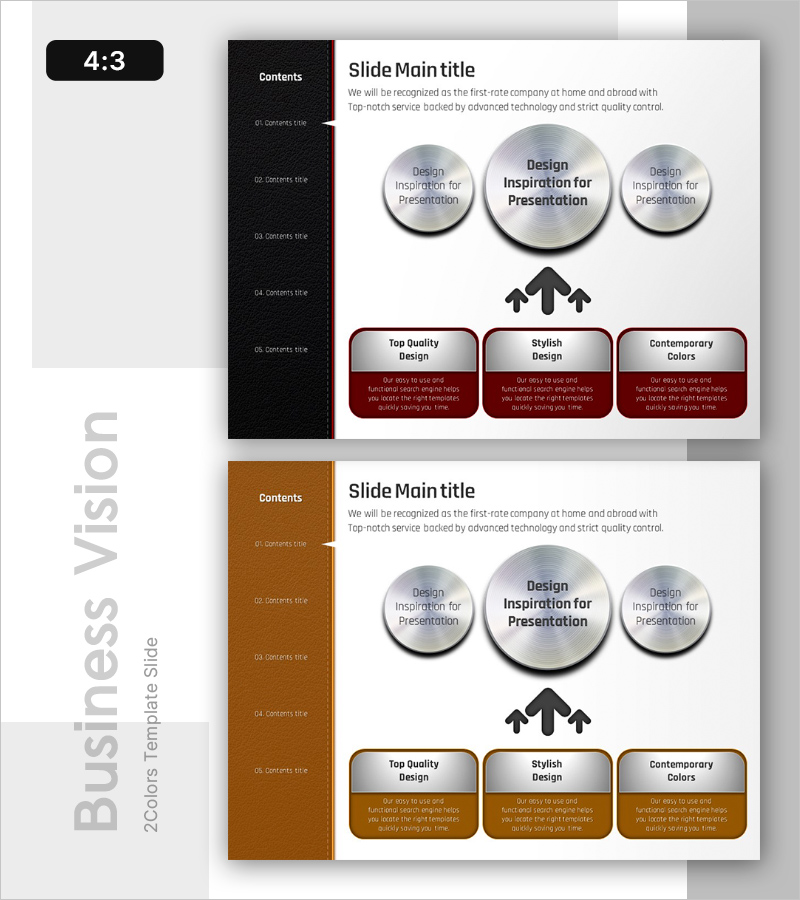
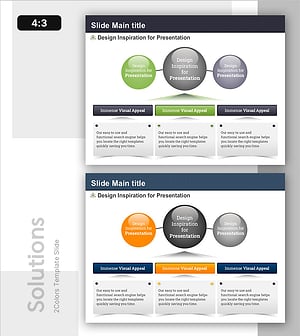
A closed-set cluster diagram PowerPoint slide designed to visually communicate business goals and vision. The structure features a large central circular node with two smaller circular elements positioned on the left and right, creating a radial expansion pattern that clearly conveys hierarchical relationships between core concepts and supporting details. The design combines a black sidebar background with wine-red accent boxes and silver gradient circular elements, enhanced by upward-pointing arrow icons. Provided in two color themes (black and brown), this 2-slide set is available in 4:3 aspect ratio PPTX format for immediate editing and customization.
Usage Points
-
Main Usage
Optimized for visualizing hierarchical relationships between business objectives, vision statements, core values, and detailed strategies. The radial expansion structure emphasizes three key elements from a central concept, clearly communicating organizational direction and goal achievement pathways.
-
How to Use
Apply to executive reports, business plans, and strategic presentations in vision and goal-setting sections. Input core objectives in the central node, supporting strategies in the side nodes, and use upward arrows to emphasize growth and positive momentum.
-
Recommended For
Executives, strategic planning teams, business development managers, consultants, and educators presenting organizational vision, goals, and strategies to stakeholders. Ideal for executive briefings, investor pitches, and organizational restructuring presentations.
-
Slide Structure
Composed of one central circular node (top center), two radial circular nodes (top left and right), and three accent boxes below (wine-red background text areas). Upward-pointing arrow icons emphasize connections from center to boxes. Two color theme options: black and brown.
Related Products
-
Implementation Strategy and Goals – Business Flow and Cluster Structure
#Business Vision and Strategy #Diagram #Business Goals
-
Science Experiment Goal Arrow Diagram – Steps for Successful Projects
#Business Introduction #Business Vision and Strategy #Business Strategy
-
How to Enjoy Nature – Vision and Strategy
#Business Vision and Strategy #Technical Approach #Diagram
-
Key Outcomes from Experimentation – Vision and Strategy
#Business Vision and Strategy #Diagram #Business Goals
