



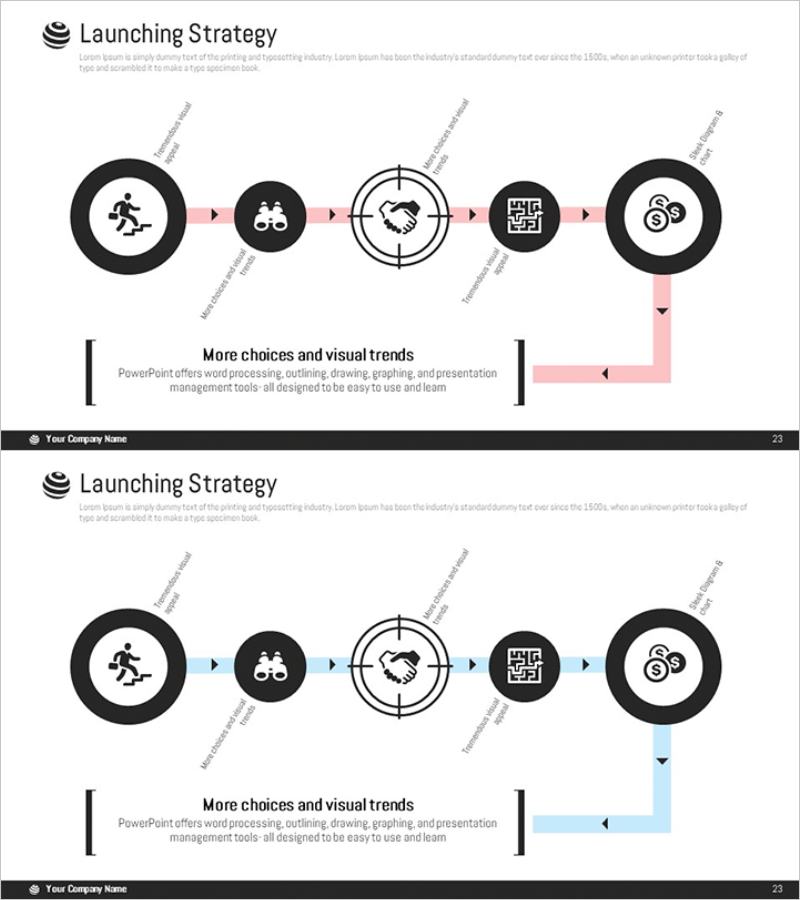
Diagram of the Steps in Developing a Launch Strategy
RM0400006_22
- Last Update 02/16/2025
- File Size 1MB
- # of Slides 2
- File Format PPTX
- Slide Ratio 16:9
- Color
Keywords
- #Content-Based Slides
- #Design-Based Slides
- #Business Vision and Strategy
- #Marketing Plan and Strategy
- #Diagram
- #Business Strategy
- #Marketing Strategy
- #Flow
- #Cluster
- #Linear Flow
- #Chain Diagram
- #16:9
- #launch strategy diagram
- #5-step process flow PowerPoint
- #marketing strategy presentation slide
- #business process diagram
- #strategy execution flowchart
About the Product
A process flow diagram PowerPoint slide that visualizes the launch strategy development in five sequential steps. Each stage is represented as a circular node connected by directional arrows, clearly showing the linear progression of the strategy execution. The design features a black background with pink accent lines for emphasis, making it ideal for marketing strategy and business planning presentations. The 2-slide set includes color variations (pink and blue accents) for flexible use across different presentation sections. Each node contains editable icon and text areas, and the 16:9 widescreen format ensures compatibility with modern presentation environments.
Usage Points
-
Main Usage
Use this diagram to explain the launch strategy for a new product or service in sequential stages. It visually communicates the logical flow from planning through execution, enhancing audience comprehension. Perfect for marketing strategy meetings, executive briefings, and investor pitch decks where strategic progression needs to be clearly emphasized.
-
How to Use
Enter stage titles and descriptions in each circular node. Use arrows and supporting text to clarify relationships between stages. Utilize the pink and blue color variations across different sections to maintain visual consistency throughout your presentation while distinguishing key phases.
-
Recommended For
Marketing managers, business strategists, executives, and startup founders presenting launch strategies and new business initiatives. Suitable for consulting firms, advertising agencies, and manufacturers conducting new product launch presentations.
-
Slide Structure
Five circular nodes arranged horizontally from left to right, each containing an icon and text area. The center node features a target symbol to highlight the critical stage. A supplementary text box at the bottom provides additional context. Both slides maintain identical structure with color variations (pink and blue accents).
Related Products
-
Gradient Overlay Circular Diagram – Visualizing Business Strategy
#Business Vision and Strategy #Marketing Plan and Strategy #Diagram
-
Corporate Strategy Diagram Leading the Future – Visualizing Business Flow
#Business Vision and Strategy #Marketing Plan and Strategy #Diagram
-
Step-by-step Marketing Strategy STEP5 – Visualizing Business Strategies
#Business Vision and Strategy #Marketing Plan and Strategy #Diagram
-
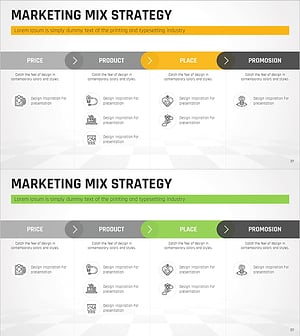
Marketing Mix 4P Linear Diagram
#Business Vision and Strategy #Marketing Plan and Strategy #Diagram
