



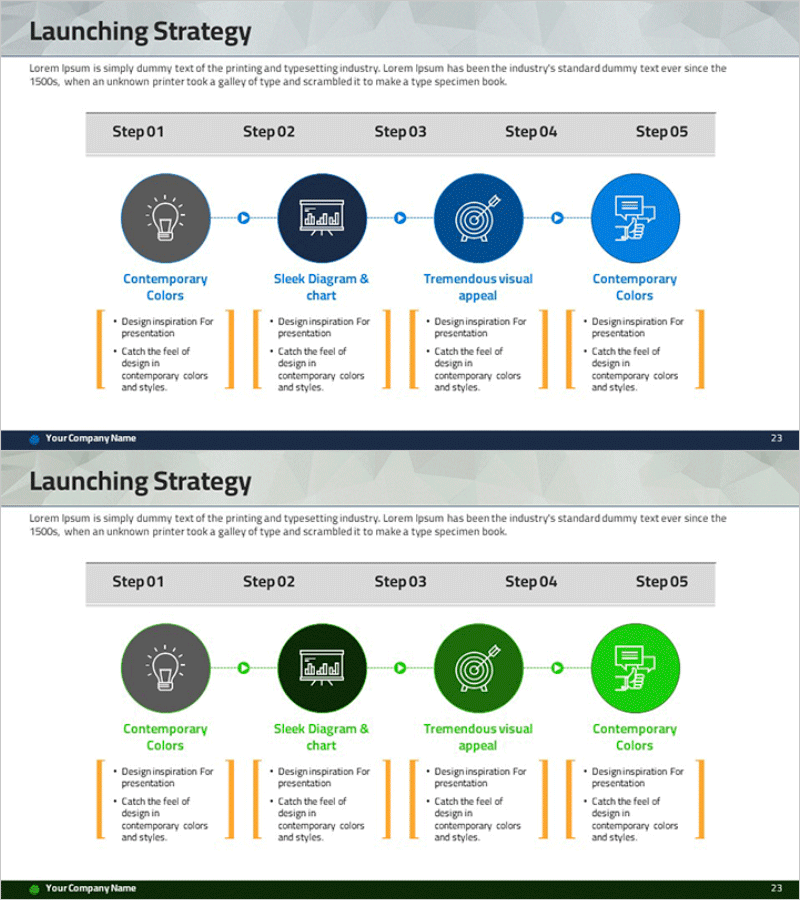
Step-by-step Marketing Strategy STEP5 – Visualizing Business Strategies
RM0400005_22
- Last Update 02/15/2025
- File Size 3MB
- # of Slides 2
- File Format PPTX
- Slide Ratio 16:9
- Color
Keywords
- #Content-Based Slides
- #Design-Based Slides
- #Business Vision and Strategy
- #Marketing Plan and Strategy
- #Diagram
- #Business Strategy
- #Marketing Strategy
- #Flow
- #Cluster
- #Linear Flow
- #Chain Diagram
- #16:9
- #5-step process diagram PowerPoint
- #linear flow diagram template
- #business strategy visualization slide
- #marketing plan PowerPoint template
- #step-by-step process slide design
About the Product
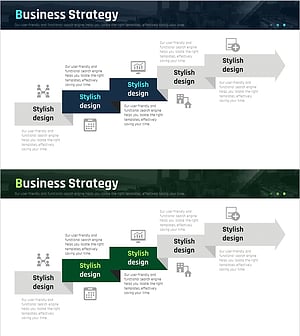
A linear process diagram PowerPoint slide featuring five sequential steps connected by flow lines. Each step includes an icon and description area, making it ideal for visualizing marketing strategies, business plans, growth phases, and project timelines. The slide is fully editable in PowerPoint with three color schemes (blue, green, gray) that can be customized to match your corporate branding. This 2-slide presentation template is ready to use for various business presentations and strategic communications.
Usage Points
-
Main Usage
Visualize marketing strategies, business plans, product launch processes, growth phases, and organizational changes across five sequential steps. Each step clearly communicates key information through icons and text, making complex processes easy to understand.
-
How to Use
Double-click on the icon and text areas in each step to edit content. Select your preferred color scheme (blue, green, or gray) to match your brand identity. Customize icons or background colors as needed. Insert the slide into presentations, reports, or strategic planning documents.
-
Recommended For
Marketing managers, business strategists, project managers, consultants, and educators who need to explain step-by-step processes, strategic initiatives, or project phases. Ideal for presentations requiring clear visualization of sequential workflows and progress tracking.
-
Slide Structure
Five circular nodes arranged in linear sequence, connected by flow lines. Each node contains an icon (lightbulb, chart, target, screen, etc.), a title, and description text area. The 2-slide set offers three color variations (blue, green, gray) for flexible branding options.
Related Products
-
Gradient Overlay Circular Diagram – Visualizing Business Strategy
#Business Vision and Strategy #Marketing Plan and Strategy #Diagram
-
Marketing Mix 4P Linear Diagram
#Business Vision and Strategy #Marketing Plan and Strategy #Diagram
-
Diagram of the Steps in Developing a Launch Strategy
#Business Vision and Strategy #Marketing Plan and Strategy #Diagram
-
Corporate Strategy Diagram Leading the Future – Visualizing Business Flow
#Business Vision and Strategy #Marketing Plan and Strategy #Diagram
