



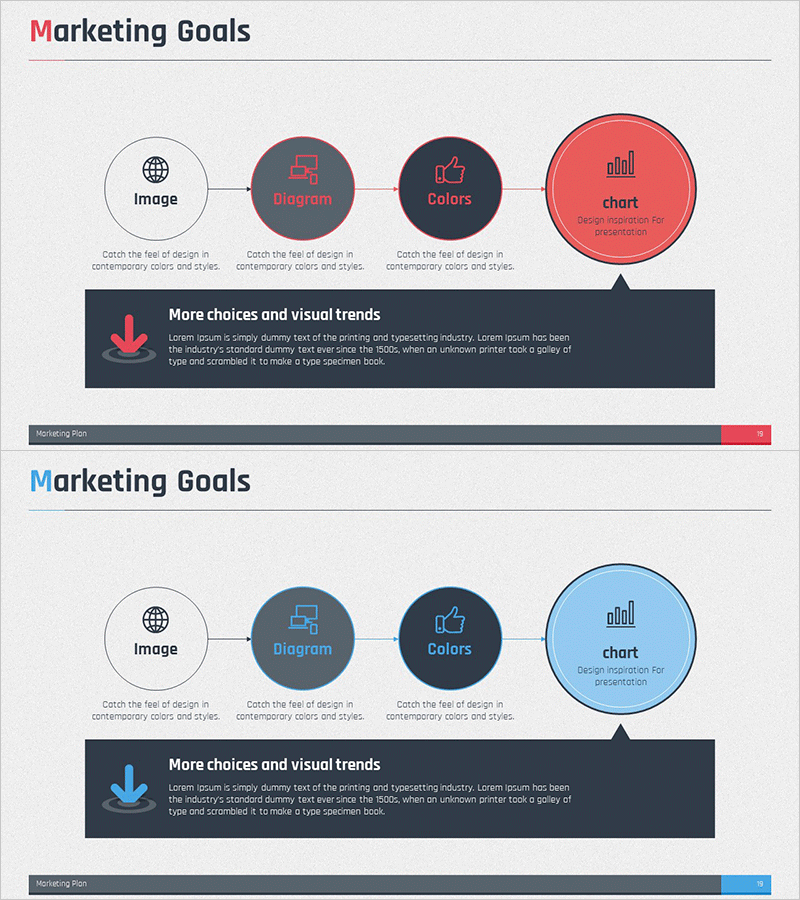
Marketing End Goal Linear Diagram
RM0400004_18
- Last Update 02/15/2025
- File Size 2MB
- # of Slides 2
- File Format PPTX
- Slide Ratio 16:9
- Color
Keywords
- #Content-Based Slides
- #Design-Based Slides
- #Business Vision and Strategy
- #Marketing Plan and Strategy
- #Diagram
- #Text Box
- #Business Goals
- #Marketing Objectives
- #Flow
- #Linear Flow
- #Speech Bubble
- #16:9
- #linear diagram PowerPoint
- #marketing goals presentation
- #4-step flowchart slide
- #marketing strategy diagram
- #process flow PPT template
About the Product
A PowerPoint slide that visualizes marketing strategy goals through a 4-step linear flow diagram. This presentation template connects four key elements—image, diagram, colors, and chart—sequentially to clearly communicate the marketing goal achievement process. Available in two color themes (red and blue), each step features icons and descriptive text, making it immediately applicable for presentations, planning documents, and strategic reports. The 16:9 widescreen format with 2-slide composition effectively explains marketing vision and execution strategy.
Usage Points
-
Main Usage
Visualizes the marketing goal achievement process through a 4-step linear flow, clearly presenting strategy development and execution phases. By sequentially arranging key elements (image, diagram, colors, chart) at each stage, it enhances audience comprehension and effectively persuades stakeholders of marketing vision and objectives.
-
How to Use
Use in marketing planning documents, strategy reports, and business presentations to explain goal achievement roadmaps. Edit the text and icons in each node to match your specific marketing objectives, expressing corporate strategy, campaign goals, and performance measurement stages. Choose between red or blue color themes to align with your company brand identity.
-
Recommended For
Ideal for marketing managers, planning teams, and executives during strategy development, goal setting, and performance reporting. Effective for new employee training, team meetings, executive briefings, and client proposal presentations where marketing processes need to be explained step-by-step.
-
Slide Structure
2-slide composition featuring red theme and blue theme versions. Each slide displays a linear flowchart with 4 nodes connected from left to right, with each node containing a circular background, icon, label text, and description area. Arrows connect stages, and an additional explanation box at the bottom allows for detailed information input.
Related Products
-
Seminar Goal Setting Diagram – Business Vision and Marketing Strategy
#Business Vision and Strategy #Marketing Plan and Strategy #Diagram
-
Marketing Achievement Goals for Brand Growth – Vision and Strategy
#Business Vision and Strategy #Marketing Plan and Strategy #Diagram
-
Marketing Goal Strategies to Increase Sales
#Business Vision and Strategy #Marketing Plan and Strategy #Diagram
-
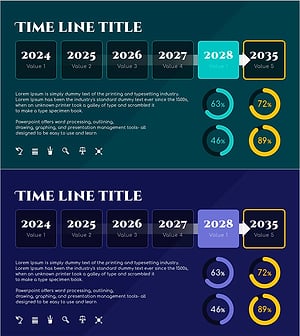
Flow Diagram Visualizing Future Achievement Goals and Strategies
#Business Vision and Strategy #Marketing Plan and Strategy #Diagram
