



Exercise Coaching Methods: Offline and Online – Choose Your Curriculum
RM0200019_8
- Last Update 02/06/2025
- File Size 4.5MB
- # of Slides 2
- File Format PPTX
- Slide Ratio 16:9
- Color
Keywords
- #Content-Based Slides
- #Design-Based Slides
- #Product/Service Introduction
- #Diagram
- #Features
- #Program Introduction
- #Cluster
- #Closed Cluster Diagram
- #16:9
- #two-option comparison diagram PowerPoint
- #circular choice slide template
- #offline online comparison presentation
- #service delivery method slide
- #decision-making diagram PowerPoint slide
About the Product
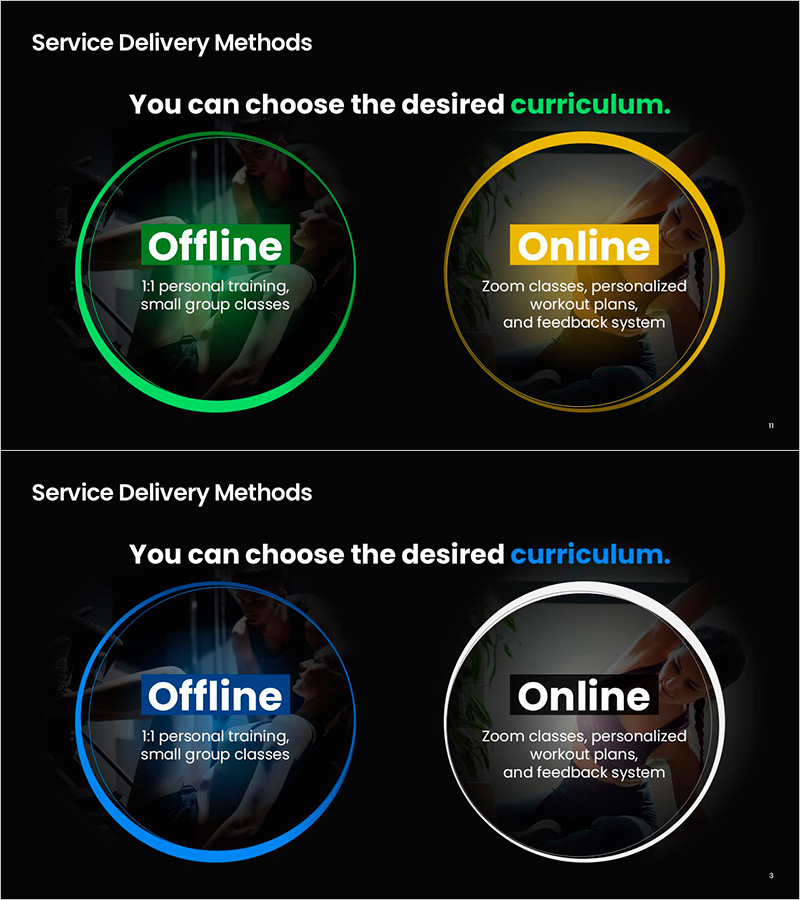
A PowerPoint slide that visually compares two service delivery methods—offline and online—using circular diagram layouts. The design features contrasting color borders (green and yellow on the first slide, blue and white on the second) to clearly distinguish each option and guide audience decision-making. Ideal for fitness coaching, educational programs, consulting services, and business model presentations where you need to present two equally viable alternatives. The 16:9 widescreen format includes 2 slides ready for immediate customization and use in professional presentations.
Usage Points
-
Main Usage
Present two alternative service delivery methods or business models with equal emphasis, guiding audiences toward informed decision-making. Effectively communicates the choice between in-person and remote service options, or compares two distinct business approaches side by side.
-
How to Use
Customize each circular section with service names, key features, and target benefits. Use in fitness coaching presentations, online education platform introductions, consulting service overviews, and business model explanations. The color-coded design naturally emphasizes the distinction between the two options without additional formatting.
-
Recommended For
Fitness coaches, online education platform managers, service designers, consulting firms, educational institutions, and corporate trainers presenting dual-delivery service models. Suitable for investor pitch decks, new service launch announcements, client presentations, and stakeholder briefings requiring clear option comparison.
-
Slide Structure
Two-slide set with circular diagram layouts: first slide features green and yellow bordered circles, second slide uses blue and white borders. Each circle contains title and descriptive text areas, with background imagery depicting relevant activities to reinforce the characteristics of each service option.
Related Products
-
Cluster Slide for Travel Destination Analysis – Data Visualization
#Product/Service Introduction #Diagram #Features
-
Cluster Diagram Slide Visualizing Technical Characteristics
#Product/Service Introduction #Diagram #Other
-
Ringer Shape Subdivided Column Graph for Program Introduction – Clustered Data Visualization
#Product/Service Introduction #Diagram #Features
-
Introduction of Main Product Features – Visualizing Product Functions with Diagrams
#Product/Service Introduction #Diagram #Features
