



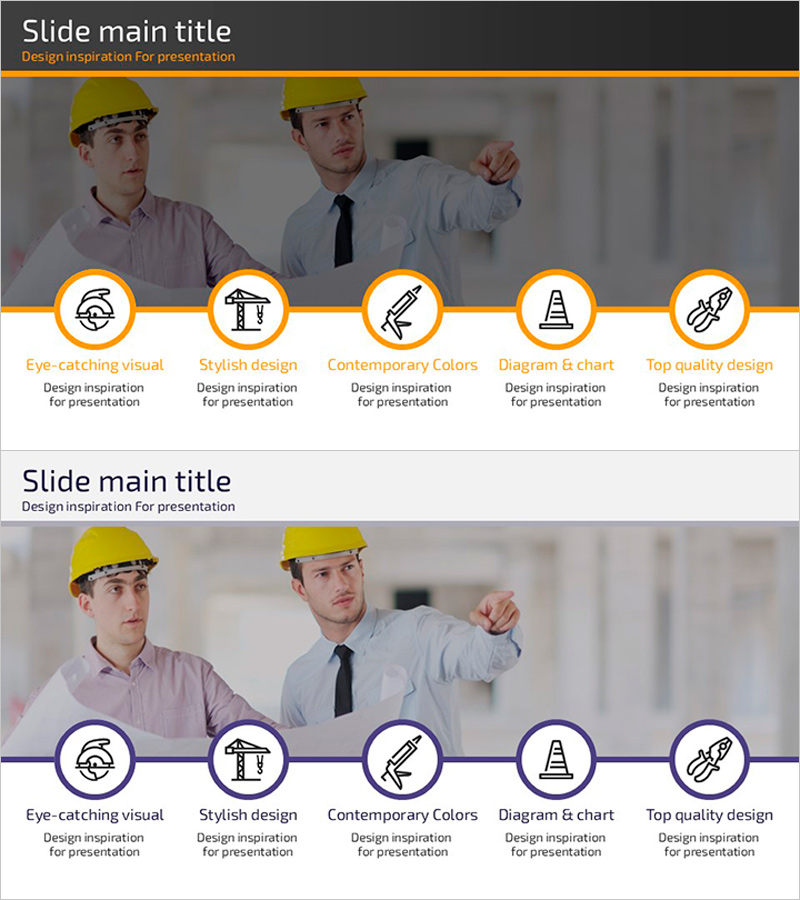
Cluster Diagram Slide Visualizing Technical Characteristics
RJ0900018_7
- Last Update 08/21/2025
- File Size 4.5MB
- # of Slides 2
- File Format PPTX
- Slide Ratio 16:9
- Color
Keywords
- #Content-Based Slides
- #Design-Based Slides
- #Product/Service Introduction
- #Diagram
- #Other
- #Features
- #Program Introduction
- #Cluster
- #Closed Cluster Diagram
- #Mockup
- #16:9
- #cluster diagram PowerPoint
- #technical characteristics slide template
- #5-node diagram
- #program structure PPT
- #how to create cluster diagram in PowerPoint
About the Product
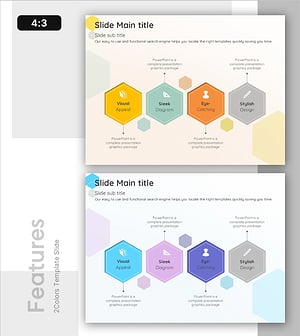
A cluster diagram PowerPoint slide with five nodes visualizing technical characteristics and program elements. The structure radiates from a central core concept to surrounding components, ideal for presenting technology architecture, product features, organizational roles, and project elements. Orange accent lines and circular node layout clearly express information hierarchy. The 16:9 widescreen format with 2-slide composition integrates seamlessly into presentations. All text, colors, and connector lines are fully editable in PowerPoint.
Usage Points
-
Main Usage
Optimized for visualizing relationships between central concepts and peripheral elements such as technology architecture, product features, organizational roles, and project components. The cluster structure clearly expresses information hierarchy and enhances audience comprehension.
-
How to Use
Use in product introduction, technical explanation, or program overview sections. Place the core concept in the center node and input detailed elements in surrounding nodes. Adjust text, colors, and node sizes to control emphasis. Connector line styles are fully customizable.
-
Recommended For
Recommended for IT and software company technical presentations, product planning team feature explanations, project manager element analysis, and educational seminars requiring complex concept visualization.
-
Slide Structure
Five-node cluster structure with one central circular node and four surrounding circular nodes. Orange accent lines connect the center to each peripheral node, expressing relationships. Text input areas positioned below each node.
Related Products
-
Interior Business Program Features – Design and Impact
#Product/Service Introduction #Diagram #Features
-
Financial Security Services Diagram – Features and Service Overview
#Product/Service Introduction #Diagram #Features
-
Media Market Trends – Effective Program Introduction
#Product/Service Introduction #Diagram #Features
-
Key Feature Diagram by Problem Type – Clear Feature Visualization
#Product/Service Introduction #Diagram #Features
