



Ringer Shape Subdivided Column Graph for Program Introduction – Clustered Data Visualization
RJ0300090_24
- Last Update 05/14/2025
- File Size 0.8MB
- # of Slides 2
- File Format PPTX
- Slide Ratio 16:9
- Color
Keywords
About the Product
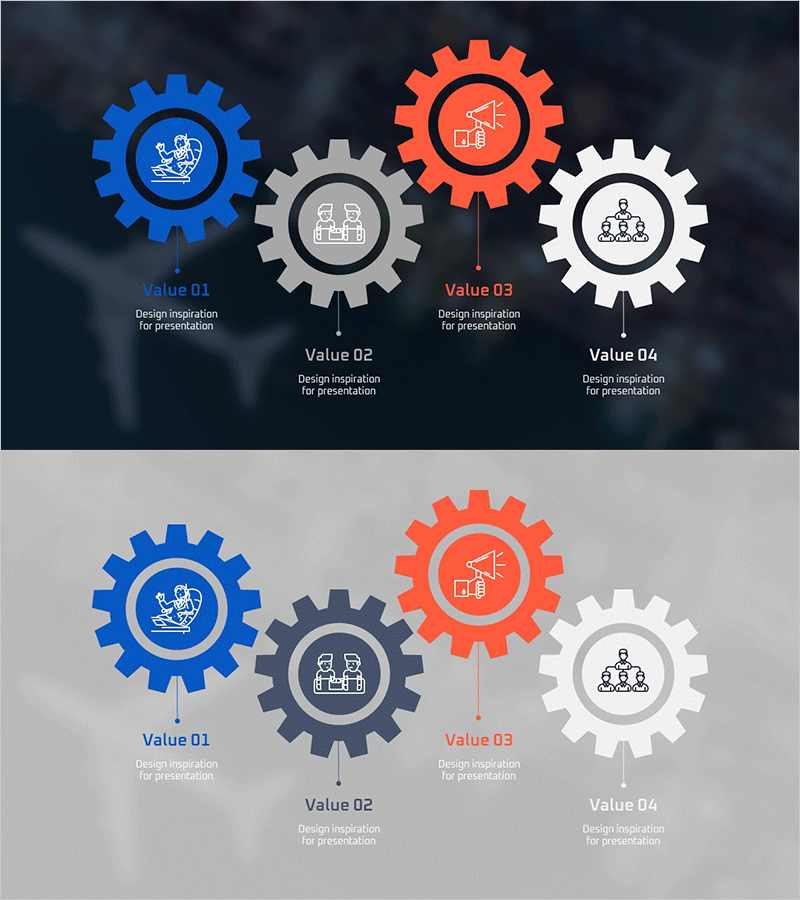
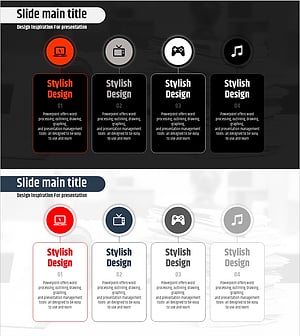
A PowerPoint slide featuring four interconnected gear shapes that visualize program structures, processes, and organizational hierarchies. The multi-colored gears—blue, gray, orange, and white—are arranged radially from the center, clearly expressing each stage's role and interdependencies. Each gear contains an icon and text area for inputting department names, functions, or personnel information. Two background versions are provided: dark and light, allowing you to select based on your presentation environment. Ideal for presentations, reports, and proposals when introducing organizational structures, workflow processes, or product lineups.
Usage Points
-
Main Usage
Express organizational structures, workflow processes, product lineups, and interdepartmental relationships using interconnected gear shapes that emphasize circular flow and mutual dependencies. Input department names, functions, and personnel information into each gear to communicate structure clearly.
-
How to Use
Enter department names, function titles, or personnel names in the text areas within each gear. Replace icons to visually emphasize each stage's characteristics. Use the dark background version for outdoor projections and large conference rooms; the light version suits indoor, small-scale presentations.
-
Recommended For
Executives, team leads, and project managers explaining organizational structures, workflow processes, and collaboration systems. Effective for business plans, organizational restructuring reports, product portfolio introductions, and marketing strategy presentations where interconnected elements need clear visualization.
-
Slide Structure
2-slide set. Slide 1: Dark background (navy blue and black) with four gears (blue, gray, orange, white) arranged radially from center. Each gear displays an icon at center with Value 01–04 labels and text input areas below. Slide 2: Light background (light gray) with identical gear structure. 16:9 widescreen format.
Related Products
-
Interior Business Program Features – Design and Impact
#Product/Service Introduction #Diagram #Features
-
Cluster Slide for Travel Destination Analysis – Data Visualization
#Product/Service Introduction #Diagram #Features
-
UX UI Program Introduction Slides – Modern Design and Visual Appeal
#Product/Service Introduction #Diagram #Features
-
Media Market Trends – Effective Program Introduction
#Product/Service Introduction #Diagram #Features
