



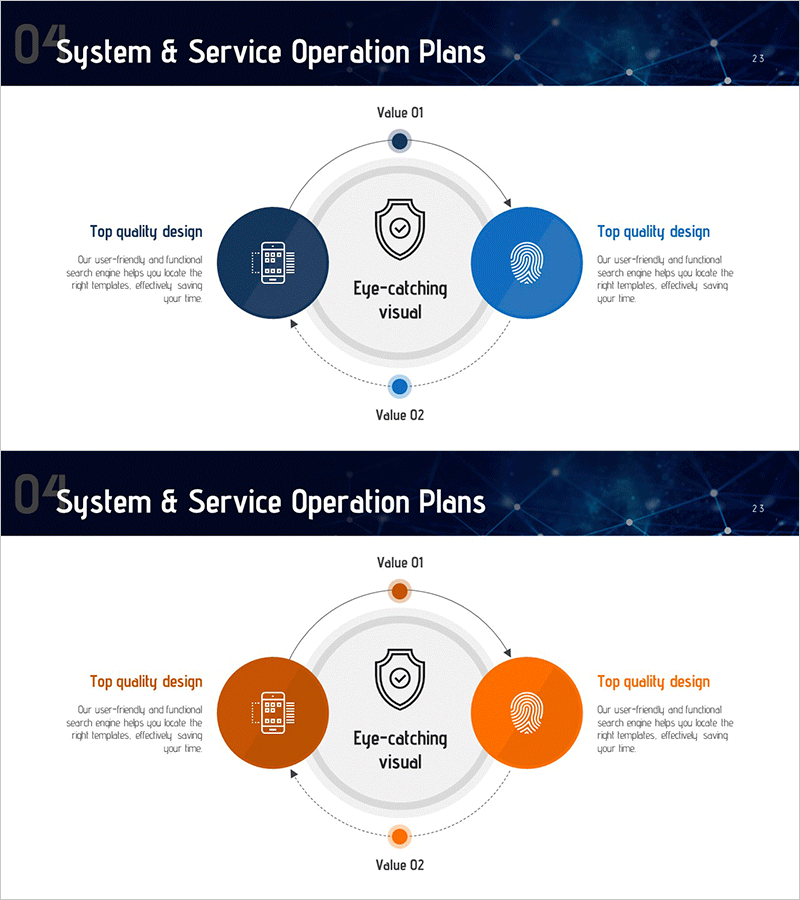
System Operation Plan Diagram – Embodying Technical Excellence
RM0200015_22
- Last Update 02/05/2025
- File Size 0.8MB
- # of Slides 2
- File Format PPTX
- Slide Ratio 16:9
- Color
Keywords
- #Content-Based Slides
- #Design-Based Slides
- #Product/Service Introduction
- #Technical Approach
- #Diagram
- #Features
- #Service Operation Plan
- #Flow
- #Circular Flow
- #16:9
- #circular diagram PowerPoint
- #system operation slide template
- #4-stage cycle diagram
- #technical operation plan presentation
- #how to create circular diagram in PowerPoint
About the Product
A 4-stage circular diagram PowerPoint slide designed to visualize system and service operation plans. The central shield icon is surrounded by symmetrically positioned circular nodes in navy blue (left) and light blue (right), emphasizing both technical excellence and user trust. Dotted arrow connections create a continuous cycle structure that highlights ongoing improvement cycles and interdependencies. Each node accommodates icons and text, making it immediately applicable to IT department presentations, operations team briefings, and technical planning sessions. The 2-slide set provides both navy blue and orange color versions, allowing you to match your presentation's tone and style.
Usage Points
-
Main Usage
Visualize IT system operation plans, service operation processes, and technical strategy through circular structure to clearly communicate continuous improvement cycles and interdependencies. The central shield icon represents security and reliability, while symmetrical arrangement illustrates balanced operational systems.
-
How to Use
Input operation stage names (e.g., Plan, Build, Operate, Improve) and descriptions in each node's text area, and replace icons to match your organization's system operation approach. Place in presentation slides, operation plan documents, and technical proposal sections explaining core processes.
-
Recommended For
IT leaders, system operations teams, technical planners, CTO presentations, system architecture explanations, operational process improvement meetings, technical strategy reports, and service operation plan presentations.
-
Slide Structure
2-slide set. Each slide features a central shield icon with 4 circular nodes positioned at top, left, right, and bottom, connected by dotted arrows in circular flow. Slide 1 uses navy blue and light blue tones; Slide 2 provides orange and light orange color variation.
Related Products
-
Operating Method Characteristics Circular Diagram
#Product/Service Introduction #Technical Approach #Diagram
-
Business Risk Management – Visualization of Flow and Circulation
#Operational Plan #Technical Approach #Diagram
-
Presentation Template Emphasizing Visual Appeal - The Power of Visual Elements
#Technical Approach #Diagram #Service Operation Plan
-
Hexagon Diagram for Service Operational Strategy – Visual Appeal
#Product/Service Introduction #Technical Approach #Diagram
