



Quality Assurance Plan Direction Slide - Diagram and Flow
RM0200007_26
- Last Update 02/03/2025
- File Size 1.2MB
- # of Slides 2
- File Format PPTX
- Slide Ratio 16:9
- Color
Keywords
- #Content-Based Slides
- #Design-Based Slides
- #Business Management
- #Technical Approach
- #Diagram
- #Quality Assurance Plan
- #System Architecture Diagram
- #Flow
- #Linear Flow
- #16:9
- #circular flow diagram PowerPoint
- #4-step process diagram
- #quality assurance plan slide
- #cycle diagram PowerPoint template
- #process flow diagram download
About the Product
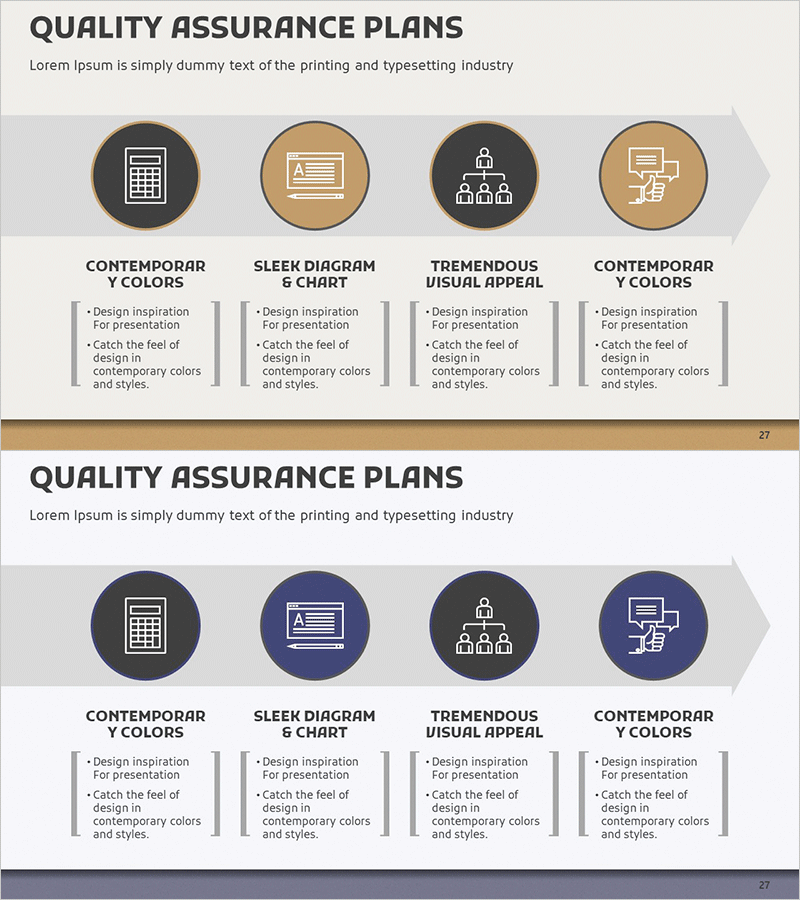
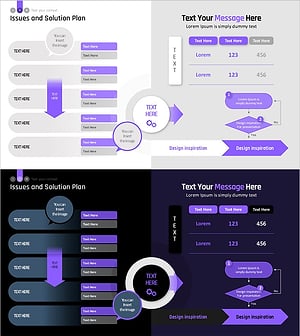
A 4-step circular flow diagram PowerPoint slide that visualizes the quality assurance planning process. The diagram features round icons connected by arrows in beige, tan, gray, and navy tones, clearly representing the cycle of plan→execute→verify→improve. This 2-slide set includes the same design in two color variations—beige tone and navy tone—allowing you to match your presentation's visual style. Ideal for quality management strategy presentations, business management reports, and process improvement discussions in corporate settings.
Usage Points
-
Main Usage
Presents the quality assurance planning process as a circular cycle, clearly communicating the plan→execute→verify→improve sequence. Effectively illustrates organizational quality management strategy and continuous improvement systems through visual representation.
-
How to Use
Use in the 'Quality Management Strategy' section of business management reports, process improvement presentations, and organizational quality system explanations. Choose between beige-tone and navy-tone versions to match your presentation's design theme and color scheme.
-
Recommended For
Quality assurance managers, business management teams, process improvement specialists, executives preparing reports, and training facilitators. Suitable for manufacturing, IT, and service industry quality system presentations.
-
Slide Structure
2-slide set. Each slide features 4 circular icons (plan, execute, verify, improve) connected by directional arrows in a circular flow. Slide 1 uses beige and tan tones; Slide 2 uses navy and gray tones. Text input areas are positioned below each step for customization.
Related Products
-
Online Presentation Template Diagram8
#Operational Plan #Technical Approach #Diagram
-
Diagram Slide Visualizing the Process of Making Strawberry Juice
#Business Management #Operational Plan #Diagram
-
Step-by-step Quality Assurance Plan Diagram
#Business Strategy #Business Management #Diagram
-
Infographic Template for Issue Resolution – Practical Guide
#Operational Plan #Technical Approach #Diagram
