



Key Feature Diagram by Problem Type – Clear Feature Visualization
RB0300018_4
- Last Update 03/10/2025
- File Size 0.4MB
- # of Slides 2
- File Format PPTX
- Slide Ratio 4:3
- Color
Keywords
- #Content-Based Slides
- #Design-Based Slides
- #Product/Service Introduction
- #Diagram
- #Features
- #Program Introduction
- #Cluster
- #Closed Cluster Diagram
- #4:3
- #hexagon cluster diagram PowerPoint
- #4-node feature diagram
- #business diagram slide template
- #characteristic visualization PowerPoint
- #how to create cluster diagram in PowerPoint
About the Product
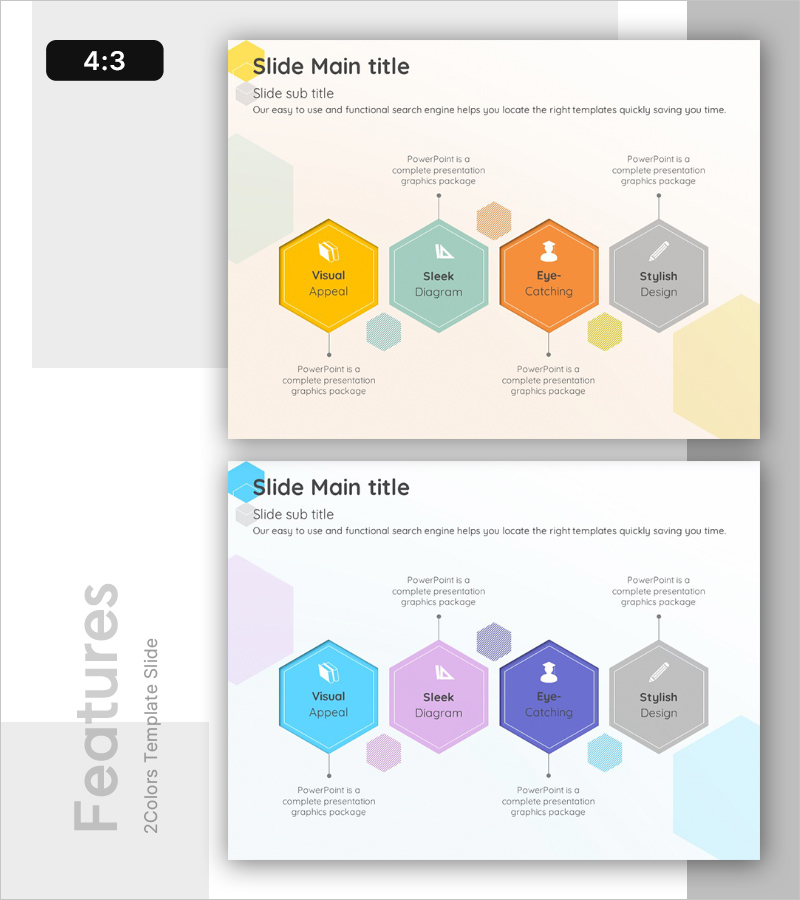
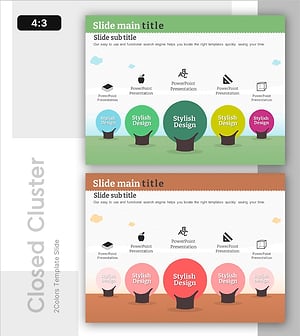
A cluster diagram PowerPoint slide featuring four hexagon nodes to represent key features or characteristics. The design uses a warm color palette (yellow, teal, orange, gray) with smaller hexagon nodes in the center indicating hierarchical relationships. Two color theme variations are included—one with warm tones and one with cool tones—allowing you to match your presentation style. This PowerPoint slide template is ready to use for business presentations, product introductions, and program feature explanations.
Usage Points
-
Main Usage
Visually distinguish and communicate four key features or characteristics of a product, service, or program to your audience. The design simultaneously expresses both the independence of each feature and their interconnected relationships, making complex concepts intuitive.
-
How to Use
Enter feature names and descriptions in the hexagon nodes provided on the slide. Add detailed content in the text areas below each node. Select a color theme that matches your presentation tone, and customize the number of nodes as needed.
-
Recommended For
Product planning teams, marketing professionals, executive briefings, consulting proposals, educational program introductions, technical architecture explanations, and organizational capability assessments.
-
Slide Structure
The main slide contains four large hexagon nodes (top-left, top-right, bottom-left, bottom-right) with three smaller hexagons in the center, and text description areas positioned below each node. The second slide provides the same structure with an alternative cool-tone color theme (cyan, purple, blue, gray).
Related Products
-
Media Market Trends – Effective Program Introduction
#Product/Service Introduction #Diagram #Features
-
Introduction to Camera Application Features
#Product/Service Introduction #Diagram #Features
-
Interior Business Program Features – Design and Impact
#Product/Service Introduction #Diagram #Features
-
Overview of Children's Learning Areas – Visualizing Diverse Learning Domains
#Product/Service Introduction #Diagram #Features
