



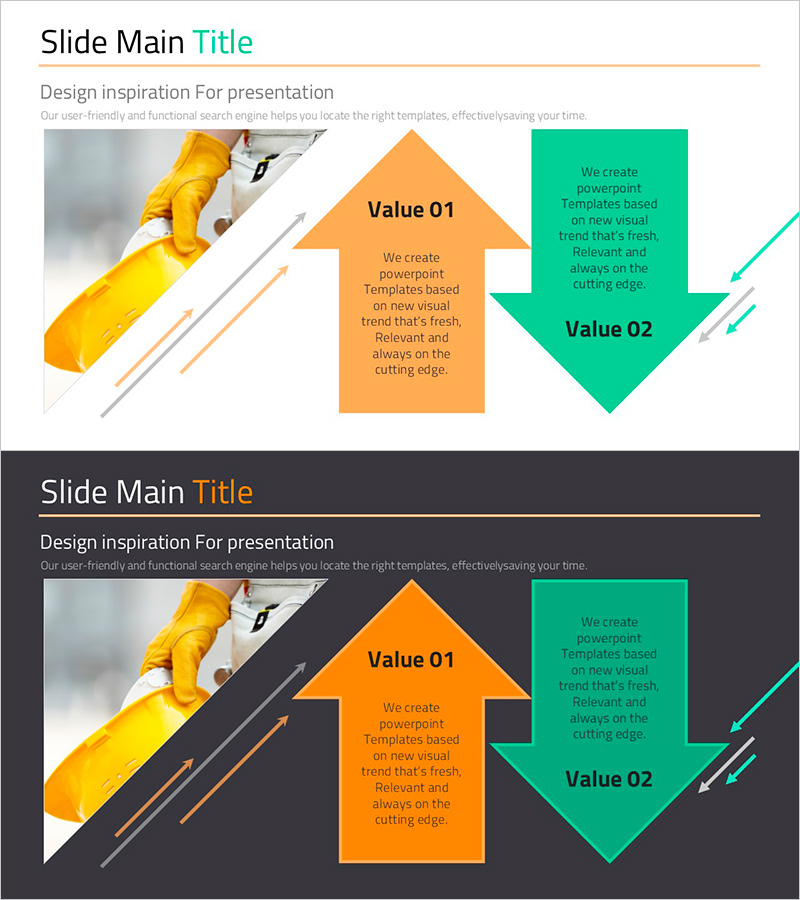
Pros and Cons Arrow Text Box – Data Visualization
RJ0900017_28
- Last Update 08/20/2025
- File Size 0.9MB
- # of Slides 2
- File Format PPTX
- Slide Ratio 16:9
- Color
Keywords
- #Content-Based Slides
- #Design-Based Slides
- #Product/Service Introduction
- #Operational Plan
- #Diagram
- #Text Box
- #Differentiation Strategy for Products/Services
- #Mitigation Measures
- #Flow
- #Multidirectional Flow
- #Arrow
- #16:9
- #arrow text box PowerPoint
- #pros and cons comparison slide
- #bidirectional arrow diagram
- #data visualization PowerPoint
- #presentation slide template
About the Product
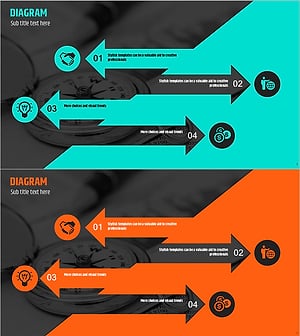
A 2-slide PowerPoint deck featuring bidirectional arrows for comparing pros and cons side by side. The contrasting orange and green color scheme visually distinguishes positive and negative elements, with editable text areas inside each arrow for immediate use in product presentations or operational planning. Formatted in 16:9 widescreen PPTX, fully compatible with all PowerPoint versions. Customize arrow colors, sizes, and text content to match your presentation needs.
Usage Points
-
Main Usage
Effectively compare product or service strengths and weaknesses, or present contrasting alternatives in a balanced format. The orange (Value 01) and green (Value 02) arrows emphasize opposing concepts, making this ideal for decision-making materials and strategic planning presentations.
-
How to Use
Enter comparison details into the text boxes within each arrow, and adjust arrow colors as needed. Use in product introduction slides to highlight improvements over competitors, or in operational plans to contrast current state versus target goals.
-
Recommended For
Product management and marketing teams presenting competitive analysis, executive reports requiring decision-support visuals, consulting proposals with solution comparisons, educational seminars explaining contrasting concepts.
-
Slide Structure
2-slide layout with bidirectional arrows on each slide. Title area at top, centered orange arrow (Value 01) and green arrow (Value 02) positioned symmetrically, each containing editable text fields for direct content input and comparison details.
Related Products
-
Farming Harvest Business Direction Arrow – Effective Path Setting
#Product/Service Introduction #Business Strategy #Diagram
-
Emphasizing the Importance of Hydration with a Multidirectional Arrow Diagram
#Product/Service Introduction #Diagram #Text Box
-
Eco-friendly Solutions Arrow Diagram and Text Slide
#Product/Service Introduction #Operational Plan #Diagram
-
Arrow Reverse Slide – Emphasizing Innovative Flow
#Product/Service Introduction #Operational Plan #Diagram
