



Eco-friendly Solutions Arrow Diagram and Text Slide
RJ0600029_14
- Last Update 06/28/2025
- File Size 0.4MB
- # of Slides 2
- File Format PPTX
- Slide Ratio 16:9
- Color
Keywords
- #Content-Based Slides
- #Design-Based Slides
- #Product/Service Introduction
- #Operational Plan
- #Diagram
- #Text Box
- #Differentiation Strategy for Products/Services
- #Mitigation Measures
- #Flow
- #Arrow
- #16:9
- #arrow diagram PowerPoint
- #two-way arrow slide
- #comparison diagram presentation
- #arrow layout slide design
- #decision support slide template
About the Product
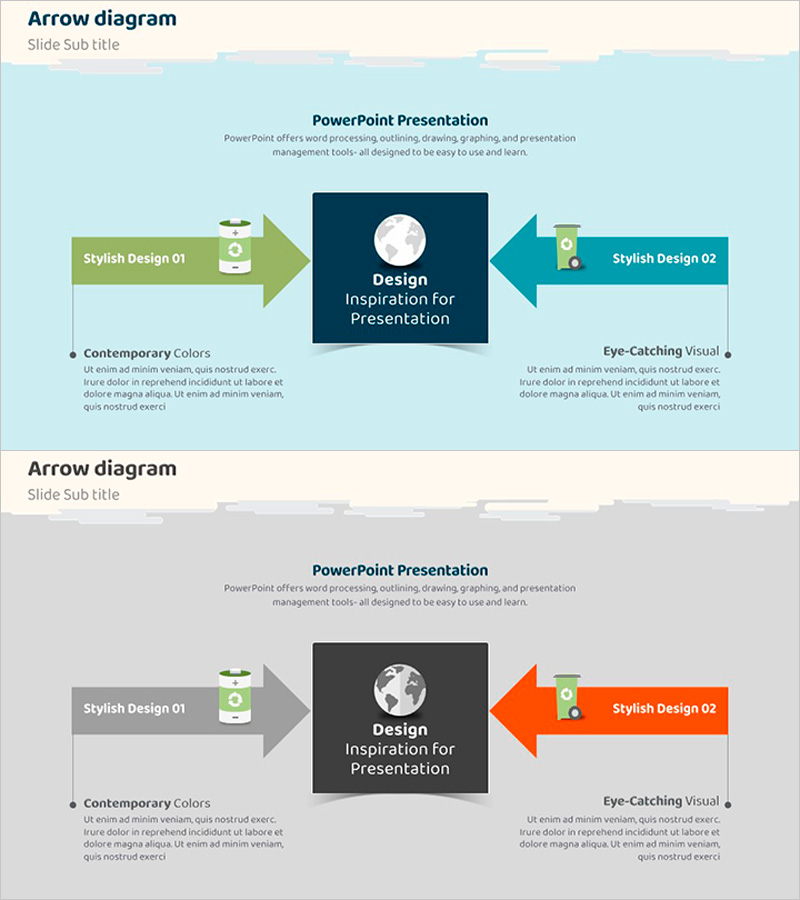
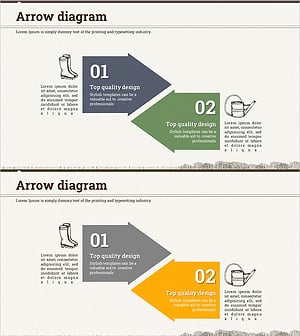
A 2-slide PowerPoint set featuring bidirectional arrow diagrams for comparison and contrast structures. Against a light blue background, left-right symmetrical arrows visually compare two concepts, solutions, or designs. Each slide follows a three-part layout: left text box (title + description), central key image, and right text box, creating a clear information flow. Use these presentation slides to compare alternatives, present solutions, explain process improvements, and support decision-making in business contexts. Delivered in 16:9 widescreen PPTX format, fully editable and ready to use in all PowerPoint versions.
Usage Points
-
Main Usage
Visually compare two solutions, designs, or strategies while supporting business decision-making. The converging arrow structure centered on a key message effectively illustrates alternative evaluation, improvement proposals, and process comparisons in corporate settings.
-
How to Use
Enter the first concept name and description in the left text box, and the second concept in the right box. Place your core message, logo, or image in the central dark navy box to emphasize the converging arrow visual effect. Colors and text are fully customizable to match your brand identity.
-
Recommended For
Executive strategy presentations, consulting proposal decks, product/service comparison explanations, organizational restructuring or process improvement briefings, marketing campaign alternative review meetings, and stakeholder decision-support sessions.
-
Slide Structure
2-slide format. Each slide uses a three-column layout: left text area (title + 2-line description), central image/logo space, and right text area (title + 2-line description). Arrows converge from both sides toward the center, conveying comparison and integration concepts.
Related Products
-
Pros and Cons Arrow Text Box – Data Visualization
#Product/Service Introduction #Operational Plan #Diagram
-
Simple Circle Presentation Template Diagram7 – Emphasizing Strategic Flow
#Product/Service Introduction #Diagram #Text Box
-
Soccer Arrow Diagram – Visualizing Operational Strategies and Flows
#Product/Service Introduction #Operational Plan #Diagram
-
Farming Harvest Business Direction Arrow – Effective Path Setting
#Product/Service Introduction #Business Strategy #Diagram
