



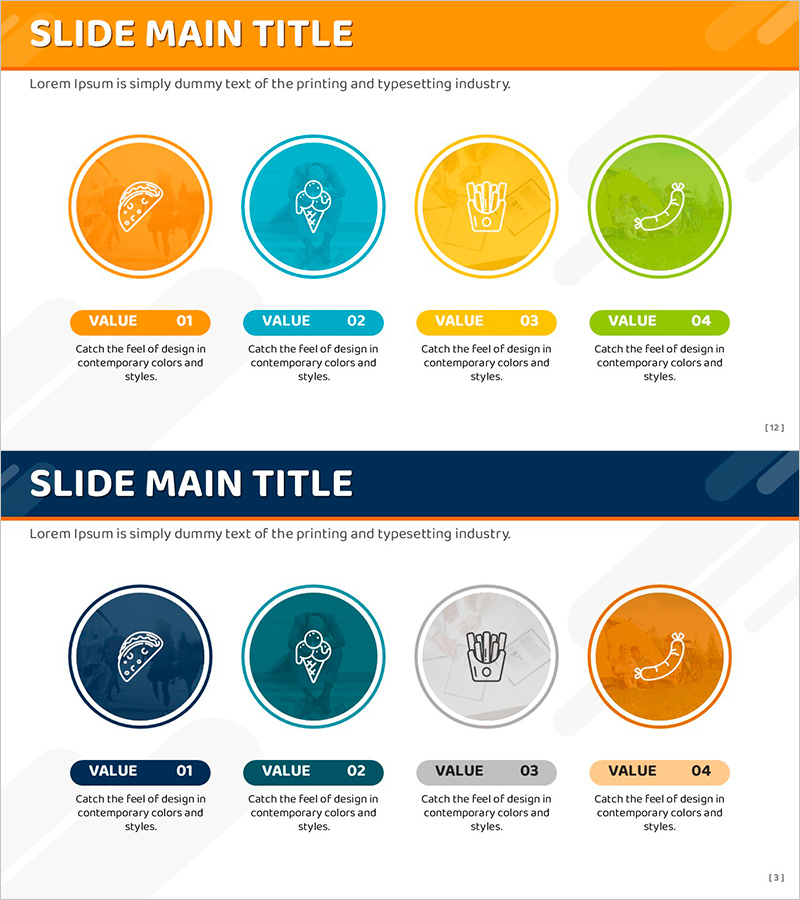
Cluster Diagram Slide for Main Menu Strategies
RJ0800013_11
- Last Update 08/03/2025
- File Size 8.8MB
- # of Slides 2
- File Format PPTX
- Slide Ratio 16:9
- Color
Keywords
- #Content-Based Slides
- #Design-Based Slides
- #Product/Service Introduction
- #Business Introduction
- #Diagram
- #Features
- #Technological Status
- #Cluster
- #Closed Cluster Diagram
- #16:9
- #cluster diagram PowerPoint
- #4-item diagram slide
- #main menu strategy presentation
- #product introduction diagram
- #business overview slide
- #PowerPoint diagram template
About the Product
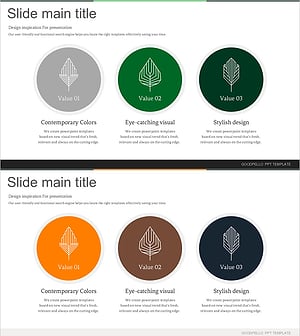
A 4-node cluster diagram PowerPoint slide designed for main menu strategies and product introductions. Four circular nodes are independently positioned and color-coded in orange, teal, yellow, and green for clear visual distinction. Each node includes a VALUE label (01–04) and description text area below, allowing you to present business highlights, product features, or core values in an organized layout. Two design variations (light and dark backgrounds) are included in 16:9 widescreen PPTX format, ready for immediate editing and customization.
Usage Points
-
Main Usage
Visualizes four key items—main menu strategy, product features, business overview, or core values—in an independent yet cohesive structure. Each color-coded node draws attention without overwhelming the audience, ensuring efficient information delivery and clear message hierarchy.
-
How to Use
Insert titles and icons into each circular node, then add descriptive text in the VALUE sections below. Present nodes sequentially during your talk or display all four items simultaneously for comparison. Colors can be adjusted to match your brand guidelines or corporate identity.
-
Recommended For
Product marketers, business planners, product managers (PMs), and sales presenters explaining key differentiators, product benefits, or strategic pillars. Ideal for new employee onboarding, team meetings, client presentations, and investor pitches.
-
Slide Structure
2-slide set. Each slide features a header area (orange or dark blue banner) with title and subtitle text, followed by four circular nodes with icon placeholders and VALUE labels (01–04) with text input areas below. Light background and dark background versions provided for flexibility.
Related Products
-
Square Frame Presentation Template – Business Introduction and Tech Status
#Product/Service Introduction #Business Introduction #Diagram
-
Science Square Closed Diagram – Product and Service Introduction
#Product/Service Introduction #Business Introduction #Diagram
-
Visual Overview of Key Architectural Concepts – Representation of Core Technologies
#Product/Service Introduction #Business Introduction #Diagram
-
Leaf Infographic – Ecological Value and Design
#Product/Service Introduction #Business Introduction #Diagram
