



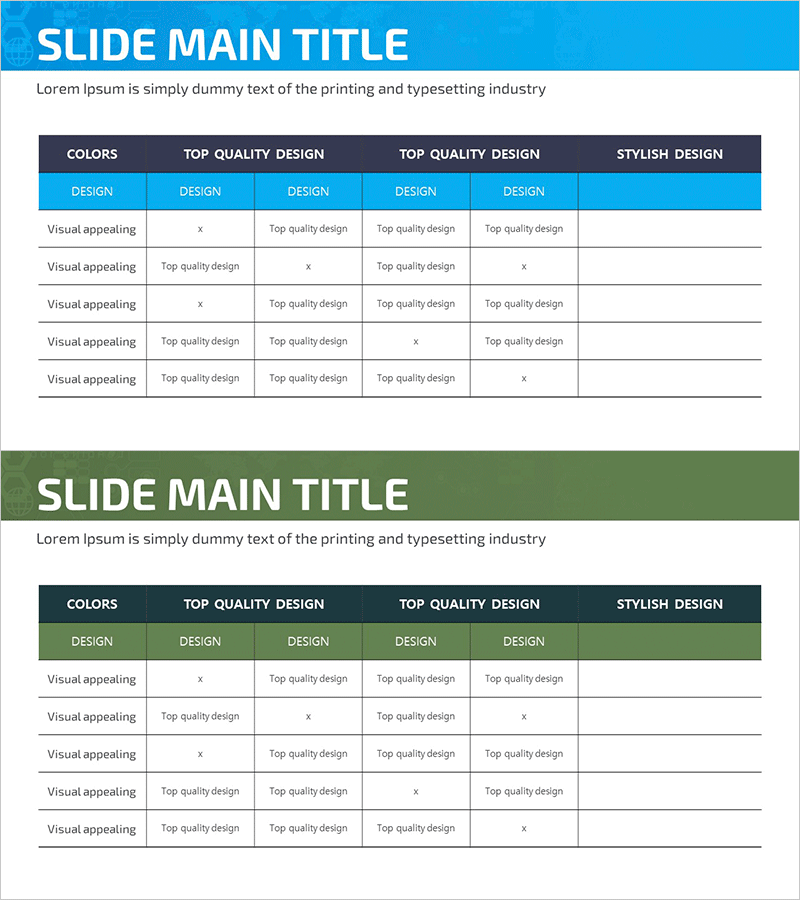
Designer’s Schedule Slide – A Visually Appealing Table
RJ0700009_24
- Last Update 07/24/2025
- File Size 1.5MB
- # of Slides 2
- File Format PPTX
- Slide Ratio 16:9
- Color
Keywords
About the Product
A comparison matrix PowerPoint slide that evaluates 5 items across 4 criteria. The table features a blue header row and green accent row to clearly distinguish information hierarchy, with editable cells for text and checkmarks. Perfect for market analysis, product comparison, performance evaluation, and competitive assessment. The 2-slide set provides both blue and green color options to match your presentation tone. Delivered as a 16:9 widescreen PPTX file ready for immediate editing and customization.
Usage Points
-
Main Usage
Visualize comparative data across multiple items using consistent evaluation criteria. Effectively present product feature comparisons, competitive analysis, vendor assessments, and technology stack evaluations to support decision-making.
-
How to Use
Enter evaluation criteria in the header row and comparison items in the left column. Fill each cell with evaluation results (checkmarks, scores, or descriptions). Choose between blue or green color options based on your presentation's visual theme.
-
Recommended For
Ideal for competitive analysis sections in marketing proposals, solution comparison pages in pitch decks, market analysis in investment presentations, and product positioning in business plans. Enhances credibility when presenting to decision-makers.
-
Slide Structure
5-item (left column) × 4-criteria (top row) matrix layout. Header features blue or green background; data cells have white background for clear information hierarchy. 2-slide set with dual color options for flexibility.
Related Products
-
Paper Theme Table Chart & Bar Graph – Market Analysis and Competitive Strength
#Market and Competitor Analysis #Diagram #Graph
-
Market Analysis Segmented Bar Graph & Table Chart – Visualization of Competitive Analysis
#Market and Competitor Analysis #Diagram #Graph
-
Business Note Analysis Circle Graph & Table – Market and Competitive Analysis
#Market and Competitor Analysis #Diagram #Graph
-
Gradient Theme Area Diagram – Market and Competitor Analysis
#Market and Competitor Analysis #Diagram #Graph
