



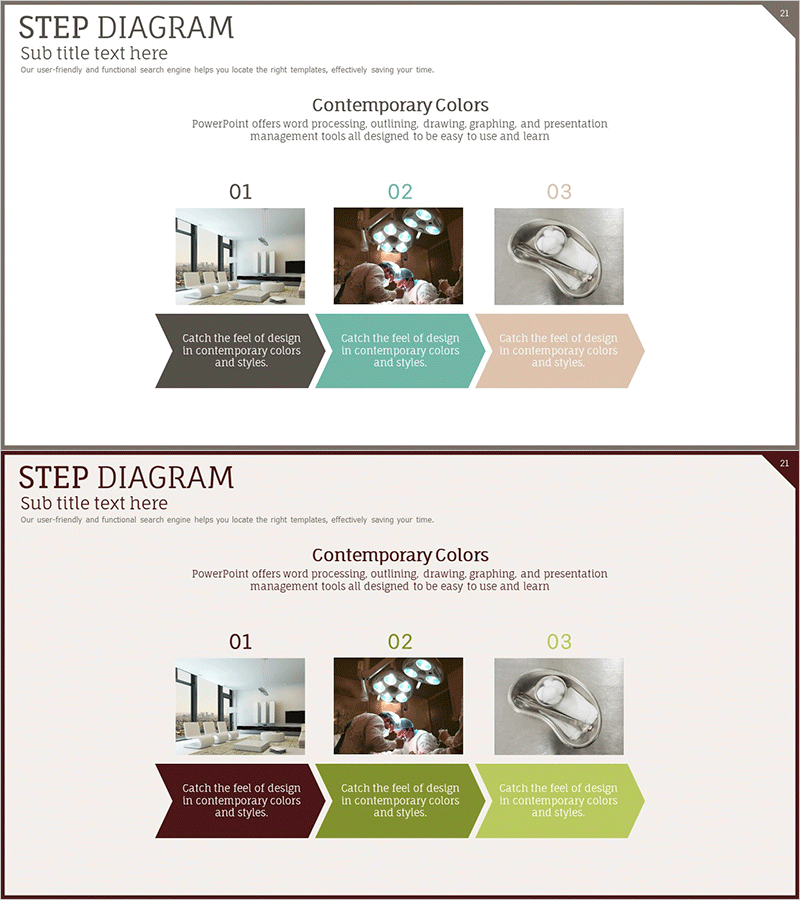
Diagram of the Plastic Surgery Process
RJ0700005_20
- Last Update 07/22/2025
- File Size 0.5MB
- # of Slides 2
- File Format PPTX
- Slide Ratio 16:9
- Color
Keywords
- #Content-Based Slides
- #Design-Based Slides
- #Product/Service Introduction
- #Business Strategy
- #Diagram
- #Program Introduction
- #Step-by-Step Schedule Plan
- #Flow
- #Linear Flow
- #16:9
- #linear process diagram PowerPoint
- #3-step flowchart slide
- #arrow process template
- #how to create process diagram in PowerPoint
- #sequential workflow slide design
About the Product
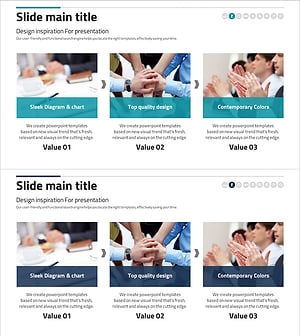
A PowerPoint diagram slide featuring a 3-step linear process connected by arrows. Each step includes an image area and text description space to visually represent process flow in an intuitive manner. The three-color combination of brown, teal, and beige clearly distinguishes each stage, making it effective for presentations and proposals explaining business procedures, service workflows, product development stages, and operational processes. Consists of 2 slides optimized for 16:9 widescreen format.
Usage Points
-
Main Usage
Optimized for visualizing sequential process flows divided into 3 stages. Insert photos or icons in the image area of each stage and add descriptions in text boxes to effectively communicate business procedures, service delivery workflows, product development stages, and project timelines.
-
How to Use
Use in the strategy and implementation sections of proposals, business plans, and project reports. Double-click the image area in each stage box to insert relevant photos, then click the text area to input stage descriptions. Colors can be adjusted using theme color options.
-
Recommended For
Ideal for executives, planning teams, marketing teams, and sales teams creating process-based proposals and business plans. Particularly effective in healthcare, beauty, construction, manufacturing, and IT industries when explaining service flows or development processes.
-
Slide Structure
2-slide set. Each slide contains a title area, 3 sequential stage boxes (brown, teal, beige), image area and text description space within each box, and arrow connectors between stages. Optimized for 16:9 widescreen format.
Related Products
-
Introduction to Business Program Procedures – Step-by-step Approach
#Product/Service Introduction #Business Strategy #Diagram
-
Introduction Slide Using Shapes – Clarity and Simplicity
#Product/Service Introduction #Business Strategy #Diagram
-
Introducing the Card Company Service Program – Effective Business Strategy
#Product/Service Introduction #Business Strategy #Diagram
-
Business Program Process – Linear Flow Diagram
#Product/Service Introduction #Business Strategy #Diagram
