



Circular Diagram Service Implementation Plan
RJ0600030_9
- Last Update 06/28/2025
- File Size 1.5MB
- # of Slides 2
- File Format PPTX
- Slide Ratio 16:9
- Color
Keywords
- #Content-Based Slides
- #Design-Based Slides
- #Operational Plan
- #Technical Approach
- #Diagram
- #Business Processes
- #Service Implementation Plan
- #Flow
- #Circular Flow
- #16:9
- #circular diagram PowerPoint
- #4-step cycle diagram slide
- #service implementation flow PowerPoint
- #process flow diagram PPT
- #circular process slide template
About the Product
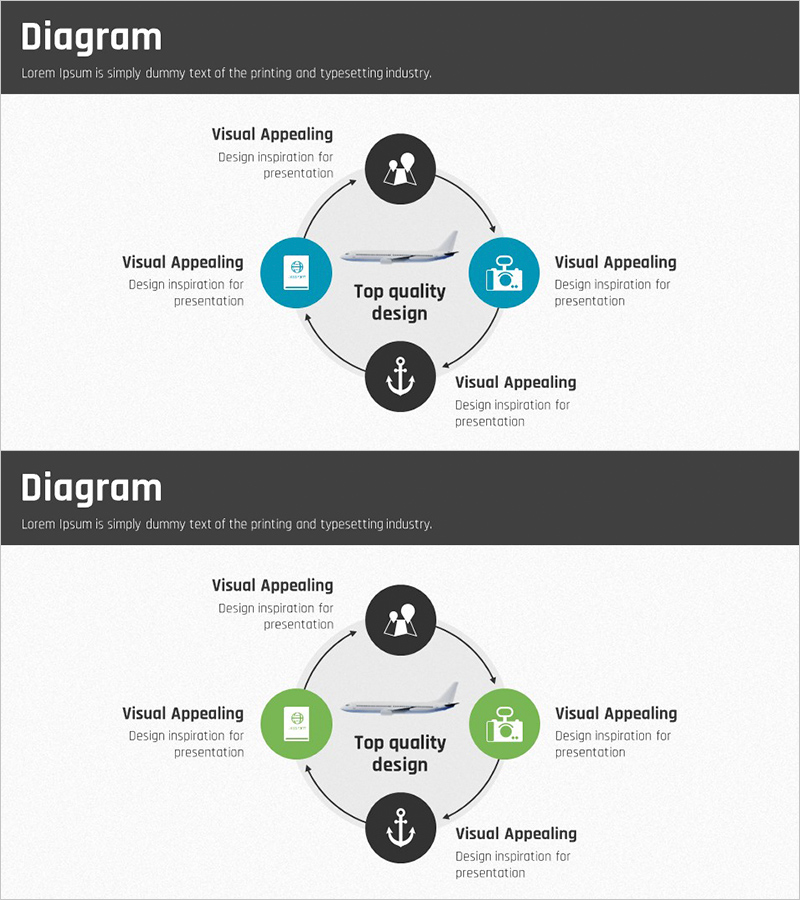
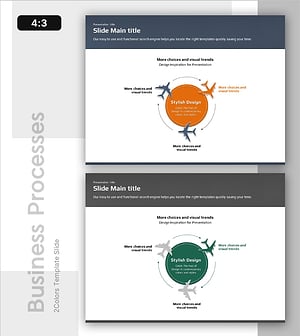
A PowerPoint slide that visualizes a service execution process through a 4-node circular diagram structure. The core objective sits at the center, with three implementation elements positioned on the left, right, and bottom, connected by arrows to create a continuous circular flow. Blue circular nodes alternate with black circular nodes for visual balance, each containing an icon and text label. The 2-slide set includes color variations (blue and green) so you can select based on your presentation context and brand guidelines. Ready to use immediately for operational plans, workflow processes, and technical department explanations.
Usage Points
-
Main Usage
Use this slide when explaining a service or product execution process through a circular structure. The 4-element cycle around a central objective emphasizes continuous improvement, iteration, and cyclical processes. Ideal for operational plans, technical roadmaps, and service improvement cycles.
-
How to Use
Enter your core objective in the center text box (e.g., Top quality design), then replace the 4 node labels and descriptions with your execution elements. Icons can be swapped to match each element's characteristics. Select the appropriate color variation from the 2 slides based on your presentation flow.
-
Recommended For
Recommended for service and product development team strategy presentations, operations department workflow explanations, technical team development cycle sharing, and marketing team customer experience improvement loop discussions. Particularly effective for organizational reports and external proposals that emphasize repetitive or cyclical structures.
-
Slide Structure
2-slide set. Each slide features a central text box with 4 circular nodes (icon + text label + description) positioned at top, right, bottom, and left, connected by arrows in a circular flow. Slide 1 uses blue and black colors; Slide 2 uses green and black. Select the color scheme that matches your presentation context.
Related Products
-
Idea Circulation Diagram – Embracing Business Innovation
#Operational Plan #Technical Approach #Diagram
-
Medical Circulatory System Diagram Slide
#Operational Plan #Technical Approach #Diagram
-
Circular Process Diagram – Designing Efficient Workflows
#Operational Plan #Technical Approach #Diagram
-
Air Operation Process – Understanding Operational Plans Through Diagrams
#Operational Plan #Technical Approach #Diagram
