



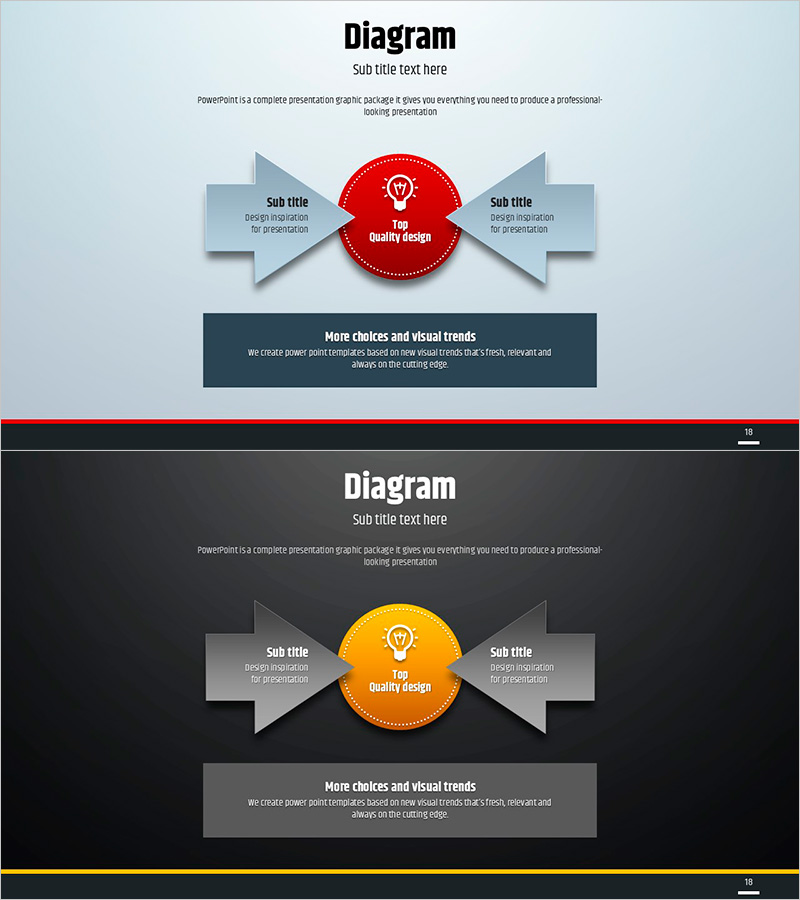
Simple Circle Presentation Template Diagram7 – Emphasizing Strategic Flow
RJ0200013_17
- Last Update 04/01/2025
- File Size 0.4MB
- # of Slides 2
- File Format PPTX
- Slide Ratio 16:9
- Color
Keywords
- #Content-Based Slides
- #Design-Based Slides
- #Product/Service Introduction
- #Diagram
- #Text Box
- #Differentiation Strategy for Products/Services
- #Flow
- #Converging Flow Diverging Flow
- #Arrow
- #16:9
- #radial diagram PowerPoint
- #bidirectional arrow slide
- #central hub diagram
- #strategic flow template
- #two-way relationship PPT slide
About the Product
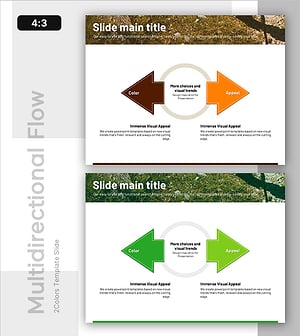
A radial diagram PowerPoint slide featuring a central circular node with bidirectional arrows extending left and right, ideal for illustrating strategic flow and two-way relationships. Available in three color versions—red, orange, and blue—with two layout options: light background and dark background designs. The 2-slide set includes clearly defined text editing areas for immediate customization. Perfect for business presentations, strategic planning decks, and relationship mapping in professional settings. Each slide combines a central icon-enhanced node with symmetrical arrow structures to convey mutual influence and dual-axis expansion.
Usage Points
-
Main Usage
Visualize how a core organizational value or strategic initiative branches into two complementary execution paths, or illustrate mutual influence between two key business elements. Ideal for depicting dual-axis business strategies, cross-functional collaboration models, and reciprocal relationships in corporate communications.
-
How to Use
Enter your core concept (e.g., Quality Design, Core Value) in the central circular node. Add specific strategies or action items in the left and right arrow text boxes. Select the color version matching your presentation theme, then enhance with additional icons or data visualization as needed.
-
Recommended For
Executives, strategy managers, marketing planners, and project leads presenting organizational direction, business strategy, or interdepartmental collaboration frameworks. Suitable for C-suite briefings, company-wide strategy rollouts, and cross-functional partnership presentations.
-
Slide Structure
2-slide set: one light-background version (light blue and white) and one dark-background version (dark gray and black). Each slide features a central circular node with icon, left-side arrow text box, right-side arrow text box, and bottom descriptive text area for comprehensive information layout.
Related Products
-
Square Frame Template – Multidirectional Flow Diagram
#Product/Service Introduction #Business Vision and Strategy #Diagram
-
Idea Presentation Template Wide – Dynamic Business Strategy
#Product/Service Introduction #Business Vision and Strategy #Diagram
-
Construction Design Flow Diagram – Business Strategy and Differentiation
#Product/Service Introduction #Business Vision and Strategy #Diagram
-
Mountaineering PPT Promotion Direction Diagram - Challenge and Success
#Product/Service Introduction #Business Strategy #Diagram
