



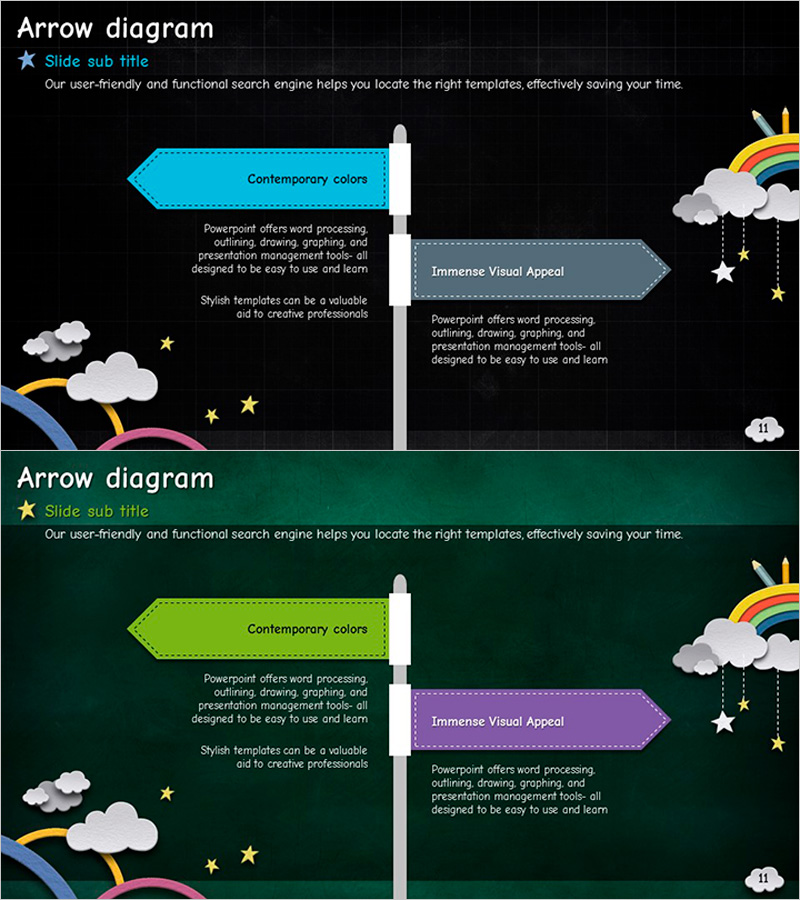
Multidirectional Flag Diagram – Product and Service Overview
RJ0500013_11
- Last Update 06/10/2025
- File Size 7.4MB
- # of Slides 2
- File Format PPTX
- Slide Ratio 16:9
- Color
Keywords
- #Content-Based Slides
- #Design-Based Slides
- #Product/Service Introduction
- #Business Strategy
- #Diagram
- #Differentiation Strategy for Products/Services
- #Business Direction
- #Flow
- #Multidirectional Flow
- #16:9
- #multidirectional arrow diagram PowerPoint
- #diagram PowerPoint slide
- #product service introduction PPT
- #business diagram template
- #arrow box slide design
About the Product
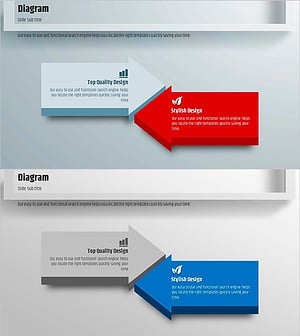
A multidirectional arrow diagram PowerPoint slide designed to showcase products and services in multiple directions. Set against a dark background, cyan, purple, and gray arrow boxes are symmetrically arranged left and right of a central axis, each with editable title and description fields. Decorative cloud, rainbow, and star illustrations create a creative and approachable atmosphere. Comprising 2 slides in 16:9 widescreen PPTX format, it is ready for immediate editing. Ideal for business strategy presentations, product feature comparisons, service positioning, and corporate pitch decks.
Usage Points
-
Main Usage
Visualize product and service features using multidirectional arrows to communicate clearly to your audience. The symmetrical left-right structure around a central axis enables balanced information presentation, while each arrow box accommodates title and detailed description to emphasize key messages.
-
How to Use
Replace the text in each arrow box with your product or service information. Colors can be customized to match your corporate brand, and arrow quantities can be added or removed as needed. Highly effective for investor presentations, product launches, and business strategy communications to illustrate directional initiatives.
-
Recommended For
Marketing managers, business development professionals, executives, and startup founders creating pitch decks. Suitable for all business presentations requiring product positioning, service lineup introduction, and business direction explanation.
-
Slide Structure
2-slide set. First slide features cyan and gray arrow boxes positioned symmetrically on left and right of central axis. Second slide displays purple and gray arrow boxes in identical layout. Each box contains editable title field and description text area for flexible content input.
Related Products
-
The Road Template Multidirectional Diagram2 – Product/Service Introduction and Business Strategy
#Product/Service Introduction #Business Strategy #Diagram
-
Farming Harvest Business Direction Arrow – Effective Path Setting
#Product/Service Introduction #Business Strategy #Diagram
-
Emphasizing the Importance of Hydration with a Multidirectional Arrow Diagram
#Product/Service Introduction #Diagram #Text Box
-
Square Frame Presentation Template – Multidirectional Arrow Diagram
#Business Vision and Strategy #Business Strategy #Diagram
