



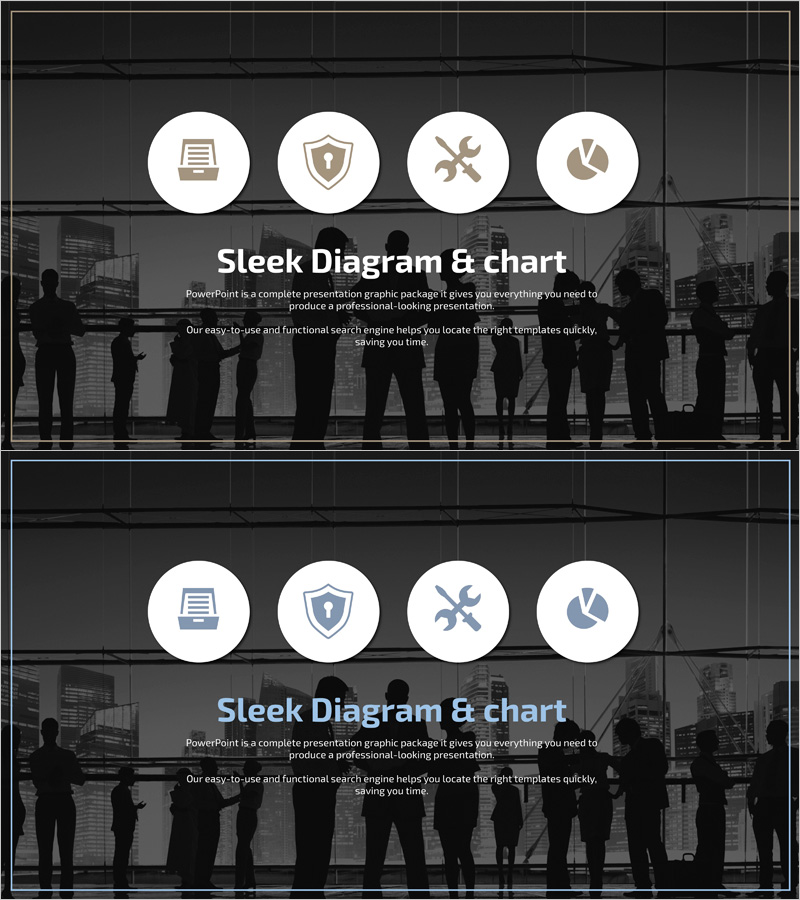
Infographic Slide for Data Security Business Sector
RJ0400056_8
- Last Update 06/02/2025
- File Size 1MB
- # of Slides 2
- File Format PPTX
- Slide Ratio 16:9
- Color
Keywords
- #Content-Based Slides
- #Design-Based Slides
- #Company Introduction
- #Business Introduction
- #Diagram
- #Business Areas
- #Business Areas
- #Cluster
- #Closed Cluster Diagram
- #16:9
- #4-icon diagram PowerPoint
- #closed-form diagram slide
- #data security presentation
- #business infographic PPT
- #icon-based diagram template
About the Product
A 2-slide PowerPoint presentation optimized for data security and business sector presentations. Features a dark gray background with four white circular icons (document, security, tools, chart) arranged in a closed-form diagram structure, each representing an independent functional area. The silhouette background of business professionals reinforces corporate credibility and professionalism. Delivered in 16:9 widescreen PPTX format, fully editable for immediate use. Ideal for data security strategy, system architecture overview, and business process introduction slides.
Usage Points
-
Main Usage
Visualizes data security solutions, business system architecture, and corporate security strategy through four core functions (document management, security, operations, analytics) in a closed-form diagram. Each icon represents an independent domain, making complex concepts intuitive and accessible to audiences.
-
How to Use
Deploy in enterprise security presentations, IT solution seminars, and data management system introductions. Add text and metrics to each icon area for detailed function descriptions, or customize background and icon colors to match corporate branding guidelines.
-
Recommended For
IT professionals, financial institutions, security solution teams, data center operations, and corporate information security departments presenting to executives. Suitable for technology-driven business model explanations in strategy meetings, investor presentations, and client proposals requiring credible visual communication.
-
Slide Structure
2-slide layout with dark gray background. Each slide features a centered title area at top, four white circular icons (document, security, tools, chart) arranged symmetrically in the center, and descriptive text area at bottom. Icon spacing maintains visual balance while allowing independent information input in each functional area.
Related Products
-
Medical Business Area Diagram – Business Introduction and Analysis
#Company Introduction #Business Introduction #Diagram
-
Cluster Diagram Slide for Facilities Technology Area
#Company Introduction #Business Introduction #Diagram
-
Domain Structure Diagram – Clear Visualization for Business Introduction
#Company Introduction #Business Introduction #Diagram
-

Representative Ingredients Slide for Business Insights
#Company Introduction #Business Introduction #Diagram
