



Domain Structure Diagram – Clear Visualization for Business Introduction
RJ0300060_14
- Last Update 05/04/2025
- File Size 0.1MB
- # of Slides 2
- File Format PPTX
- Slide Ratio 16:9
- Color
Keywords
- #Content-Based Slides
- #Design-Based Slides
- #Company Introduction
- #Business Introduction
- #Diagram
- #Business Areas
- #Business Areas
- #Cluster
- #Spread
- #Closed Cluster Diagram
- #Centralized Diagram
- #16:9
- #radial diagram PowerPoint
- #center structure slide template
- #business concept diagram PPT
- #4-node diagram slide
- #how to create radial diagram in PowerPoint
- #business introduction slide template
About the Product
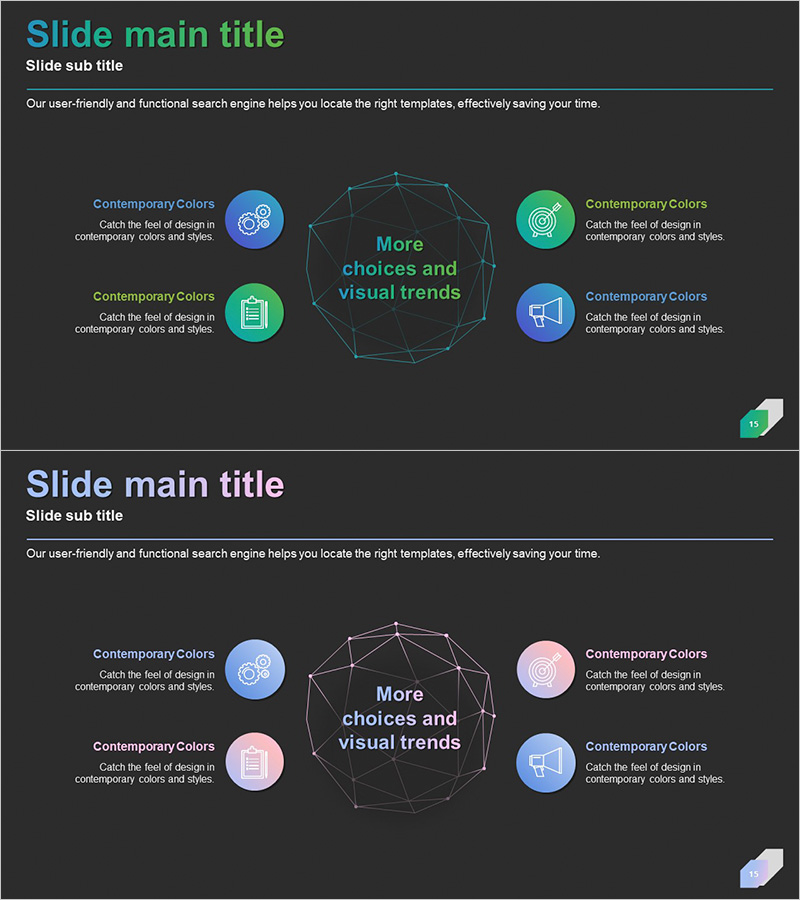
A PowerPoint slide featuring a radial diagram with a central concept connected to four surrounding elements through lines and circular icons. The dark background is complemented by cyan, green, blue, and pink colored nodes arranged symmetrically around the center hexagonal text area. This design effectively visualizes hierarchical relationships and interconnections in business introductions, product structures, organizational frameworks, and strategic planning presentations. The 2-slide set offers color variations for flexible application, optimized for 16:9 widescreen format to suit modern presentation environments.
Usage Points
-
Main Usage
Designed to place a core concept, organizational value, product feature, or strategic objective at the center, with four supporting elements arranged radially around it. This layout enables viewers to instantly grasp hierarchical relationships and interconnections between the central theme and its components.
-
How to Use
Enter your core topic (e.g., company vision, product name, strategic goal) in the central hexagonal text box. Fill in the four surrounding text boxes with supporting details (e.g., features, values, strategic pillars). Icons and colors are fully editable, and the 2-slide versions allow you to experiment with different color combinations for variety.
-
Recommended For
Ideal for business plans, company introductions, product presentations, strategic planning pitches, organizational structure explanations, and marketing proposals. Suitable for executive briefings, investor pitch decks, internal training materials, and any presentation requiring clear visualization of core concepts and supporting elements.
-
Slide Structure
Two-slide set with identical layouts: a central hexagonal text area surrounded by four circular icons (each in different colors) positioned at cardinal points. Connecting lines link the center to each node. The first slide uses cyan, green, blue, and pink; the second slide presents an alternative color arrangement for visual variety.
Related Products
-
Automotive Maintenance Service Business Area – Cluster Diagram
#Company Introduction #Business Introduction #Diagram
-

Social Network Main Business Structure
#Company Introduction #Business Introduction #Diagram
-
Card Payment Service Area Diagram – Business Sector Introduction
#Company Introduction #Business Introduction #Diagram
-
Solution Area Diagram – Ideal for Business Area Analysis
#Company Introduction #Business Introduction #Diagram
