



Data Visualization Using Doughnut Charts – Emphasizing Creative Professionals
RJ0400044_11
- Last Update 05/28/2025
- File Size 0.6MB
- # of Slides 2
- File Format PPTX
- Slide Ratio 16:9
- Color
Keywords
- #Content-Based Slides
- #Design-Based Slides
- #Product/Service Introduction
- #Market and Competitor Analysis
- #Graph
- #Development Status
- #Market Share
- #Circles
- #Doughnut Chart
- #16:9
- #doughnut chart PowerPoint
- #pie chart slide template
- #data visualization PowerPoint
- #ratio chart presentation
- #donut graph slide design
About the Product
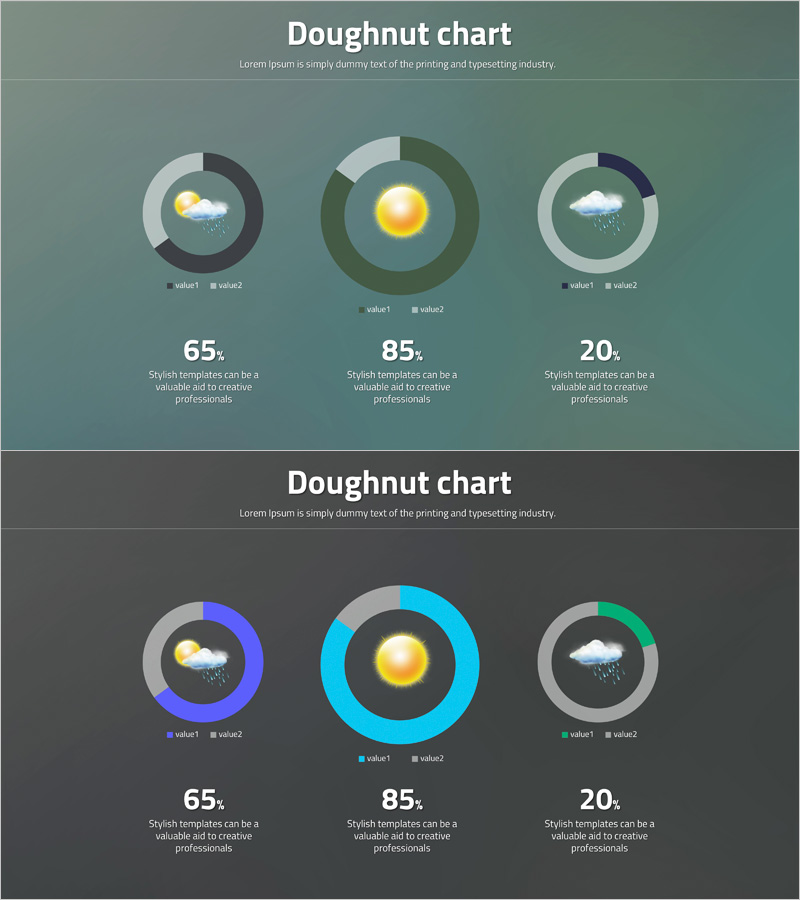
A 2-slide PowerPoint set featuring doughnut charts for effective data visualization. The slides showcase three color schemes—gray, olive, and blue—to represent data proportions and composition intuitively. Each slide includes a centered icon (weather imagery) for visual emphasis, with legend labels and numerical data fields for flexible customization. This presentation template enables clear communication of sales figures, market share, customer satisfaction, and other statistical information in professional reports and business presentations.
Usage Points
-
Main Usage
Doughnut charts display proportions of 2–4 items relative to a whole using circular segments. This slide set visualizes composition ratios clearly, with a center icon area to emphasize key messages or themes. Ideal for presenting sales performance, market analysis, customer satisfaction scores, budget allocation, and other statistical data in business contexts.
-
How to Use
Input actual data values into each doughnut chart, and proportions update automatically. Modify legend labels (value1, value2) to reflect your categories, and replace the center icon to match your presentation topic. Color scheme—gray, olive, and blue—can be adjusted to align with corporate branding guidelines.
-
Recommended For
Marketing professionals, executives, analysts, and consultants presenting data-driven insights. Suitable for quarterly performance reports, market research presentations, budget status updates, customer segmentation analysis, and any scenario requiring proportion-focused information delivery.
-
Slide Structure
2-slide layout with one 3-item doughnut chart per slide. Each chart features a centered weather icon (cloud, sun, rain) for visual interest. Bottom section includes numerical data (65, 85, 20) and description text fields for additional information. 16:9 widescreen format optimized for modern presentation environments.
Related Products
-
Analysis graph of market share progress
#Product/Service Introduction #Market and Competitor Analysis #Graph
-
Analysis of Transportation Usage Status – Pie Chart
#Product/Service Introduction #Market and Competitor Analysis #Graph
-
Map Donut Graph for Visualizing Market Share – Symbol of Practicality and Change
#Product/Service Introduction #Market and Competitor Analysis #Graph
-
Sales Status Analysis Graph – Simple and Stylish Design
#Product/Service Introduction #Market and Competitor Analysis #Graph
