



Navigation Program App Process and Implementation Plan - Enhancing Business Performance
RJ0400039_16
- Last Update 05/28/2025
- File Size 0.4MB
- # of Slides 2
- File Format PPTX
- Slide Ratio 16:9
- Color
Keywords
- #Content-Based Slides
- #Design-Based Slides
- #Business Management
- #Operational Plan
- #Diagram
- #Execution Plan
- #Business Processes
- #Cluster
- #Chain Diagram
- #16:9
- #route flow diagram PowerPoint
- #navigation process presentation slide
- #3-stage process diagram
- #business workflow PowerPoint template
- #how to create process flow in PowerPoint
About the Product
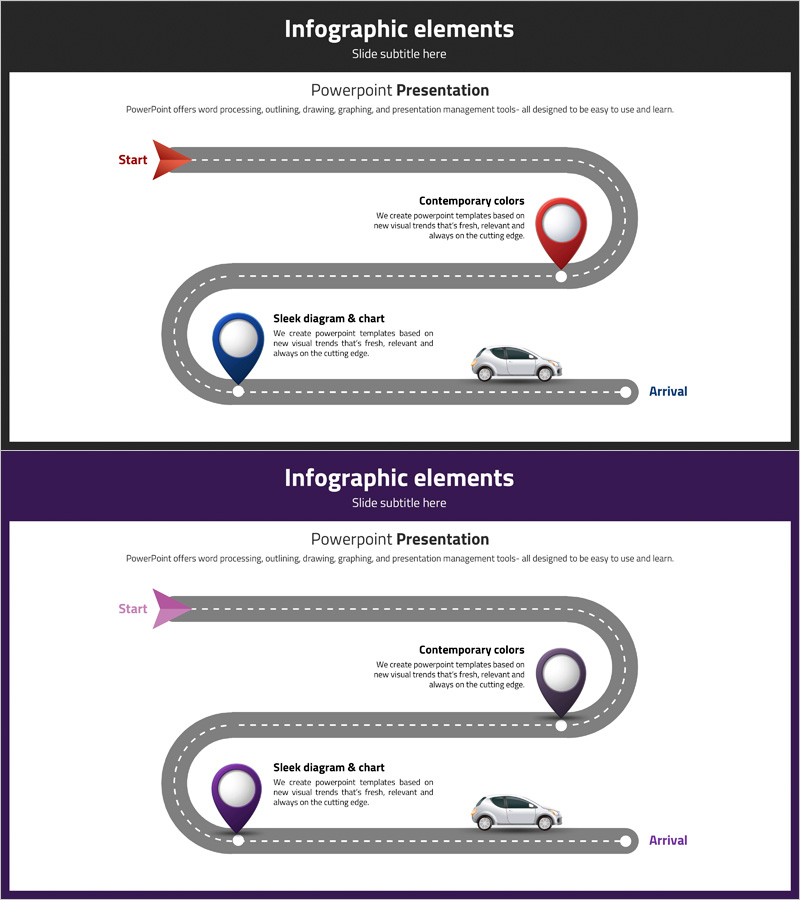
A route flow diagram PowerPoint slide that visualizes the navigation program process and implementation plan. This presentation template expresses three key stages from start to arrival using curved pathway lines and location pin icons, with contrasting red and blue colors emphasizing the importance of each stage. Instantly applicable to company introduction, business process explanation, and workflow sections, this slide deck communicates complex processes intuitively. The 16:9 widescreen format includes 2 slides with multiple color combinations (red-blue and pink-purple) for flexible presentation design.
Usage Points
-
Main Usage
Optimized for visually explaining user journey and process stages of navigation apps, programs, and services. Clearly expresses the pathway from start to arrival, making complex workflows intuitive and enhancing audience comprehension of business operations.
-
How to Use
Apply to company introduction presentations in the business model section, product introduction materials for user experience explanation, and business plan documents in the execution strategy portion. Customize by adding stage-specific descriptions or adjusting colors to match organizational brand guidelines.
-
Recommended For
Recommended for IT companies, app development firms, and digital service enterprises presenting executive reports and investor pitches. Also effective for consulting firms, project management teams, and marketing departments explaining process improvements and implementation strategies.
-
Slide Structure
2-slide set featuring the first slide with red-accented 3-stage route flow diagram and the second slide with purple-pink color combination using identical structure. Each slide comprises a start arrow, curved pathway, 3 location pin nodes, and arrival label, with text input areas positioned beside each stage for customization.
Related Products
-
Construction Business Process Diagram – Visualize Effective Workflows
#Business Management #Operational Plan #Diagram
-
Blue Green Sequence Diagram
#Business Management #Operational Plan #Diagram
-
Business Process Procedure Diagram – Effective Business Management
#Business Management #Operational Plan #Diagram
-
Execution Plan for Creative Learning Programs – Effective Workflow Diagram
#Business Management #Operational Plan #Diagram
