



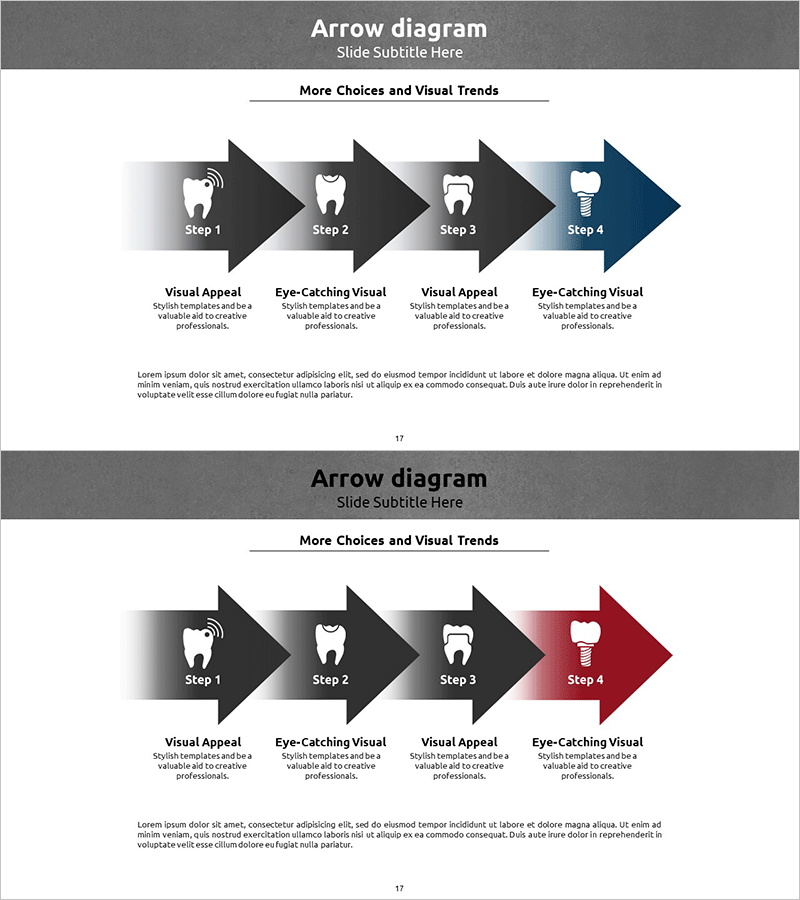
Caries Treatment Process Arrow Diagram – Step-by-Step Implementation Plan
RJ0400034_16
- Last Update 05/26/2025
- File Size 2.5MB
- # of Slides 2
- File Format PPTX
- Slide Ratio 16:9
- Color
Keywords
- #Content-Based Slides
- #Design-Based Slides
- #Business Strategy
- #Business Management
- #Diagram
- #Step-by-Step Schedule Plan
- #Implementation Plan
- #Flow
- #Linear Flow
- #16:9
- #4-step arrow diagram PowerPoint
- #linear process flow slide
- #step-by-step implementation plan diagram
- #gradient arrow PPT
- #sequential workflow PowerPoint template
About the Product
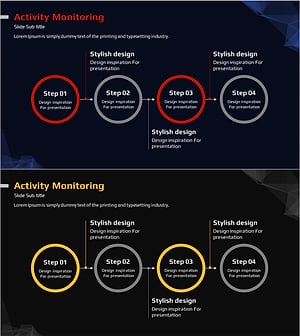
A linear arrow diagram PowerPoint slide featuring four sequential steps progressing from left to right. Each arrow transitions from charcoal to blue gradient, visually emphasizing the progression and importance of each stage. Ideal for presenting treatment processes, business implementation strategies, project timelines, marketing campaign phases, and any step-by-step workflow. Each step includes a text area below for detailed descriptions, and the icon (tooth shape) can be customized for industry-specific applications. Provided in 16:9 widescreen format with 2 slides for flexible presentation scenarios.
Usage Points
-
Main Usage
Effectively visualizes sequential processes, step-by-step strategies, and temporal progression. The four-arrow structure guides the audience naturally from left to right, creating a clear narrative flow. The gradient color treatment emphasizes stage progression and highlights key transition points.
-
How to Use
Customize each step by entering stage names, descriptions, and timelines in the text areas below each arrow. Replace or modify the tooth icon with relevant imagery and adjust colors to match your industry or topic. Use both slides to present multiple related processes or variations of the same workflow.
-
Recommended For
Medical and dental treatment process explanations, business plan implementation strategy sections, marketing campaign timelines, product development workflows, educational seminar learning stages, consulting proposal execution plans, and organizational change management presentations.
-
Slide Structure
Four nodes (Step 1–4) connected by left-to-right linear arrows with charcoal-to-blue gradient fill. Each node features a customizable text area below for descriptions and supporting details. The tooth icon serves as a visual anchor and can be replaced with industry-specific symbols. Two-slide format provides design consistency for presenting multiple related processes.
Related Products
-
Fintech Promotion Plan Diagram – Structured Visualization of Business Strategy
#Business Strategy #Business Management #Diagram
-
Schedule Diagram for Scientific Research – Detailed Implementation Plan
#Business Strategy #Business Management #Diagram
-
Nature Theme Future Strategy Linear Diagram
#Business Strategy #Business Management #Diagram
-
Step-by-step Schedule STEP 4 Linear Diagram – Business Strategy
#Business Strategy #Business Management #Operational Plan
