



Ribbon Theme Step-by-Step Schedule – Highlighting Business Goals
RJ0400030_5
- Last Update 05/25/2025
- File Size 8.7MB
- # of Slides 2
- File Format PPTX
- Slide Ratio 16:9
- Color
Keywords
- #Content-Based Slides
- #Design-Based Slides
- #Business Vision and Strategy
- #Business Strategy
- #Diagram
- #Business Goals
- #Flow
- #Linear Flow
- #16:9
- #arrow diagram PowerPoint
- #linear flow diagram slide
- #step-by-step timeline PowerPoint
- #business process flow slide
- #4-step arrow diagram
- #how to create process flow in PowerPoint
About the Product
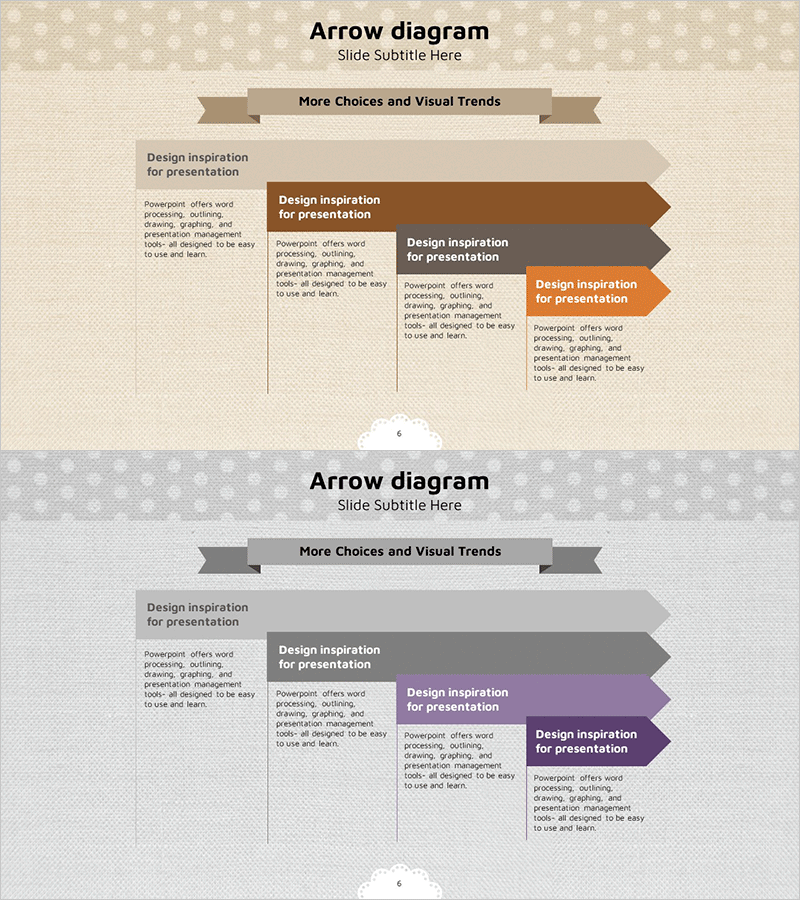
A PowerPoint arrow diagram slide that visually represents business objectives and implementation stages through a left-to-right linear flow. The ribbon-themed arrows in beige, brown, and orange tones clearly illustrate sequential progression. This 2-slide set includes two color variations—beige and brown version, plus gray and purple version—allowing you to select the design that matches your presentation context and brand identity. Each stage features clearly defined text input areas, making it easy to apply content for project timelines, strategic planning, business roadmaps, and operational schedules.
Usage Points
-
Main Usage
Communicate business implementation stages, project milestones, and strategic processes through a clear left-to-right linear progression. Each arrow box represents a distinct phase, enabling audiences to understand the complete workflow and timeline at a glance.
-
How to Use
Enter stage names, timeframes, responsible parties, and key activities into each arrow box. The ribbon-shaped arrows emphasize directional flow, making this design ideal for chronological sequences, decision-making phases, and project milestones. Switch between color schemes to represent different scenarios or departmental divisions.
-
Recommended For
Executive reports, business plans, project proposals, marketing strategies, organizational restructuring plans, product launch schedules, and training materials. Particularly effective for strategy presentations in consulting, finance, manufacturing, IT, and marketing departments.
-
Slide Structure
2-slide set with identical layouts in different color schemes. Each slide displays 4 ribbon-shaped arrow boxes arranged horizontally from left to right, with text input areas within each box. First slide features beige, brown, and orange tones; second slide uses gray and purple tones.
Related Products
-
Educational Goals for Boosting Cognitive Thinking
#Business Vision and Strategy #Business Strategy #Diagram
-
Animal Performance Graphs PowerPoint Template
#Business Vision and Strategy #Business Strategy #Diagram
-
Flow Diagram with Objectives – Strategy and Direction
#Business Vision and Strategy #Business Strategy #Diagram
-
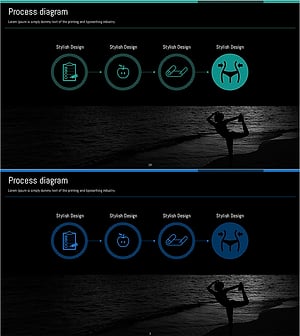
Visualizing Linear Process for a Successful Diet Program - Effective Strategies
#Business Vision and Strategy #Business Strategy #Diagram
