



Joint Business Process – Efficient Operational Planning
RJ0300078_27
- Last Update 05/10/2025
- File Size 1MB
- # of Slides 2
- File Format PPTX
- Slide Ratio 16:9
- Color
Keywords
- #Content-Based Slides
- #Design-Based Slides
- #Product/Service Introduction
- #Operational Plan
- #Diagram
- #Development Plan
- #Business Processes
- #Cluster
- #Closed Cluster Diagram
- #Chain Diagram
- #16:9
- #connection diagram PowerPoint
- #5-step process slide
- #joint business process PowerPoint
- #operational planning diagram
- #process flow PPT slide
About the Product
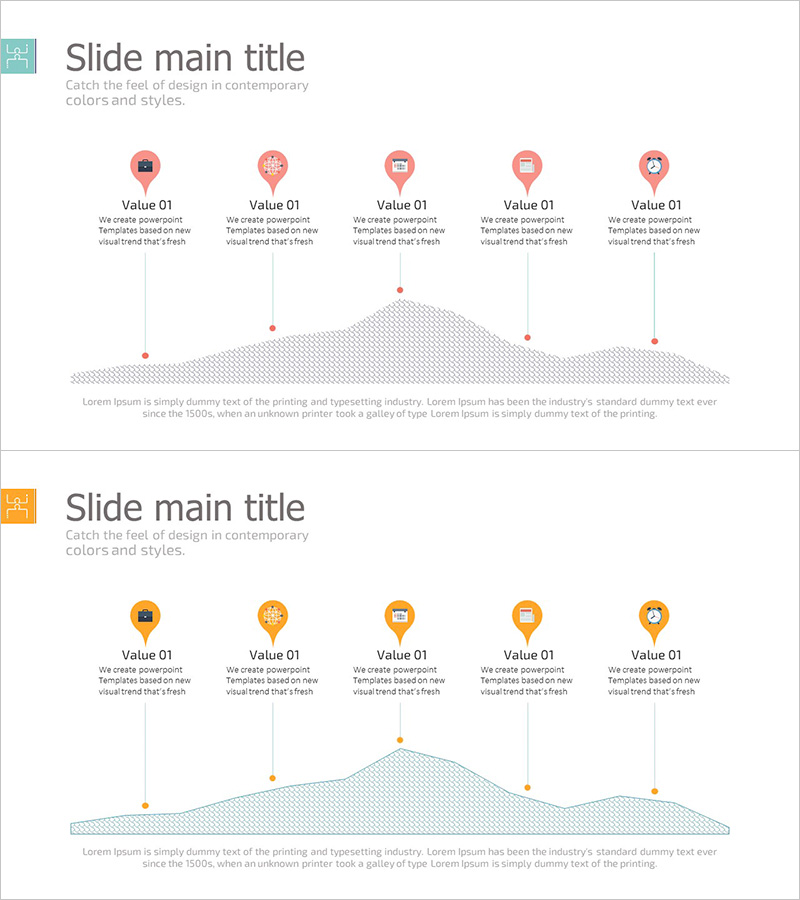
A 5-step connection diagram PowerPoint slide designed to visualize joint business processes and operational planning. The design features coral pink pin icons with a wave-shaped background, intuitively expressing the relationships between each stage. Provided in 2-slide format (16:9 aspect ratio), each slide includes 5 node points and description areas. This presentation material is ready to use for process flow explanations, step-by-step progress tracking, and operational planning presentations.
Usage Points
-
Main Usage
Clearly visualizes the 5-stage flow of joint business processes and illustrates the connections between each stage and operational planning. The pin icon and wave background design intuitively conveys process progression and enhances audience comprehension.
-
How to Use
Use in product introduction, service operational planning, and project phase explanation slides. Enter stage names above each pin icon and add detailed content in the description area below. Colors and icons are fully customizable to match your corporate brand.
-
Recommended For
Ideal for business proposals, operational planning presentations, process improvement reports, and joint business collaboration briefings. Effective for executives, project managers, operations managers, and consultants explaining process flows.
-
Slide Structure
2-slide format with 5 coral pink pin icons horizontally arranged on each slide and a wave-shaped background at the bottom. Each pin icon has a 'Value 01-05' label and description text area below, with an integrated description section positioned at the center bottom.
Related Products
-
Preparation Procedure for the Wedding Hall – Roadmap for Weddings
#Business Strategy #Operational Plan #Diagram
-
Development Plan Cycle Diagram – Efficient Workflow
#Product/Service Introduction #Operational Plan #Diagram
-
Traffic Accident Process Diagram – Operational Planning and Implementation System
#Business Strategy #Operational Plan #Diagram
-
Efficient Business Strategy Presentation through the Work System Box
#Business Strategy #Operational Plan #Diagram
