



Preparation Procedure for the Wedding Hall – Roadmap for Weddings
RJ0800011_16
- Last Update 08/02/2025
- File Size 0.3MB
- # of Slides 2
- File Format PPTX
- Slide Ratio 16:9
- Color
Keywords
- #Content-Based Slides
- #Design-Based Slides
- #Business Strategy
- #Operational Plan
- #Diagram
- #Implementation Framework
- #Business Processes
- #Cluster
- #Closed Cluster Diagram
- #Chain Diagram
- #16:9
- #timeline diagram PowerPoint
- #6-step process slide
- #wedding preparation PowerPoint
- #roadmap diagram slide
- #connection flow diagram
- #PowerPoint diagram slide template
About the Product
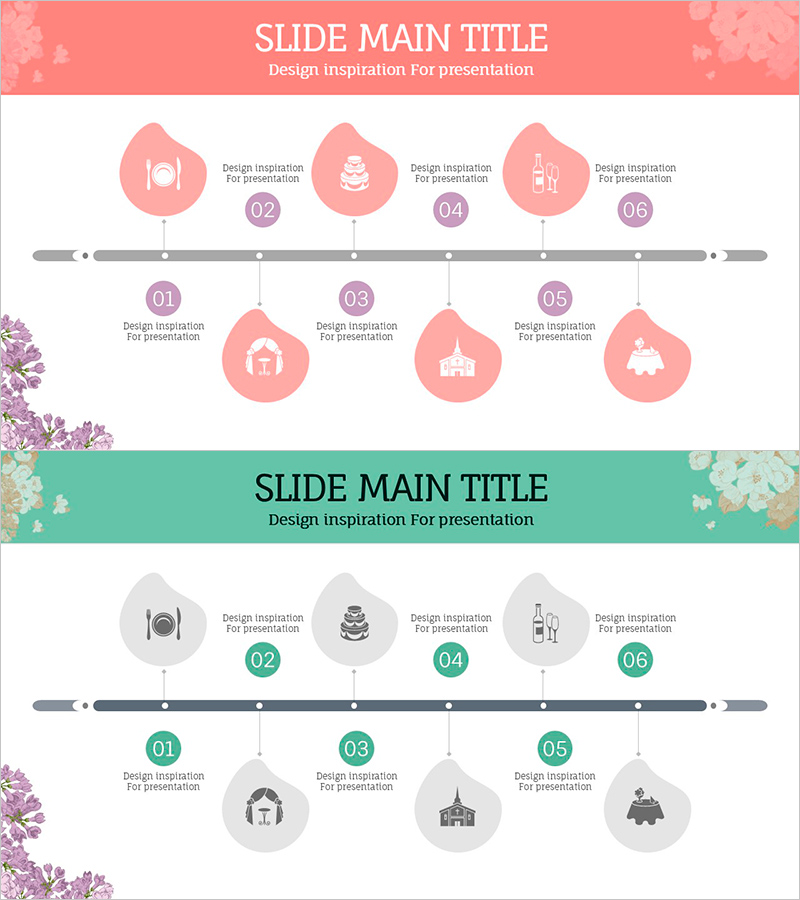
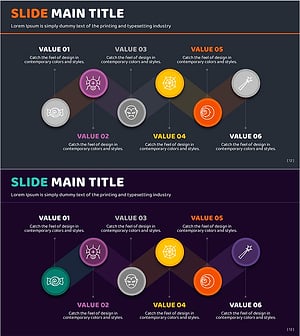
A PowerPoint slide that visualizes the wedding preparation procedure as a 6-step timeline. The design features a horizontal flow line with three circular nodes positioned above and three below, representing each stage of wedding hall preparation. The template includes a coral-colored background slide and a mint-colored background slide, with each node containing an icon and text input area. This PPT template is ready to use for wedding event planning presentations, operational procedure explanations, and timeline-based project management.
Usage Points
-
Main Usage
Designed to explain wedding preparation stages sequentially and communicate the overall timeline visually to audiences. Clearly presents the step-by-step process from venue selection to final preparations, enhancing audience comprehension.
-
How to Use
Edit the icons and text in each circular node to input actual stage names and responsible party information. Use the top slide for main stages and bottom slide for detailed items, or display both slides consecutively to present the complete roadmap.
-
Recommended For
Wedding planners, wedding venue management teams, engaged couples' coordinators, event planners, and hotel or convention center marketing teams explaining wedding preparation schedules.
-
Slide Structure
A 6-step timeline structure with a horizontal flow line as the centerline, featuring three circular nodes above and three below. Each node contains an icon area and text input field, with numbered indicators (01–06) clarifying the sequence. Both slides maintain identical diagram structure with only background color variation.
Related Products
-
Efficient Business Strategy Presentation through the Work System Box
#Business Strategy #Operational Plan #Diagram
-
Traffic Accident Process Diagram – Operational Planning and Implementation System
#Business Strategy #Operational Plan #Diagram
-
Basic Skincare Steps Guide – Visual Process Made Easy
#Business Strategy #Operational Plan #Diagram
-
Halloween Connection Diagram – Effective Business Strategy
#Business Strategy #Operational Plan #Diagram
